Operating Instructions Model: EV8650
Page 24 of 62 TP05413002 Rev. 03
Copyright © 2009 by Talaris Ltd., Basingstoke (UK)
3.8.3 Auto Denomination - AdEn
Value using size and/or SMDS detectors
To choose this option press the MODE key repeatedly to scroll through the available
modes.
Alternatively use the arrow keys to scroll through the available modes.
Press START/STOP to return to the counting display or wait for the display to time out.
The first note of the bundle will be assessed (first note reference) and value assigned
automatically for the rest of the count.
(There may be a short pause while this process takes place).
The size / denomination of each subsequent note is checked against the denomination
table held within the machine.
Place notes to be value counted in the hopper.
The machine will start automatically if AUTO START has been selected, or Press the
START/STOP key if it has not.
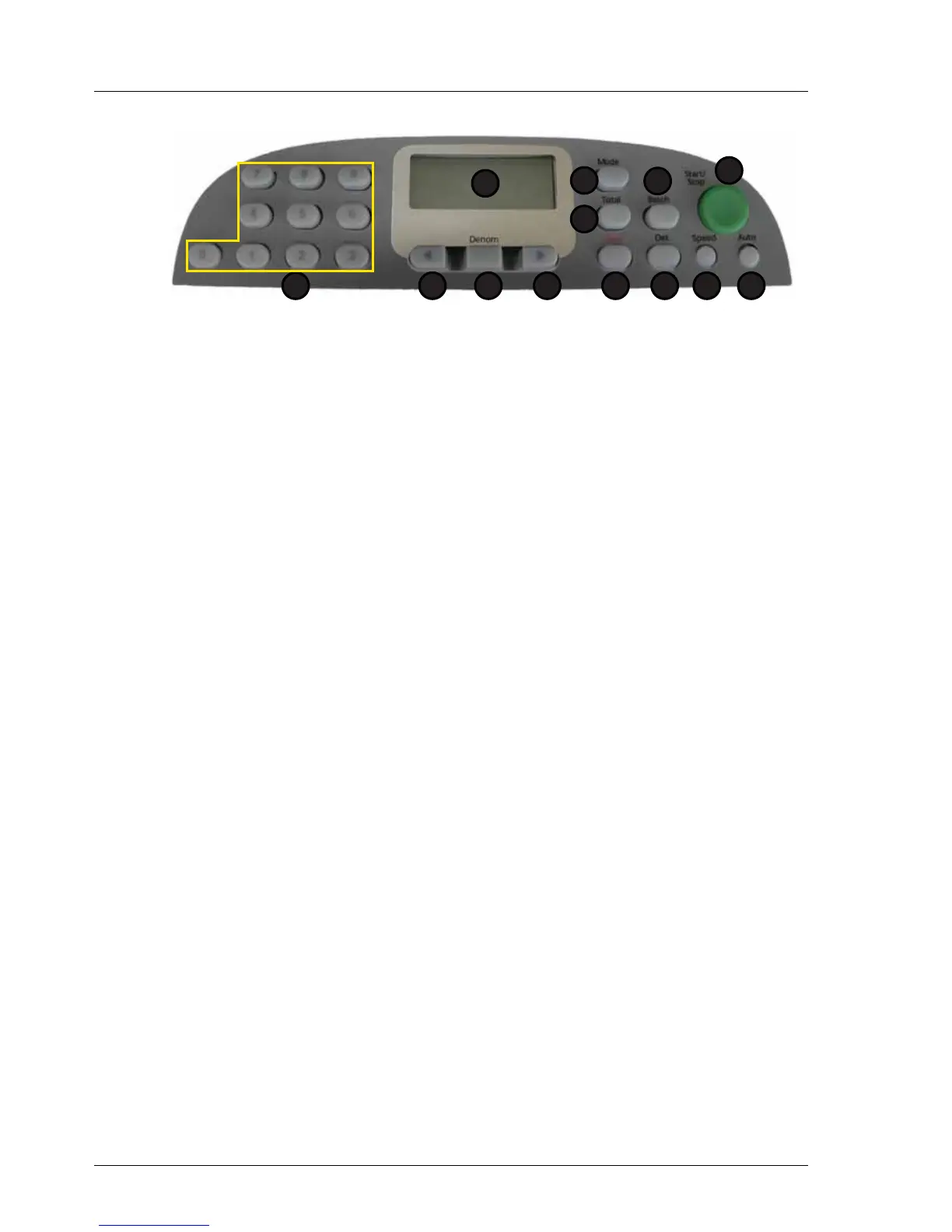
1. Display 7. Speed
2. Total 8. Det
3. Mode 9. Clear
4. Batch 10. Right Arrow
5. Start / Stop 11. Denomination
6. Auto 12. Left Arrow
13. Numeric Keypad
1
2
5
67
3
8
4
912 101113



 To Next Page