Supervisor Functions Model: EV8650
Page 44 of 62 TP05413002 Rev. 03
Copyright © 2009 by Talaris Ltd., Basingstoke (UK)
4.2.5 Print SEL (Printer Set-up Mode)
For setting up the printer and printout configuration.
Once in Supervisor Mode, use the Left and Right arrow keys to scroll to the available
Supervisor Functions.
Once Print SEL displayed, press the START/STOP key to enter that function or press
the DENOM key to exit. Press DENOM to exit Supervisor Function completely.
Prtot oFF will be shown, Press the MODE key to first select the trn (Transaction
number.) which shows the current transaction number level in the memory of the
machine. Press the CLEAR key to reset then transaction number to zero.
Pressing the MODE Key again will display SEtuP Prn. Once this is displayed press the
START/STOP Key to scroll through the available printer set-up options.
Once that function is displayed, use the left and right arrow keys to alter the selected
option. See the next page on how to change these settings.
Chr 1, Chr 2, Chr 3 are special control characters at the end of the printout. These
characters would be used if the printer had a guillotine fitted. The guillotine would then cut
each printout separately. The Hex code characters for that type of printer (with a
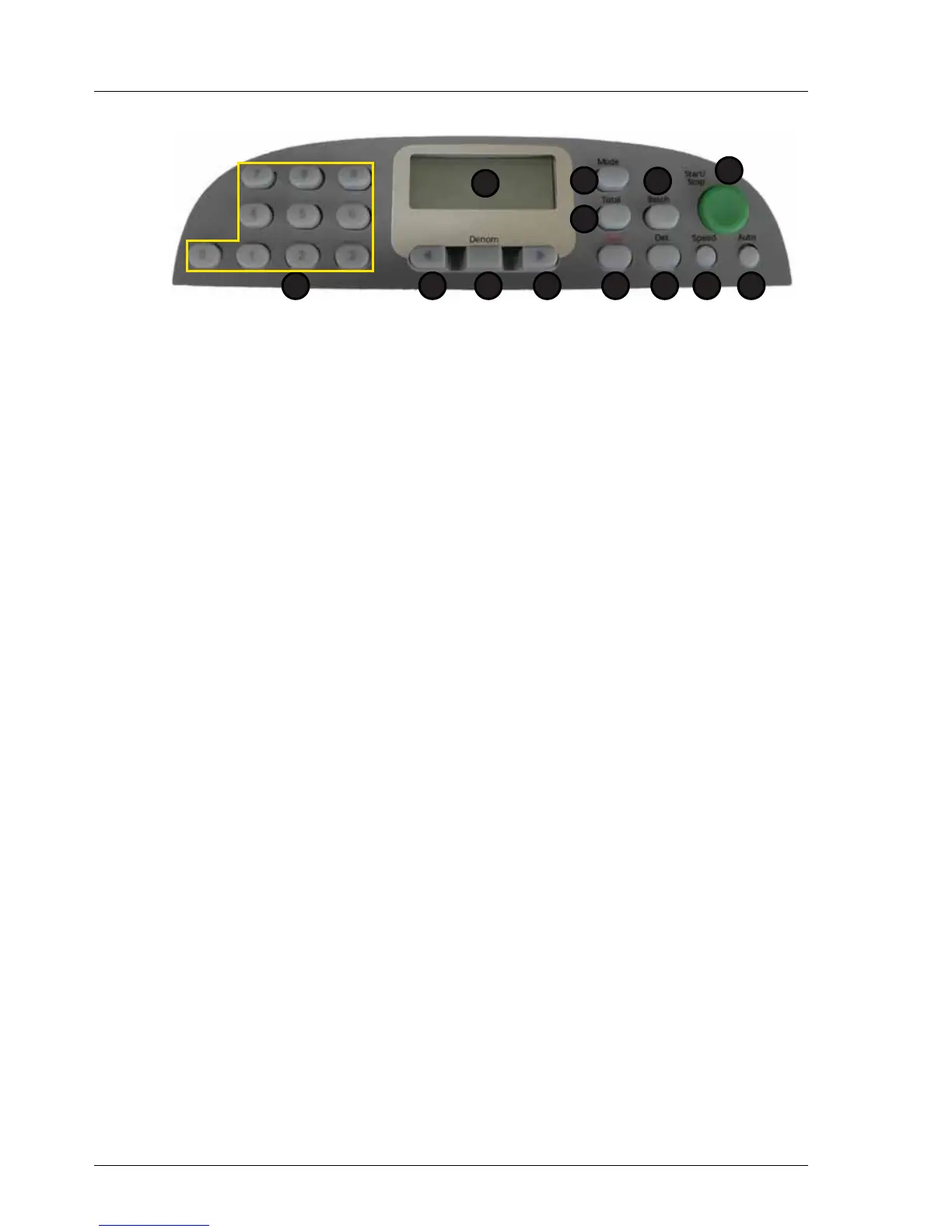
1. Display 7. Speed
2. Total 8. Det
3. Mode 9. Clear
4. Batch 10. Right Arrow
5. Start / Stop 11. Denomination
6. Auto 12. Left Arrow
13. Numeric Keypad
Option Description
totAL Print only counted (used) or all denomination totals.
xxx = USE or ALL
HAnSH Printer handshake level. xxx = OFF, Lo or hi.
CoLS Number of printed columns. xxx = 25 or 40.
LinES Number of trailing blank lines on printout. nnn = 0 - 20.
AutLF Auto-line feed after each printed line. xxx = OFF or on.
Chr 1 Special control characters at end of printout.
hh = 00 - FF in hex.
Chr 2 Special control characters at end of printout.
hh = 00 - FF in hex
Chr 3 Special control characters at end of printout.
hh = 00 - FF in hex
1
2
5
67
3
8
4
912 101113



 To Next Page