Display Messages Model: EV8650
Page 60 of 62 TP05413002 Rev. 03
Copyright © 2009 by Talaris Ltd., Basingstoke (UK)
6 Display Messages
The table below lists the messages that may be shown on the display. The table also
shows what may have caused the message to be displayed and how to resolve the
problem.
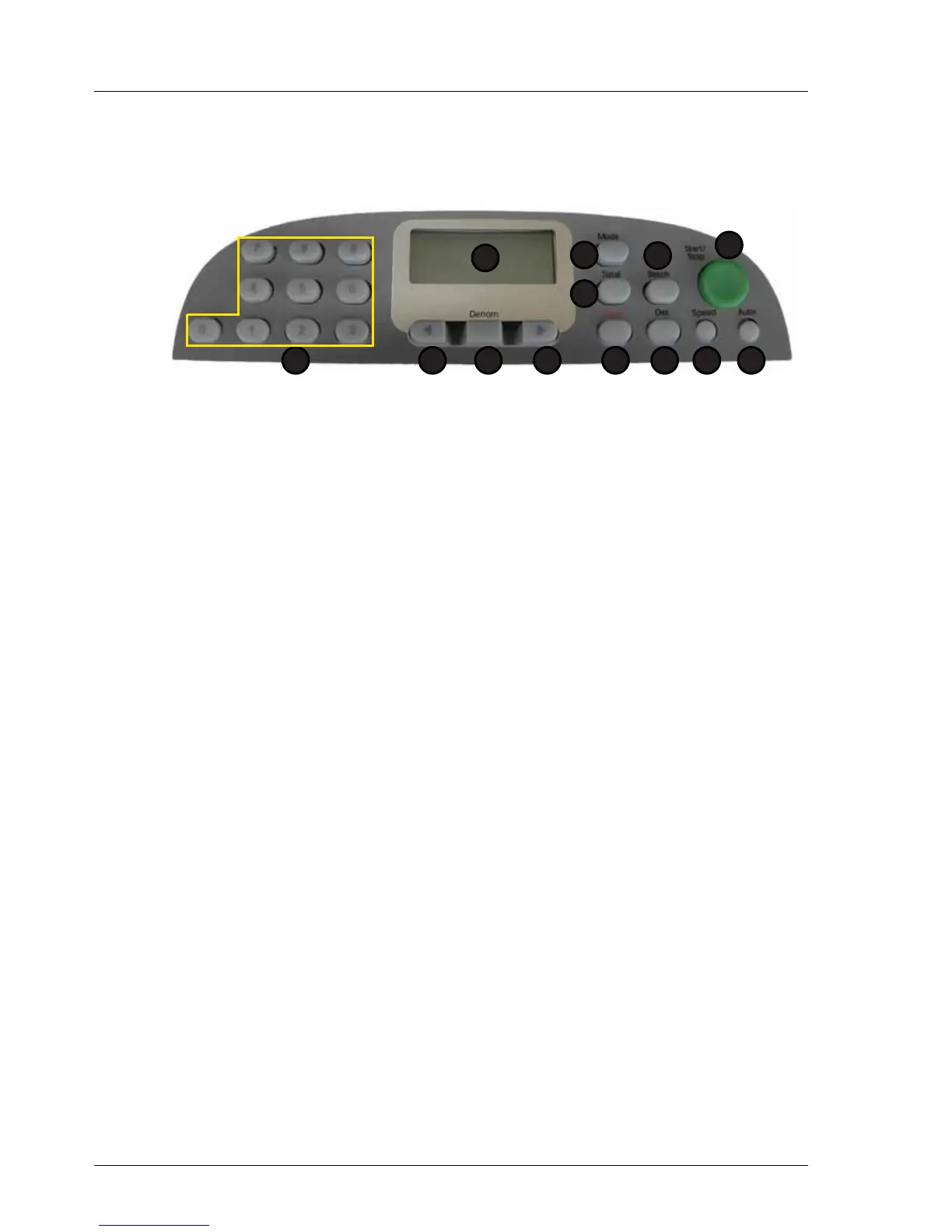
1. Display 7. Speed
2. Total 8. Det
3. Mode 9. Clear
4. Batch 10. Right Arrow
5. Start / Stop 11.Denomination
6. Auto 12. Left Arrow
13. Numeric Keypad
Display Messages
Display Reason Solution
CLEAr Sensors in hopper, stacker and /
or track sensor obscured by notes
or dirt.
Remove notes and / or clean
sensors
FEEd Note jammed in hopper, stuck
together or too thick for thickness
setting.
Remove notes from hopper.
Ensure that they are unstuck
before re-feeding. Alter note
thickness setting if necessary (see
“Feed Gap Adjustment” on page 7)
HALF A half note has been detected by
the machine.
Remove the notes from the
stacker. Remove suspect note(s)
from the bundle and repeat the
count. When the notes are re-fed,
the count display returns to zero or
displays the total when the stacker
was last emptied.
Press START/STOP to continue.
JA Notes are jammed in the note
transport.
Switch Machine off. Open the
machine by pressing the release
buttons as shown on page 8 of the
user guide. Remove the notes
carefully. Close the machine and
switch on.
dEn A note of a different size has been
detected.
Examine the notes, replace note or
re-feed.
CF A Counterfeit Suspect note has
been detected.
Examine the note replace note or
re-feed.
1
2
5
67
3
8
4
912 101113



 To Next Page