Operating Instructions Model: EV8650
Page 32 of 62 TP05413002 Rev. 03
Copyright © 2009 by Talaris Ltd., Basingstoke (UK)
3.11 Print Commands
Print On Demand
The print on demand option will operate in dEntr Mode and all Value Counting Modes
except diSP (Value Dispense). In dEntr Mode, It will print the transaction number, the
total Value counted and that currency off had been selected.
The printer (*) must have been selected in the CnS function in the Supervisor Function. It
also has to be configured in the Supervisor Function (Print SEL) prior to use.
* (Citizen CBM-910 Model, contact your local Talaris Office for further information.)
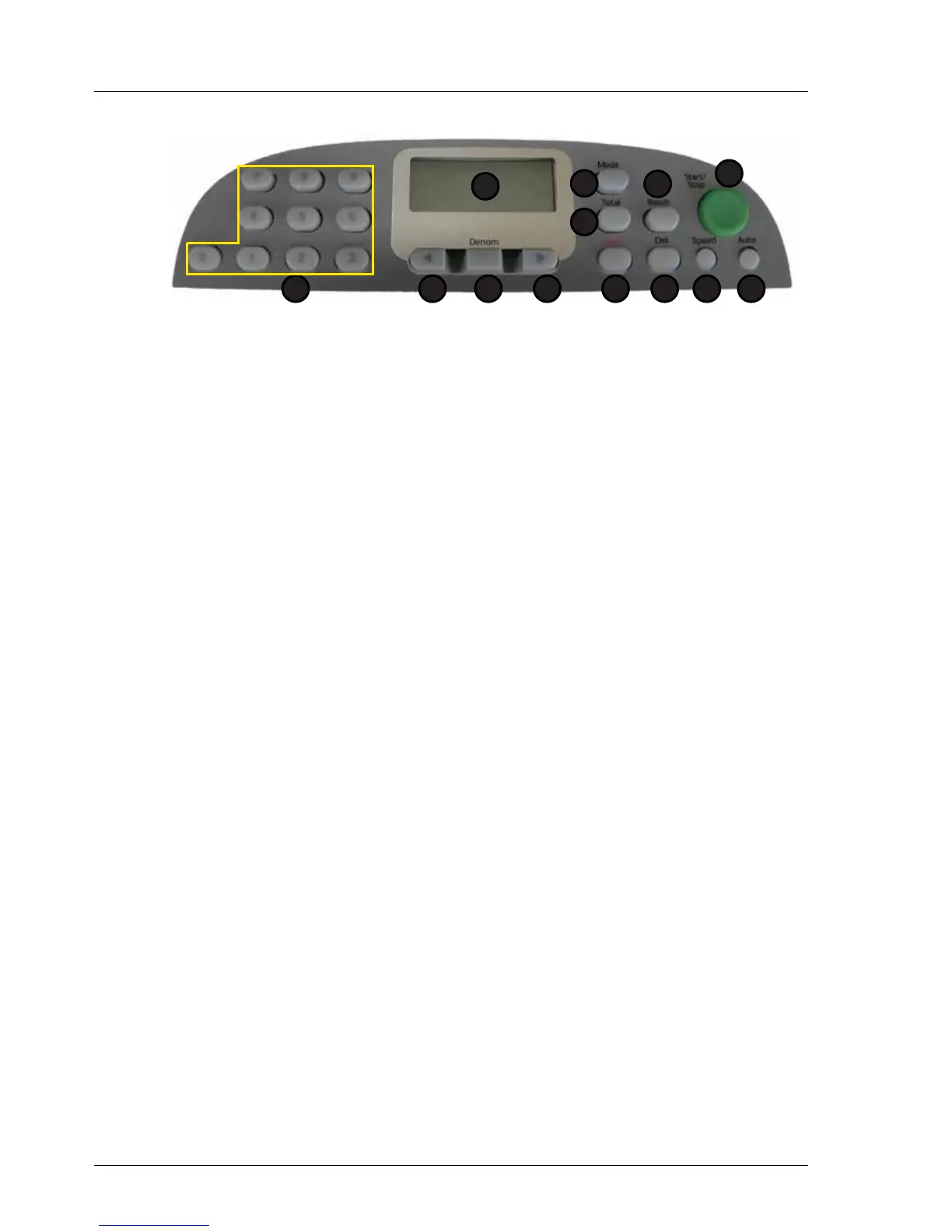
To enter the print on demand options. Press and hold the TOTAL Key for one second.
The display will show Print 0.
Press the TOTAL key repeatedly to step through the available options.
Alternatively whilst Print 0 is shown on the display, use the left or right arrow keys to
select required option or use the numeric keypad.
After the option number has been entered, the START/STOP key must be pressed within
5 seconds to print the totals. Pressing the DENOM key will exit the Print On Demand
Option. Also if no action is taken within 5 seconds in the print on demand option, the
EV8650 will revert back to the normal display mode, without printing.
Automatic printing is also available in Print SEL in the Supervisor Functions. Printer set-
up is also available in the Print SEL Function.
1. Display 7. Speed
2. Total 8. Det
3. Mode 9. Clear
4. Batch 10. Right Arrow
5. Start / Stop 11. Denomination
6. Auto 12. Left Arrow
13.Numeric Keypad
Option Description
0 Level 1 Totals (Batch Totals)
1 Level 2 Totals (Bundle Totals)
2 Level 3 Totals for selected Currency (Grand Totals)
3 Level 4 Totals For all Currencies (Grand Totals)
1
2
5
67
3
8
4
912 101113



 To Next Page