Supervisor Functions Model: EV8650
Page 40 of 62 TP05413002 Rev. 03
Copyright © 2009 by Talaris Ltd., Basingstoke (UK)
4.2.2 VALUE SEL (Value Quick Access Modes)
Setting The Short cut - Mode
Once in Supervisor Mode, use the Left and Right arrow keys to scroll through the
available Supervisor Functions.
Once VALUE SEL is displayed, press the START/STOP key to enter that function or
press the DENOM key to exit. Press DENOM to exit Supervisor Function completely.
Alternatively, in the Model EV8650, 12 supervisor functions have a short cut key which
can be used to select the functions directly (see ”Supervisor Functions Summary”
on page 37).
Select two out of the six quick access value mode settings. This is dependant on the
settings within your currency table. Quick access modes are VA1 and VA2, these are
selected by using the MODE key, then using the left and right arrow keys to select the
available options.
Note: Co1 and Co2 will also be shown whilst pressing the MODE key. This is so you can
set the quick access mode in Count without having to go back into the Count SEL option.
Options:
dEntr; FdEn; AdEn; SPECL; DISP; oFF.
The settings only apply to the current selected currency. Each currency has its own
settings.
To exit the Supervisor Functions completely, press the DENOM Key. You will now be
asked if you want to save the settings.
Press the DENOM key to exit without saving.
Press the START/STOP key to save settings.
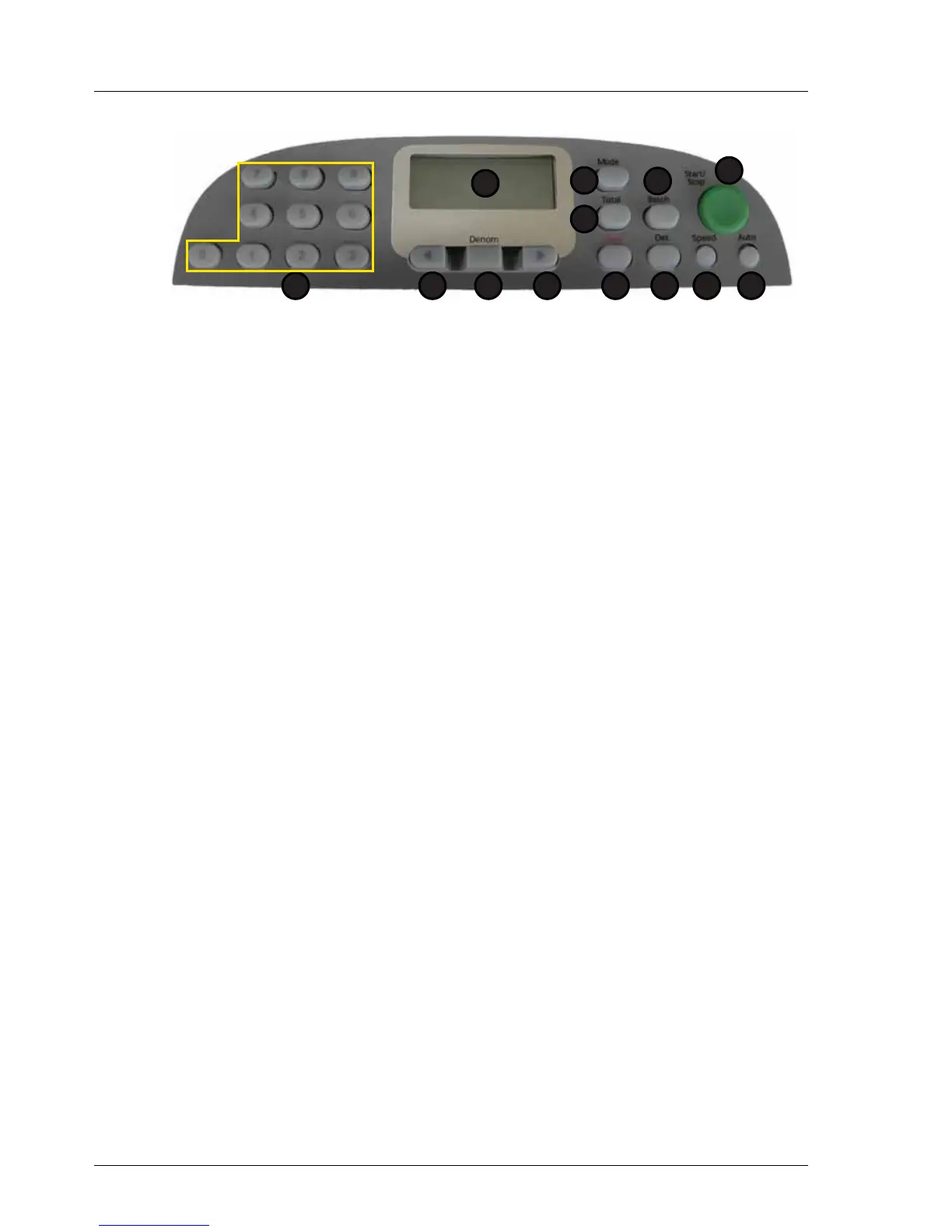
1. Display 7. Speed
2. Total 8. Det
3. Mode 9. Clear
4. Batch 10. Right Arrow
5. Start / Stop 11. Denomination
6. Auto 12. Left Arrow
13.Numeric Keypad
1
2
5
67
3
8
4
912 101113



 To Next Page