Model: EV8650 Supervisor Functions
TP05413002 Rev. 03 Page 51 of 62
Copyright © 2009 by Talaris Ltd., Basingstoke (UK)
4.2.10 CnS (RS232 Cash Management System)
The EV8650 range has either one or two RS232 Channels depending on the variant.
Channel 1 can be used to connect the machine to Cash Management software or a 40
column printer.
Channel 2 can only be used to connect to a 40 column printer.
Once in Supervisor Mode, use the Left and Right arrow keys to scroll through the
available Supervisor Functions.
Once CnS SEL is displayed, press the START/STOP key to enter that function, or press
the DENOM key to exit.
1Ch_ (Channel 1) will be shown on the display.
Use the arrow keys to select 1Ch_ or 2Ch_
Press the START/ STOP Key to enter the selected Channel.
For 1Ch_ Use the arrow keys to select between 2650 Pro; 2620 Pro; 8643 Pro or Print
Pro.
After selecting the communication protocol you require with the START/STOP Key, it will
now prompt you to enter a Baud Rate and other communication parameters as shown in
the table below. Use the START/STOP key to move from parameter to parameter and
the arrow keys to change the settings within that parameter.
For 2Ch_ you can only select Print Pro. Communication Parameters would have to be
set as for Channel 1.
To exit that function and the Supervisor Functions completely, press the DENOM Key.
You will be asked if you want to save the settings. Press the DENOM key to exit without
saving. Press the START/STOP key to save.
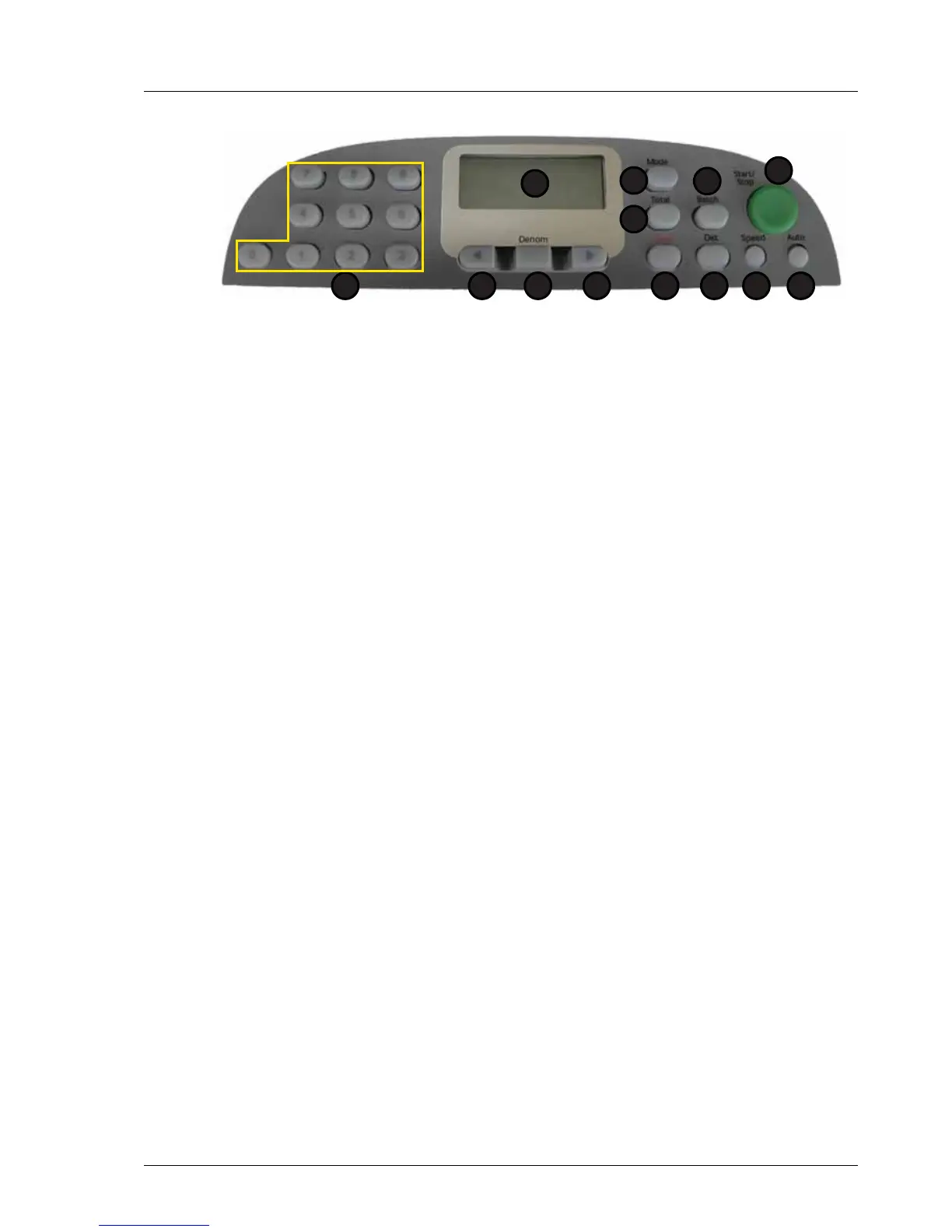
1. Display 7. Speed
2. Total 8. Det
3. Mode 9. Clear
4. Batch 10. Right Arrow
5. Start / Stop 11. Denomination
6. Auto 12. Left Arrow
13. Numeric Keypad
1
2
5
67
3
8
4
912 101113



 To Next Page