Supervisor Functions Model: EV8650
Page 46 of 62 TP05413002 Rev. 03
Copyright © 2009 by Talaris Ltd., Basingstoke (UK)
4.2.6 AUto (Auto-Start Delay)
Once in Supervisor Mode, use the Left and Right arrow keys to scroll through the
available Supervisor Functions.
Once Auto SEL is displayed, press the START/STOP key to enter that function or press
the DENOM key to exit. Press DENOM again to exit Supervisor Function completely.
Alternatively, in the Model EV8650, 2 supervisor functions have a short cut key which can
be used to select the functions directly (see ”Supervisor Functions Summary”
on page 37).
Select a feeding delay (using arrow keys - Left arrow to reduce delay, Right arrow to
increase delay). This delays the start of feeding after notes are placed on the feed hopper
in auto-start mode.
The Auto-start delay is in multiples of 100ms (i.e. a value of 10 = 1 second).
Press the MODE key to access the ErAut (Autostart after Error) settings.
Use the START/STOP key to toggle between on/oFF auto-start and manual start after
error recovery.
To exit the Auto Start Delay function press the DENOM key.
To exit the Supervisor Functions completely, press the DENOM Key. You will be asked if
you want to save the settings.
Press the DENOM key to exit without saving.
Press the START/STOP key to save settings.
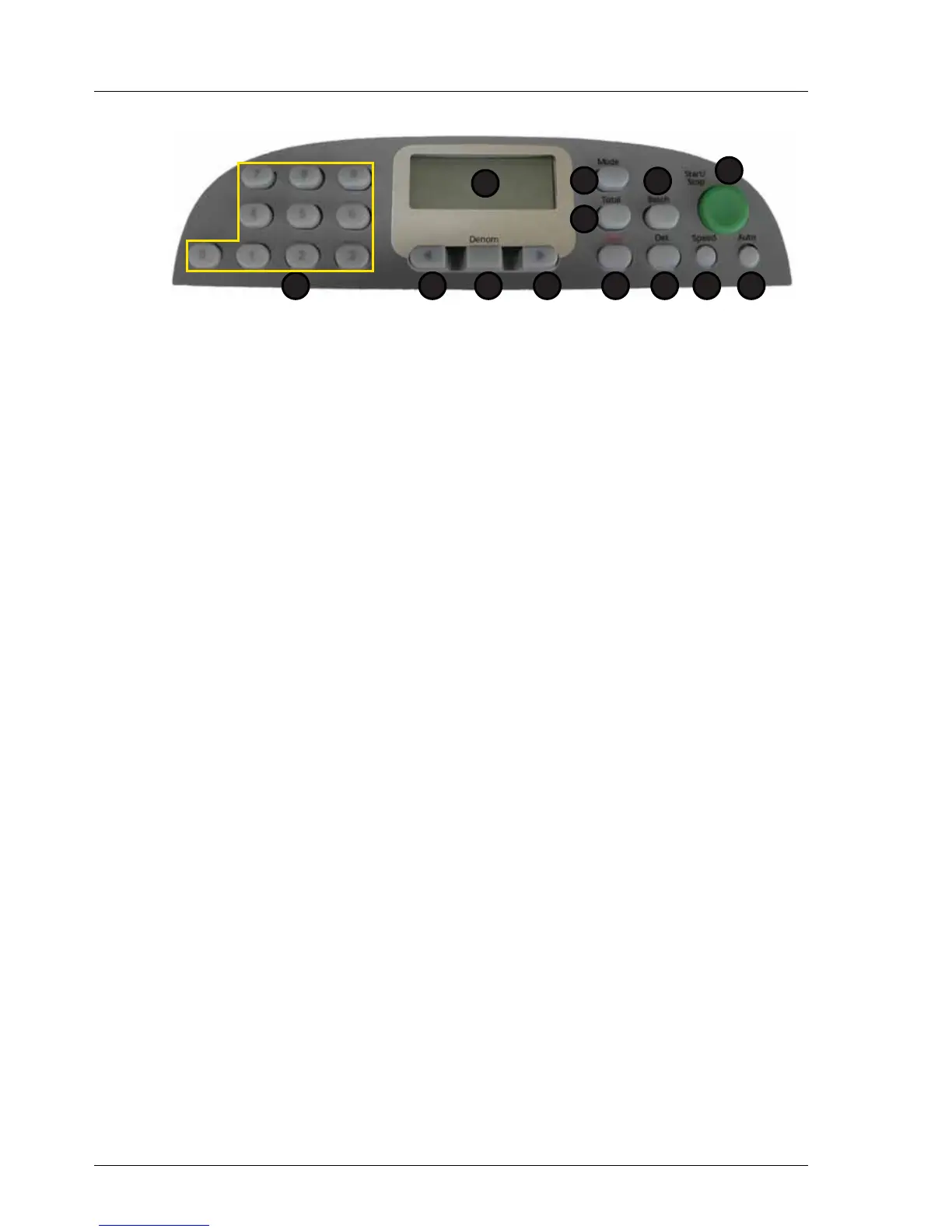
1. Display 7. Speed
2. Total 8. Det
3. Mode 9. Clear
4. Batch 10. Right Arrow
5. Start / Stop 11. Denomination
6. Auto 12. Left Arrow
13. Numeric Keypad
1
2
5
67
3
8
4
912 101113



 To Next Page