45
3.4
Remote Voltage Programming of Output Voltage and Current
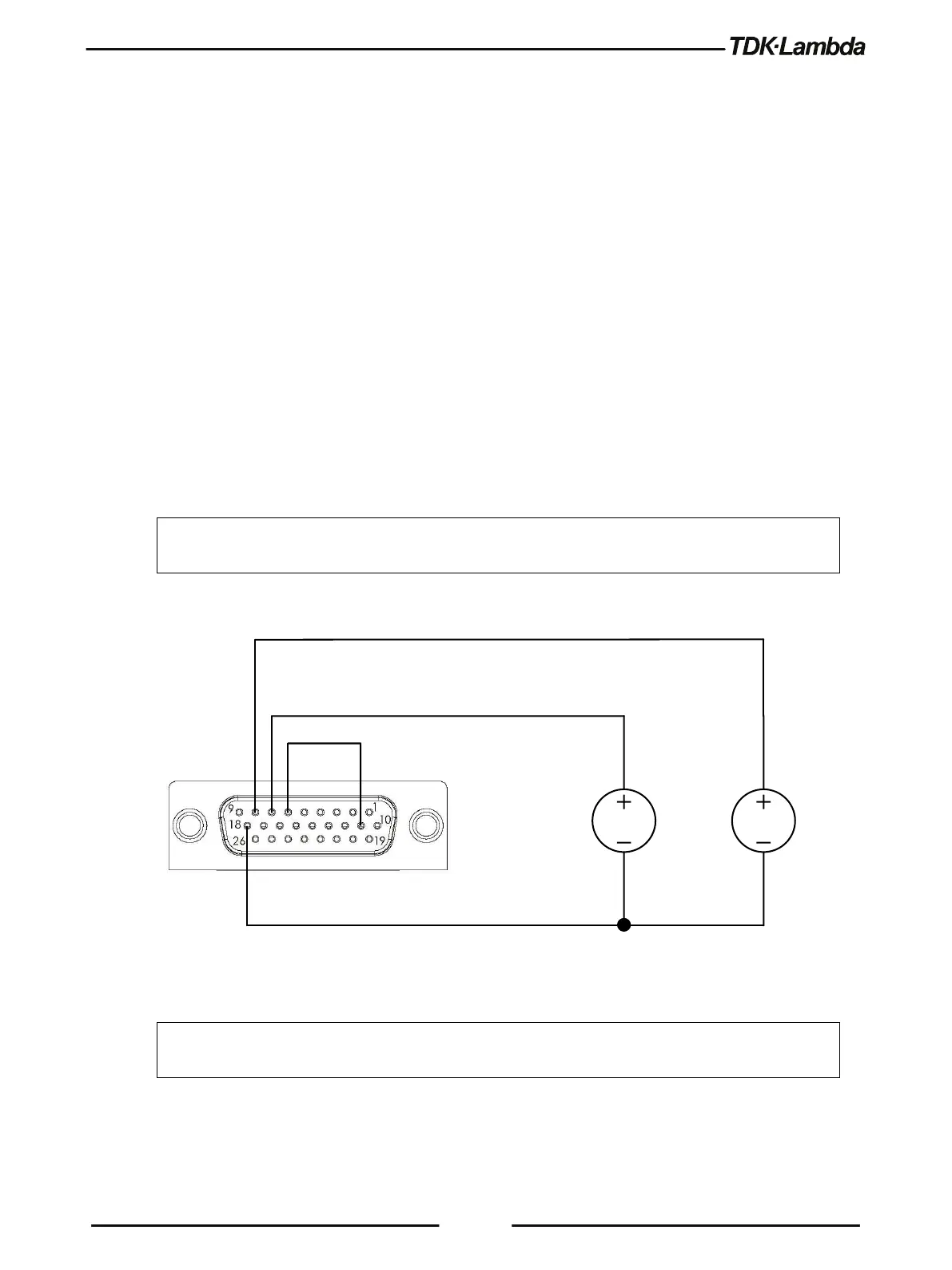
For Voltage Analog Programming wiring, refer to Figure 3–1.
Set the Remote Programming settings as follows:
1. Short the pin J1-6 to J1-11.
2. Press the CONF button. CONF (GREEN) LED illuminates.
3. Rotate the Voltage encoder until V.SRC or C.SRC appears on the voltage display.
4. Rotate the Current encoder to set E.VOL. Press the Current encoder for selection, display blinks
once to acknowledge the setting.
5. Rotate the Voltage encoder until RANGE appears on the voltage display.
6. Rotate the Current encoder to set 5 or 10 (External 5V or 10V). Press the Current encoder for
selection, display blinks once to acknowledge the setting.
7. Exit CONF menu by pressing the Back button or the CONF button.
CAUTION
When programming from J1, use a programming source with floated outputs to maintain the
isolation of the power supply.
DC
5/10V
DC
5/10V
OUTPUT VOLTAGE PROGRAMMING
OUTPUT CURRENT PROGRAMMING
678
11
Figure 3–1: J1-Remote Voltage Programming Connection
NOTE
To limit the maximum remote (analog) programming value of the current programming channel,
refer to Section 5.7 OCL – Analog Programming Over Current Limit.














 To Next Page