1
GENERAL INFORMATION
Documentation (including this Manual) is subject to change without notice. Refer to TDK-Lambda Technical Data
web page for an up-to-date documentation and optional communication interfaces user manuals (including
MODBUS-TCP and EtherCAT):
https://www.emea.lambda.tdk.com/uk/technical-data/data.aspx?resource=Installation-Manuals
Drivers and GUIs are updated periodically to support new features. Refer to TDK-Lambda Technical Centre web
page for up-to-date drivers and GUIs:
https://www.emea.lambda.tdk.com/uk/technical-centre/software-tools.aspx
CHAPTER 1: FRONT/REAR PANEL CONTROL & CONNECTORS
1.1
Introduction
The power supply series has a full set of controls, indicators and connectors that allow
the user to setup and operate the unit. Before starting to operate the unit, please read the following
sections for an explanation of the functions, controls and connector terminals.
•
Section 1.2: Front Panel Controls
•
Section 1.3: Front Panel Display and Indicators
•
Section 1.4: Blank Front Panel
•
Section 1.5: Rear Panel Connections and Controls
•
Section 1.6: J1 Connector Terminal and Function
1.2
Front Panel Controls
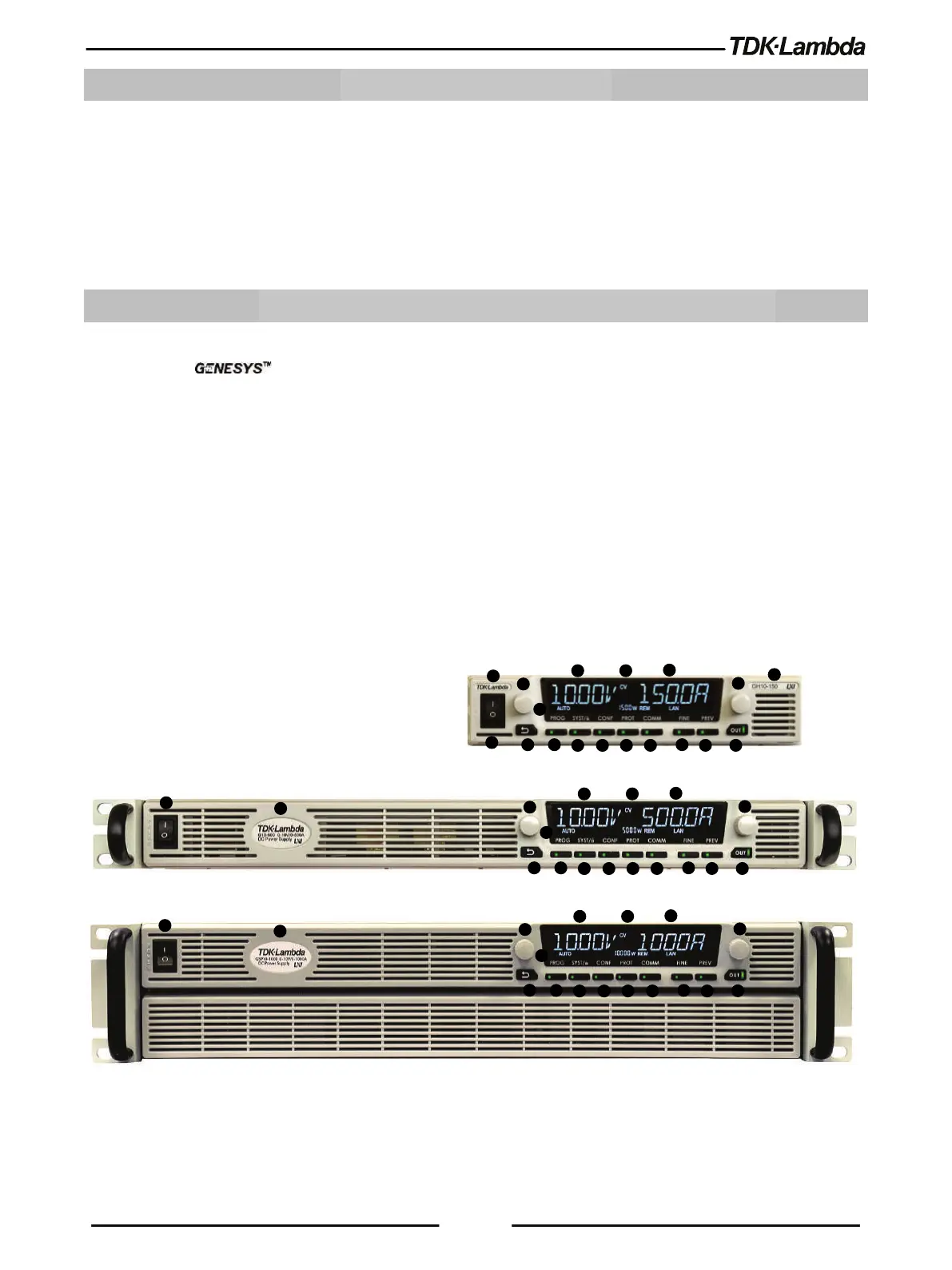
Refer to Figure 1–1 and Table 1-1 for description of the Front Panel controls.














 To Next Page