2
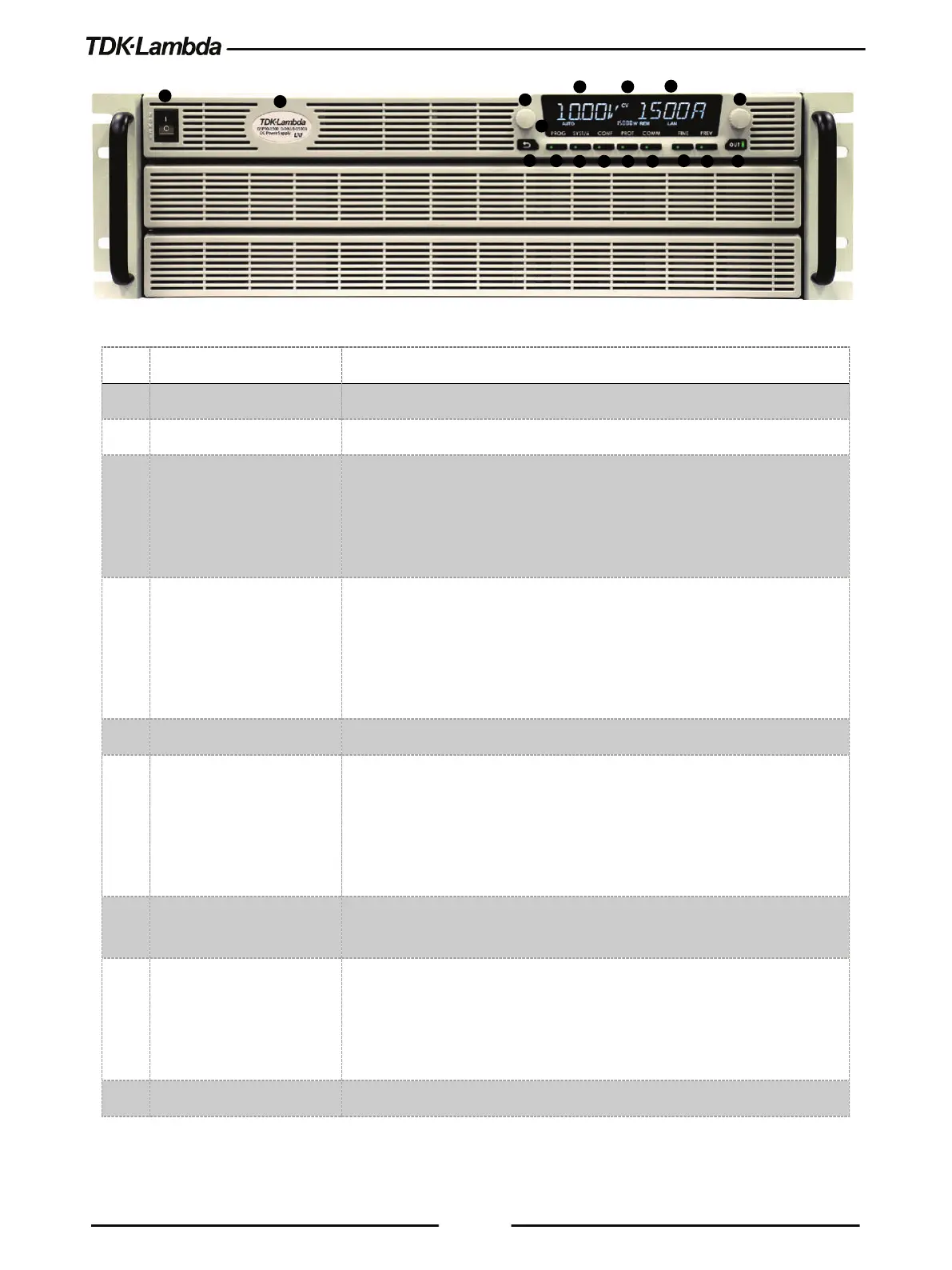
Figure 1–1: Front Panel Controls
Model, Voltage & Current Identifier.
3 Voltage Encoder and
Button
Encoder: A high-resolution detent rotary Encoder adjusting the output
voltage and navigating menu.
Button: An auxiliary function to accept the voltage-setting value in Preview
4 Voltage Display 4-digit 16-segment Voltage display.
Normally displays the output voltage.
In Preview mode, the display indicates the setting of the output voltage.
In Menu navigation, the display indicates the selected function.
CV/CC/CP Operation mode indicator.
6 Current Display 4-digit 16-segment Current display.
Normally displays the output current.
In Preview mode, the display indicates the setting of the output current.
In menu navigation, the display indicates the selected parameter.
7 Indicators Bar Refer to Figure 1–2 and Table 1-2: Front Panel Display and Indicators for
description of the front panel Indicators bar.
8 Current Encoder and
Button
Encoder: A high-resolution detent rotary Encoder adjusting the output
current and navigating menu.
Button: An auxiliary function to accept the current-setting value, select
menu level, and set parameter value.
Return one step back in menu navigation mode.














 To Next Page