JOG EXCITE: Service & Maintenance Manual - rev. 1.1
Page 7.4
7.4. DISASSEMBLING THE EMERGENCY BUTTON
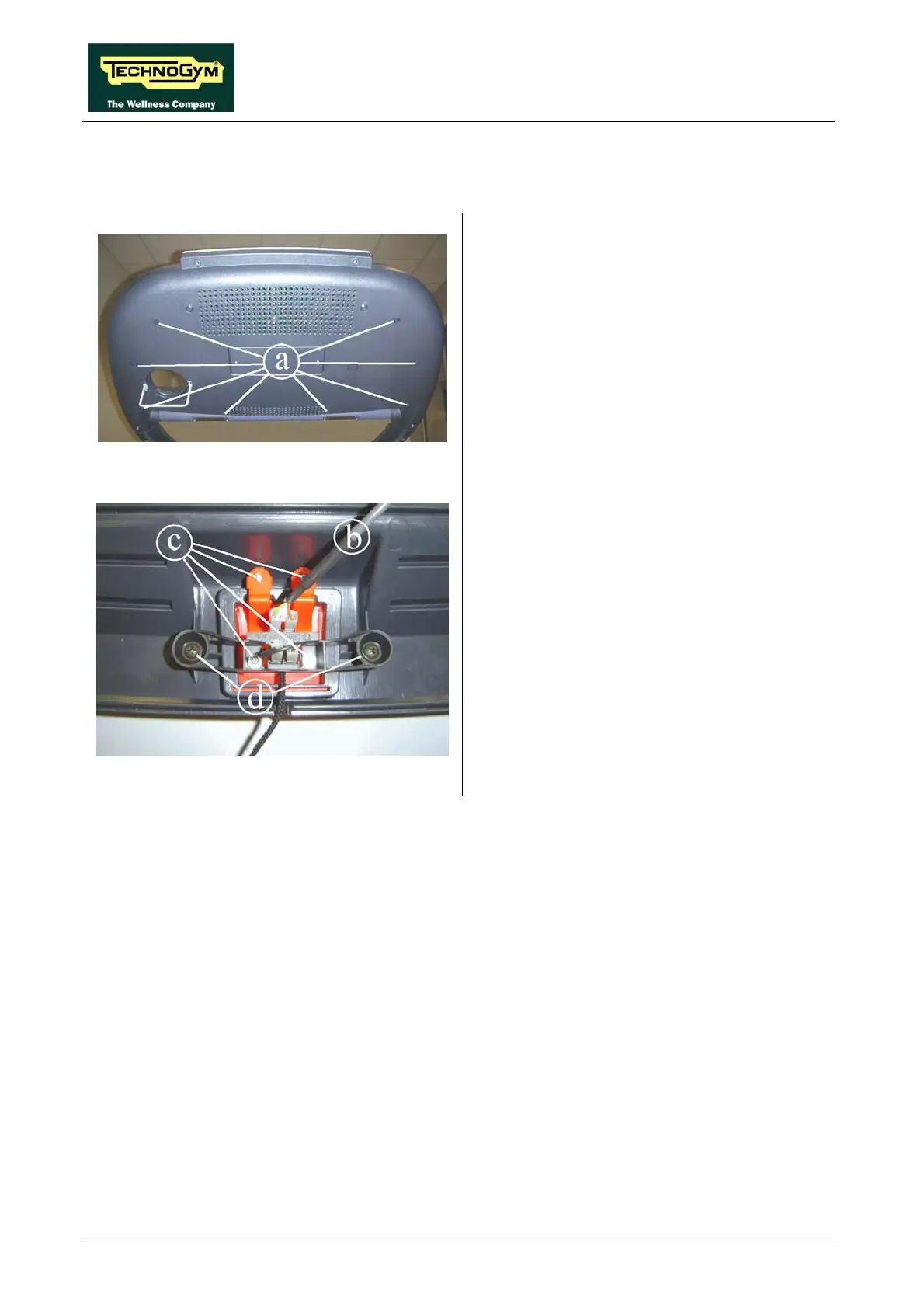
Figure 7.4-1
Carry out the procedure described in paragraph
7.1. “Disassembling the display”.
1. Back off the 8 screws a using a medium
Philips screwdriver.
2. Remove the front display casing and place it
on a work bench.
Figure 7.4-2
3. Disconnect the cable b from the two faston
connectors on the emergency button.
4. Back off the 4 screws c using a small Philips
screwdriver.
5. Remove the emergency button from the front
side.
6. Back off the 2 screws d using a medium
Philips screwdriver and remove the two
microswitch.
To reassemble the emergency button, carry out
the above steps in reverse order.










 To Next Page