JOG EXCITE: Service & Maintenance Manual - rev. 1.1
Page 7.15
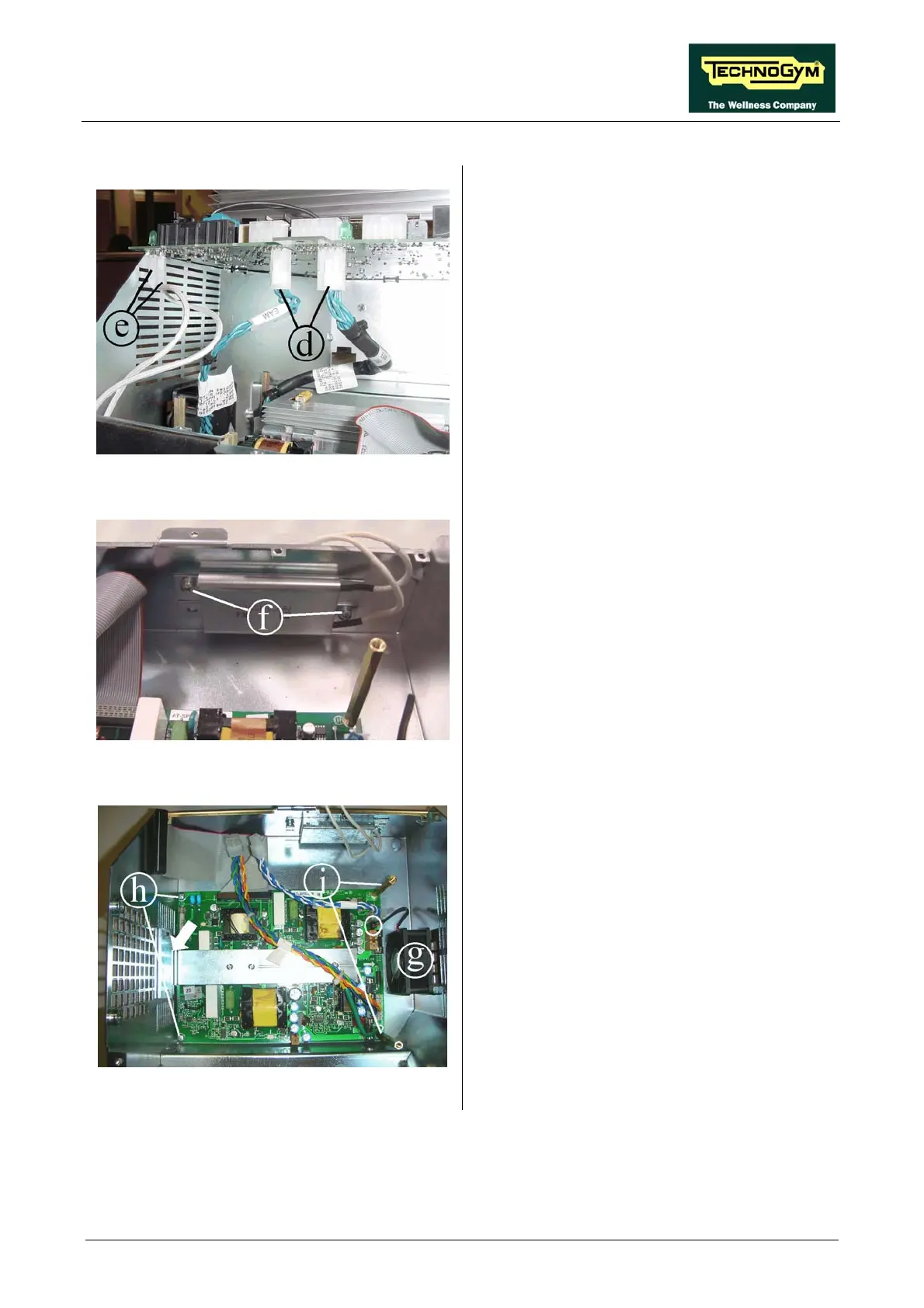
Figure 7.13-4
4. Unplug the two cables d coming from the AT
power supply board.
5. Unplug the faston e of the two cables coming
from the resistance.
6. Remove the AT driver board.
Figure 7.13-5
Resistance:
1. Unscrew the two screw f using a Phillips
screwdriver.
2. Remove the resistance.
Figure 7.13-6
AT power supply board:
1. Unplug the cable coming from the fan g and
disassembling the fan.
2. Unscrew the screws h using a Phillips
screwdriver.
3. Unscrew the spacers i using a 7-mm wrench.
4. Remove the board, detaching the adhesive
tape which fix the bracket, indicated by the
arrow on the box metal casing.
To reassemble the electronics boards, carry out
the above steps in reverse order.










 To Next Page