ENGLISH
UPS EVO DSP PLUS Modular 23 User’s manual
5.2.4 MEASUREMENT Menu
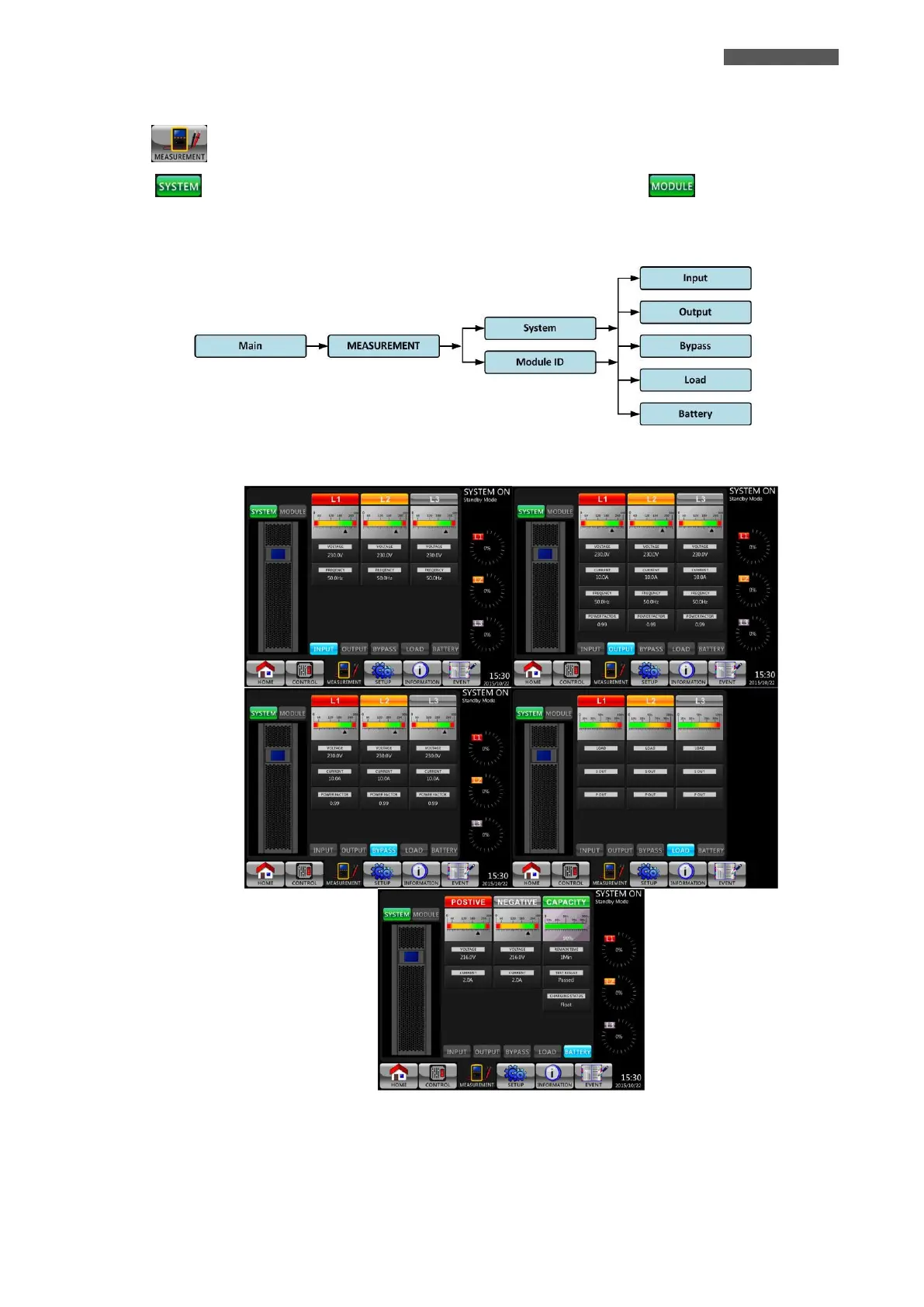
Touch icon to enter into the MEASUREMENT Menu. There are two Submenus: System and Module ID.
Touch icon to monitor the measurements of the hole System or touch icon to monitor the
measurement of the Modules. In both cases you can choose to monitor the values of Input, Output, Bypass, Load
or Battery. Please refer to Figure 5.8, 5.9 and 5.10.
All detailed measurement items are listed in Table 5-4.
Figure 5.8 - MEASUREMENT Menu Tree













 To Next Page