ENGLISH
UPS EVO DSP PLUS Modular 25 User’s manual
Table 5-4: MEASUREMENT Items
Input phase voltage (L1, L2, L3) - step 0.1V
Input frequency (L1, L2, L3) - step 0.1Hz
Output phase voltage (L1, L2, L3) - step 0.1V
Output phase current (L1, L2, L3) - step 0.1A
Output frequency (L1, L2, L3) - step 0.1Hz
Output power factor (L1, L2, L3)
Bypass phase voltage (L1, L2, L3) - step 0.1V
Bypass frequency (L1, L2, L3) - step 0.1Hz
Bypass power factor (L1, L2, L3)
Apparent power - step 0.1KVA
Active power - step 0.1KW
The percentage of connected load- step 1%
Battery positive voltage - step 0.1V
Battery negative voltage - step 0.1V
Battery positive current - step 0.1A
Battery negative current - step 0.1A
Battery remaining runtime - step 1sec
The percentage of the battery capacity - step 1%
Temperature of external battery pack - step 0.1℃
5.2.5 SETUP Menu
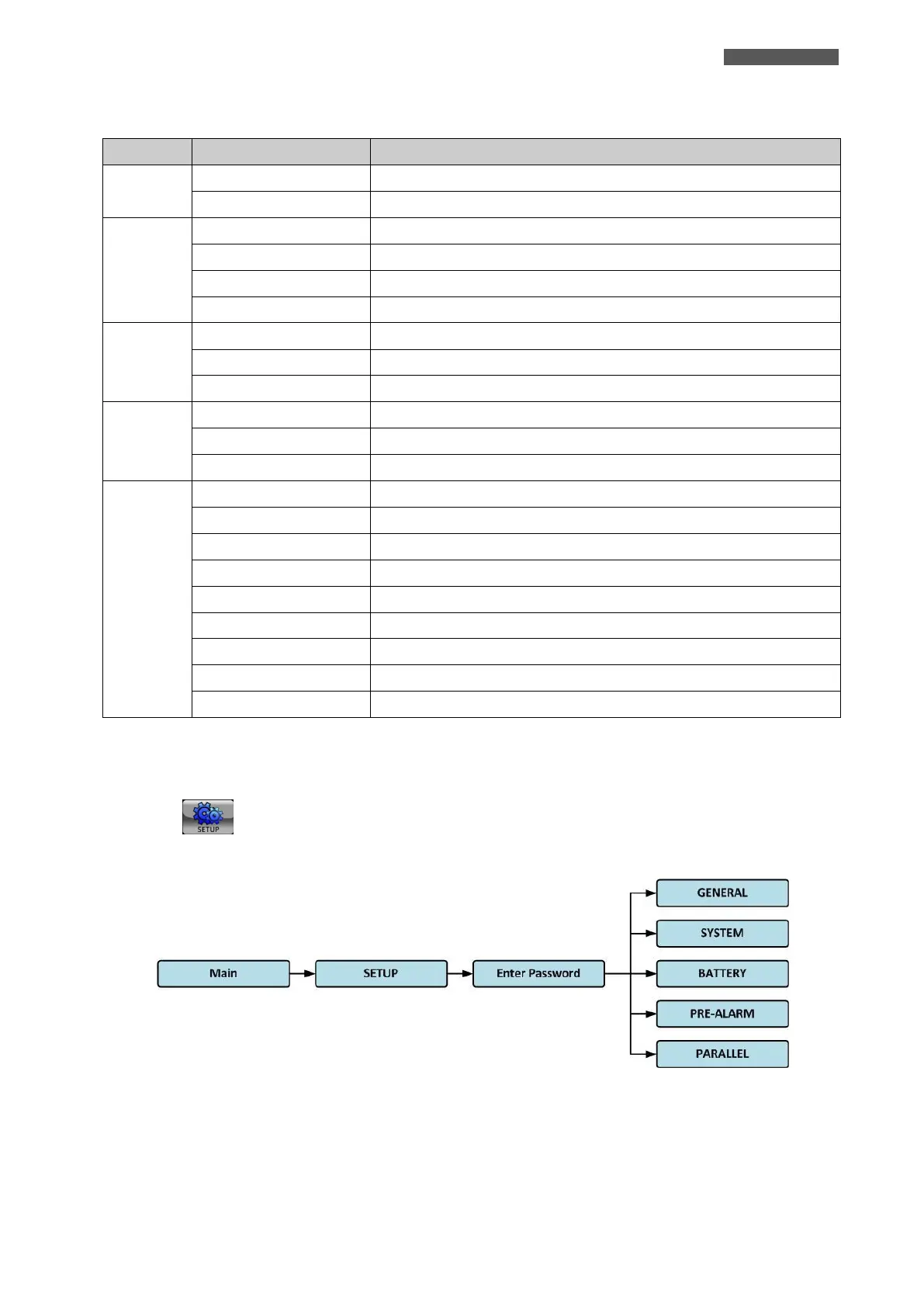
Touch the icon to enter into the SETUP Menu. It’s required to enter password to access GENERAL,
SYSTEM, BATTERY, PRE-ALARM and PARALLEL Submenus as shown in Figure 5.11 and 5.12.
Figure 5.11 - SETUP Menu Tree













 To Next Page