ENGLISH
UPS EVO DSP PLUS Modular 39 User’s manual
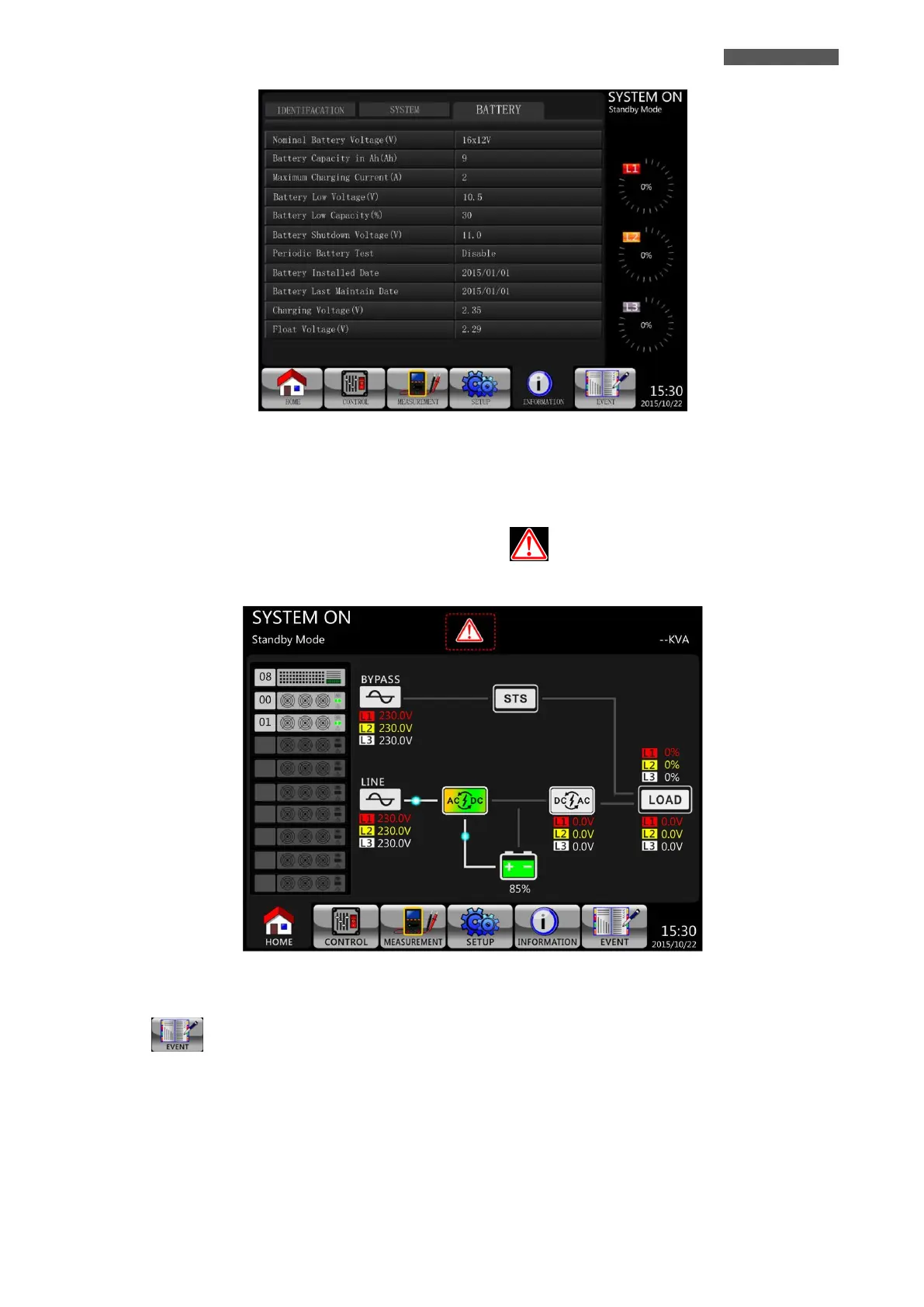
Figure 5.24 – INFORMATION-BATTERY Screen
5.2.7 EVENTS Menu
When event occurs (Alarm or Warning), you will see flashing icon in the MAIN Screen as shown in Figure
5.25.
Figure 5.25 – MAIN Screen with Alarm/Warning icon
Touch icon to enter into EVENTS Menu, for checking the information about Events.
There are three SubMenus: CURRENT EVENTS, HISTORY EVENTS and RESET ALL EVENTS (see Figure 5.26).













 To Next Page