ENGLISH
UPS EVO DSP PLUS Modular 37 User’s manual
5.2.6 INFORMATION Menu
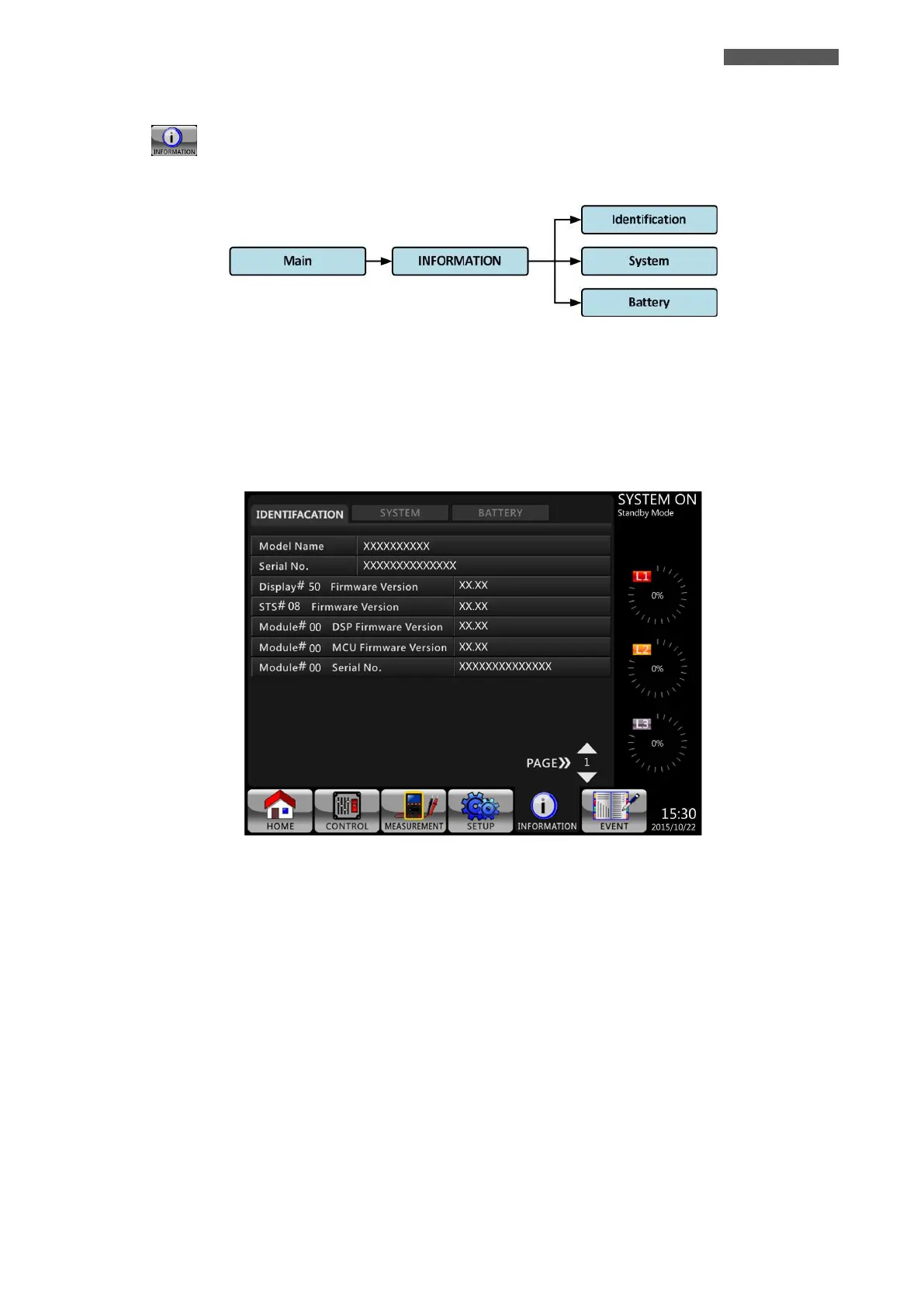
Touch icon to enter into INFORMATION Menu, for checking the UPS configuration.
There are three SubMenus: IDENTIFICATION, SYSTEM AND BATTERY (see Figure 5.20).
Figure 5.20 – INFORMATION Menu Tree
5.2.6.1 INFORMATION–IDENTIFICATION Submenu
When INFORMATION-IDENTIFICATION Submenu is selected, the Model Name, Serial No. and Firmware Version
will be displayed, as shown in Figure 5.21.
Figure 5.21 - INFORMATION-IDENTIFICATION Screen
5.2.6.2 INFORMATION–SYSTEM Submenu
When INFORMATION-SYSTEM Submenu is selected, the Nominal Power, Nominal Voltage, Nominal Frequency …
etc. information will be displayed, as shown in Figure 5.22 and 5.23.













 To Next Page