ENGLISH
User’s manual 40 UPS EVO DSP PLUS Modular
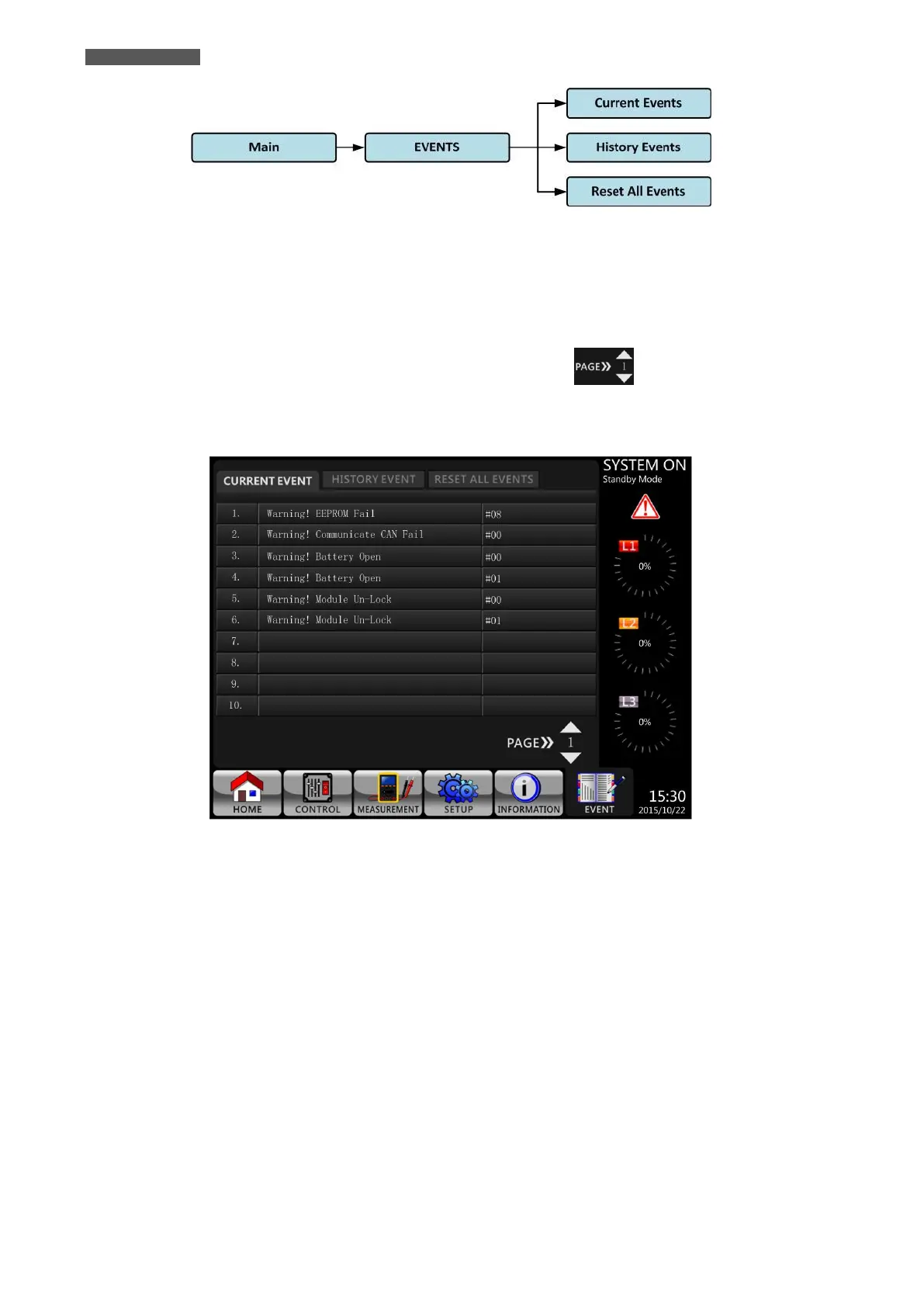
Figure 5.26 – EVENTS Menu Tree
5.2.7.1 EVENTS-CURRENT EVENTS Submenu
When an event occurs, it will display Module ID* and Alarm Code in EVENTS-CURRENT EVENTS Screen. It can save
up to 50 events in current list. Only 10 events can be listed in one page.
Therefore, if it exceeds more than 10, you have to press you have to press icon to read other event as
shown in Figure 5.27.
*NOTE: Please refer to chapter 6.1 “Power Module ID” to identify Power Module ID address.
Figure 5.27 – EVENTS-CURRENT EVENTS Screen
5.2.7.2 EVENTS-HISTORY EVENTS Submenu
The detailed event information is saved in History Events. It can save up to 500 events.
When Warning occurs, it will display Alarm Code, Alarm Time and Module ID* (see Figure 5.28).
When Fault event occurs, it will display Alarm description, Alarm Time and Module ID* (see Figure 5.28 and refer
to Table 5-12 “Alarm List”).
In order to record more historical information about the UPS system, the important changes in setting (refer to
Table 5-13 “Warning List For Changing Important Settings”), UPS operation mode changes (refer to Table 5-14
“UPS Mode Changes”) and control action execution (refer to Table 5-15 “Control Execution”) will be saved in
History Events. Refer to Figure 5.28 for the details.
*NOTE: Please refer to chapter 6.1 “Power Module ID” to identify Power Module ID address.













 To Next Page