ENGLISH
UPS EVO DSP PLUS Modular 63 User’s manual
10 Installation
The electrical installation has to be done by qualified personnel. Follow all the Safety
Standards (CEI Standards in Italy or IEEE elsewhere) for the Input/Output connections
and for the right selection of Input/Output cables.
We recommend to use dedicate AC Input/Output power lines for the UPS.
For safety we recommend using external circuit breakers between Input mains and UPS
AC Input line and between UPS Output lines and the loads. The circuit breakers should
be qualified with leakage current protective function.
Before starting the installation procedure, be sure that:
1. The Main AC Input Breaker Q1 is in “OFF” position.
2. The Maintenance Breaker Q2 is in “OFF” position.
3. The Output Breaker Q3 is in “OFF” position.
4. The Battery Breaker on the rear side (if exists) is in “OFF” position.
5. The Battery Breaker of Battery Box (if exists) is in “OFF” position.
6. The Main AC Voltage for the UPS has been removed.
7. The BYPASS AC Voltage for the UPS has been removed.
8. The UPS is completely OFF (only if the Control Panel is OFF).
10.1 Power Module Installation
The weight of Power Module is heavy so at least two persons are required for handling.
10.1.1 Insert the Power Module
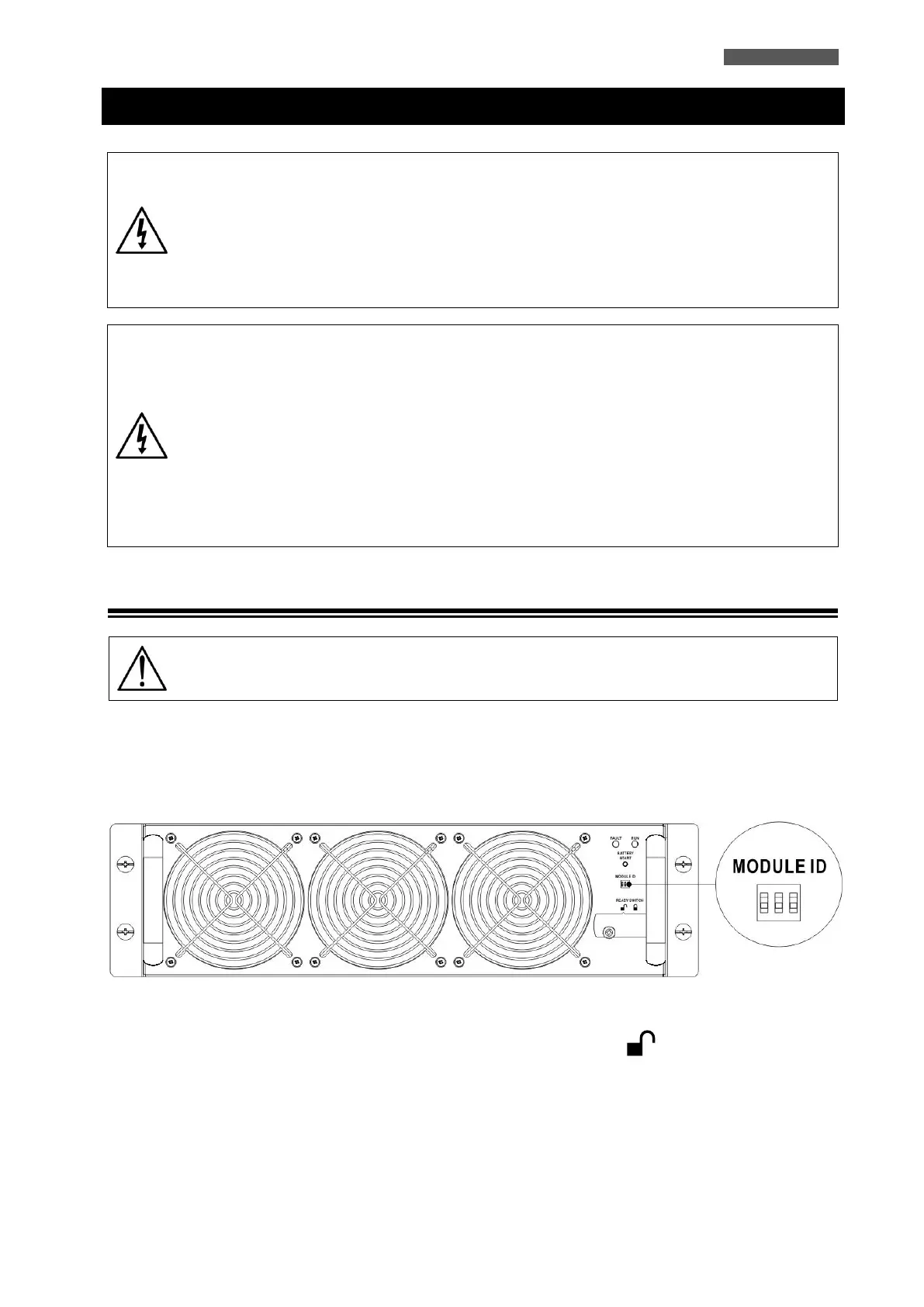
1. Adjust the DIP Switch positions to set the different Module Addresses. Refer to chapter 6.
Figure 10.1 – DIP Switch and Ready Switch
2. Be sure the Ready Switch on the front panel of the Power Module is in the “ ” (Unlock) position, because
the Module is NOT Ready to start.
3. Insert the Power Module into an unoccupied slot by two persons.













 To Next Page