1. Remove the fixing screws on both sides of the front panel of the Battery Module, and pull out the Battery
Module.
2. Push the new Battery Module into cabinet and fix it with screws on both sides of the front panel.
13.5 Replacement Procedures of Air Filter
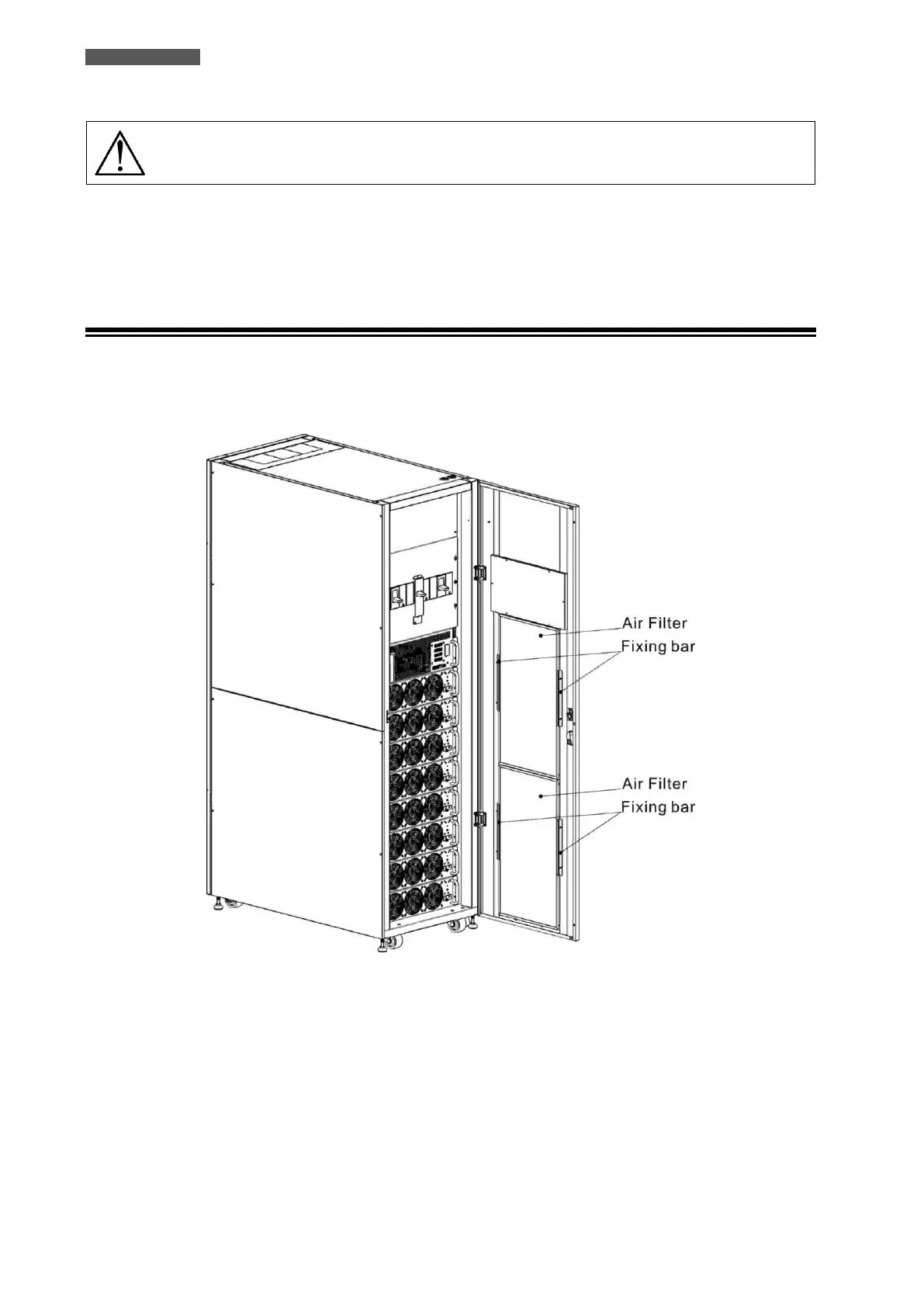
As shown below, the UPS provides four air filters on the back of the front door. Each filter is fixed by a fixing bar
on both sides.
Figure 13.1 – Air Filter
The replacement procedures of air filter are as follows:
1. Open the front door of the UPS and the air filters are on the back of the door.
2. Remove a fixing bar on either side of the air filter.
3. Remove the air filter, and insert a clean one.
4. Replace the fixing bar.













 To Next Page