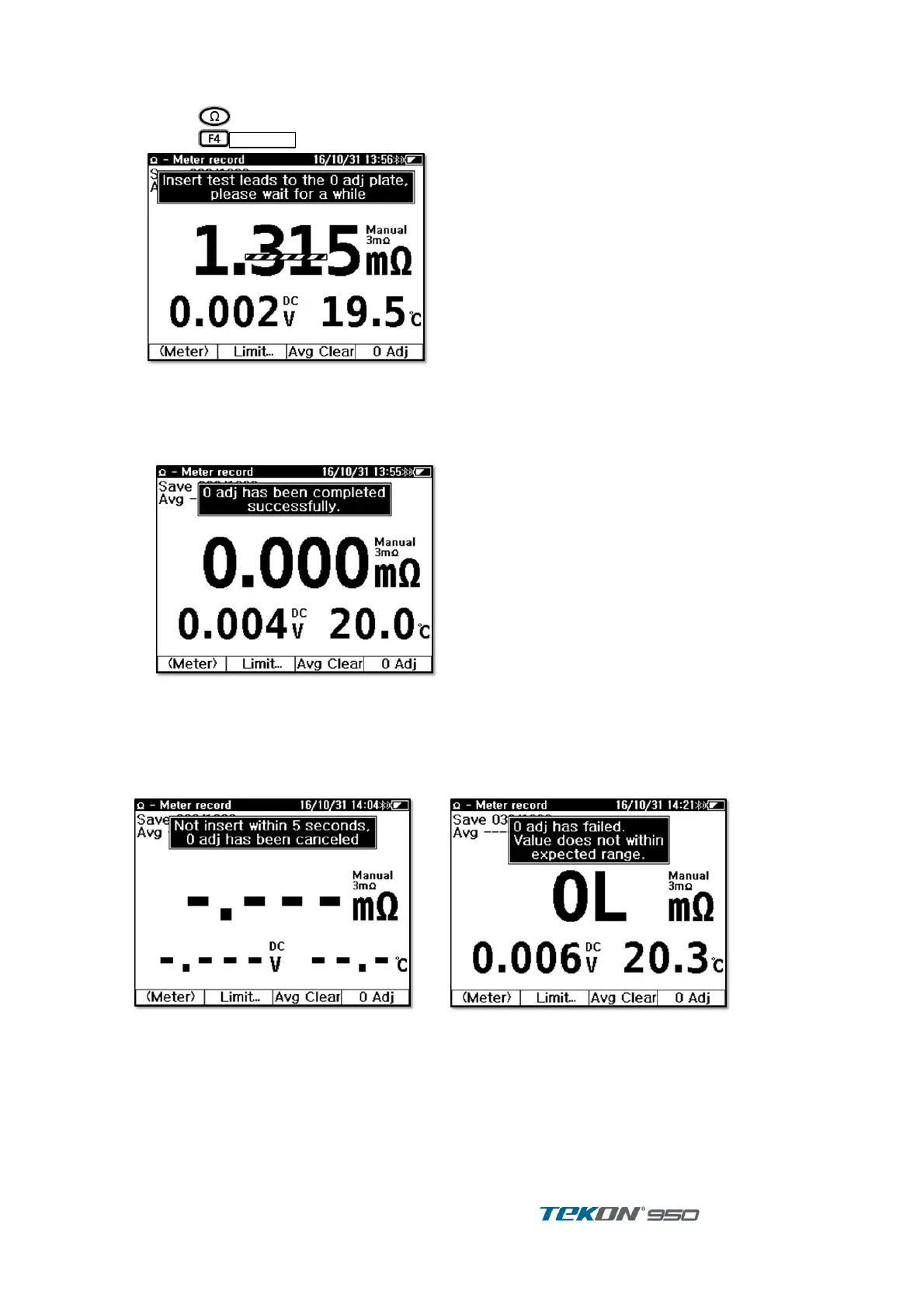
[“O” adjustment]
Press to enter Impedance display ①
Press long to start 0 adjustment ②
Figure 7. “O” Adjustment display 1
Tip of Probe down into the hole of “O” adjustment board and press down probe vertically. ③
SOURCE, SENSE terminal.
Unit start “O” adjustment on all Impedance ranges. Do not remove Test Probe from the “O” ④
adjustment board until “Completion” message is displaying.
Figure 8. “O” adjustment display 2
Adjustment will be cancelled if Probe will not be inserted into the hole of board within 5
seconds after start “O” adjustment
If Probe is abnormal or improper insert on the board, this will cause out of estimated value,
“O” adjustment will be cancelled.
Figure 9. “O” adjustment display 4
Figure 10. “O” adjustment display 4
3.3. Record
The Unit provide 2 Record Methods by the measurement situation.
‘Meter Record’ perform Simple measurement and measurement data and time can be saved.
Saved data displayed in order of measurement time.
‘String Record’ is designed for continuous Battery management and maintenance Useful to
String Information of measurement battery. Measurement data is saved and accumulated to
String which enables to Check, Management and Analysis.



 To Next Page