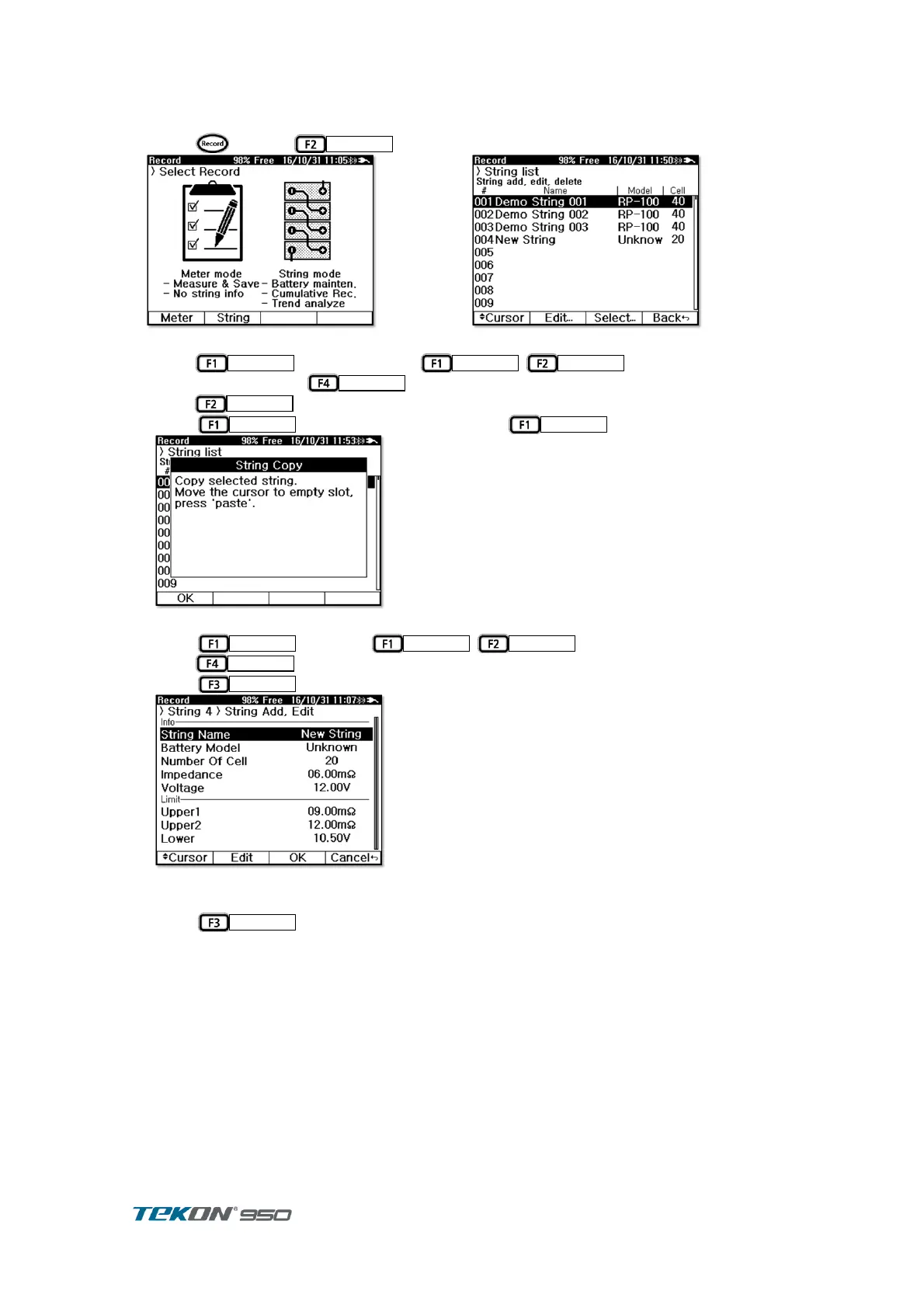
5.3.3. String Copy
When list up new string, can copy data from original string and save it to new string.
press to select
in record display ①
Figure 52. Record Initial display
press
and move Cursor
,
to String which original ②
data to cop and press
.
Need
.
③
Press
to display message and press
④
Figure 54. String Copy 1
Press
and press
,
to move to Empty number and ⑤
press
.
Press
to copy String and Edit display ⑥
Figure 55. String Copy 2
Proceed edit String Data as needed ,same procedure as String Listing t ,When list String. ⑦
Press
to display Copied String in String list ⑧



 To Next Page