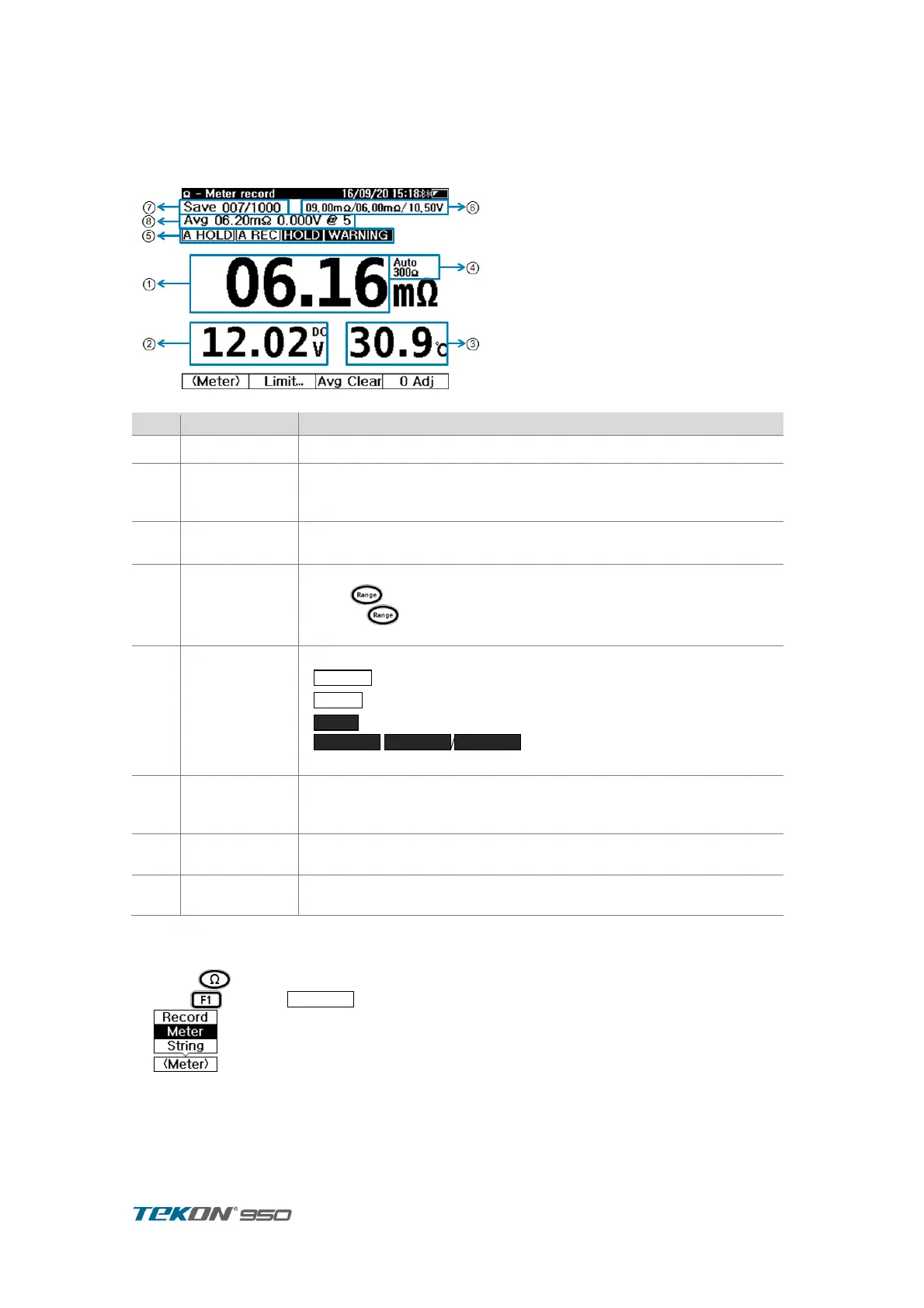
3.4. Meter Record
Meter Record is useful for One Time measurement which measurement record does not need
to manage continuously. For Simple measurement and saving.
[Display Configuration ]
Figure 11. Ω- Meter Record display
Impedance measurement is displaying
display Voltage measurement
Voltage measurement in Impedance measurement always
automatic measurement mode
display Temperature measurement
Can select [ ℃ / ℉ ] in User Menu mode
display present measurement range
Press long to change Auto / Manual .
Press short time to change range in order
[ from 3mΩ to 300Ω]
Set Up status
LIMIT result
display present Set Up status, Limit result
: AutoHold is displaying when Auto hold mode
: Auto Record is displaying when Auto Record
: display when present measurement is in HOLD
/ /
:LIMIT result when in LIMIT function
LIMIT value presently set up.
display when LIMIT mode
Upper Limit 2 / Upper Limit 1 / Lower limit .
display number of recording
In Meter record, can save up to 1000 record
Average of Impedance from accumulated Impedance measurement
data
3.4.1. Impedance measurement
Press to enter Impedance display . ①
Pres to select
.
②
③
Contact Test Probe to Battery Terminal . For proper 4 terminal measurement. Press Inside ④
and Outside of Probe Pin to contact Battery Terminal.
measurement is displayed. ⑤



 To Next Page