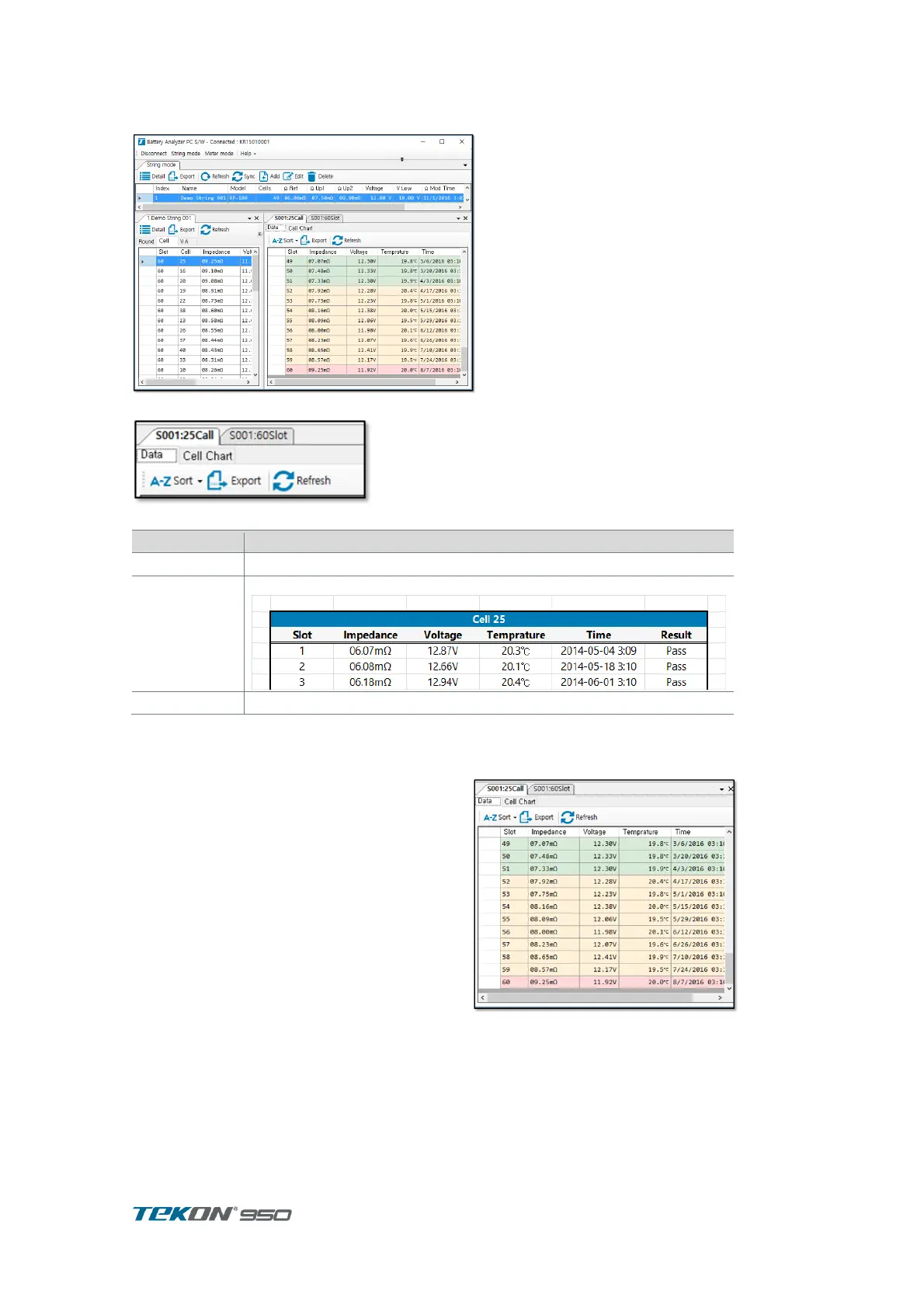
7.4.5. Cell record
Select cell in string and press “Detail” to display change trend of measurement data.
Figure 84. Cell record
Figure 85. Cell record menu
Select the Sort Records. Measuring slot/impedance/voltage
save Impedance record to Excel
Record tap
display measurement data and time of
selected cell..
can check change of measurement data
followed by time.
Result on Limit displayed in Color
( Green [ Pass ] / Yellow[ warning ] / Red
[ Fail])
Press SEND to save to Excel .
Cell Chart tap
Cell Record displayed in Chart. Can check change of Impedance and Voltage
Records displayed in Chart .
Locate Cursor on Graph to display measurement data of cell.
Displayed chart can be saved in Image



 To Next Page