1.2. Description of each part and functions
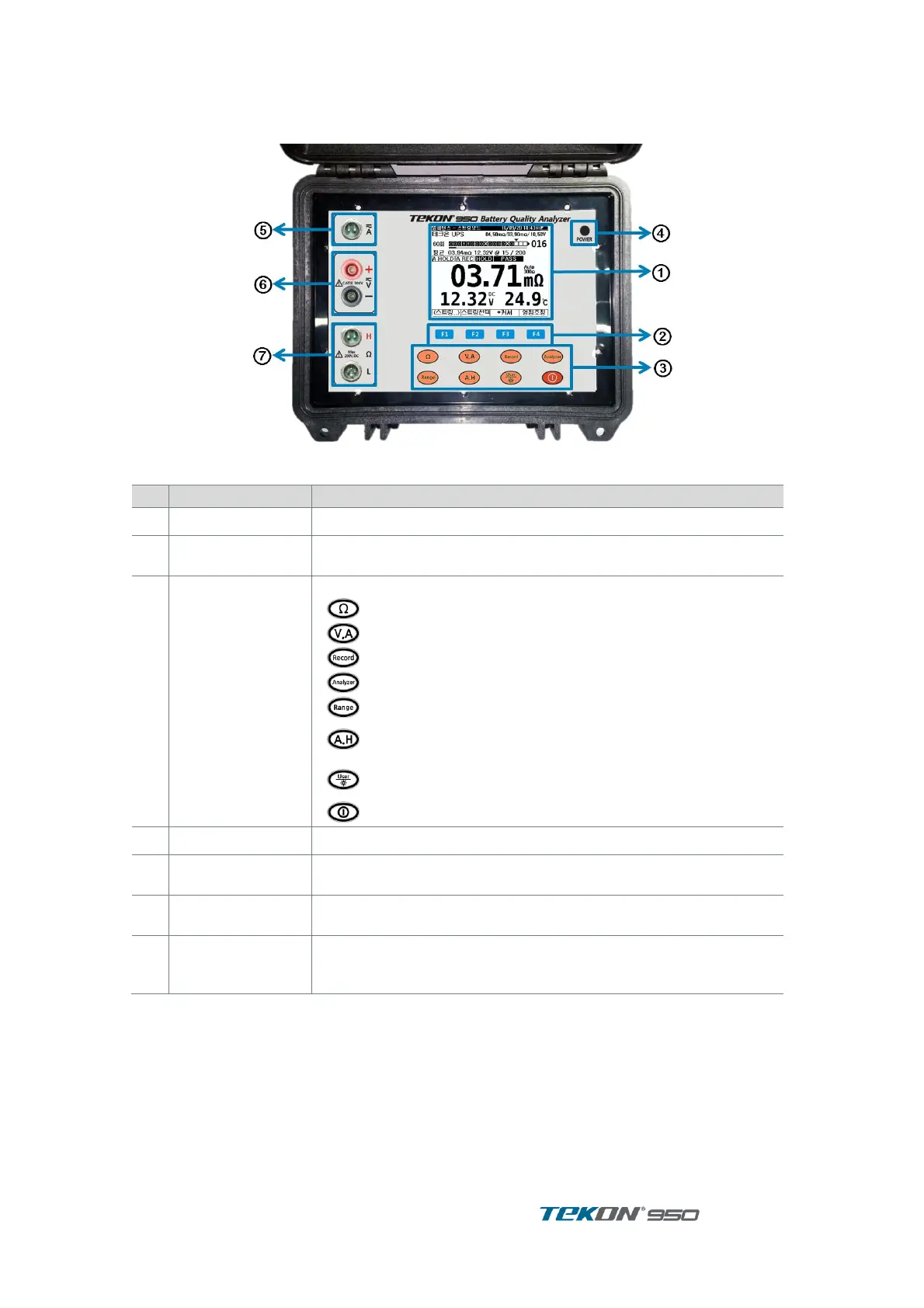
1.2.1. Exterior
Figure 2. Product Exterior
LCD display .(320x240 pixel)
F1~F4 button
press when Softkey showing on display
Impedance (resistance ) measurement
Voltage, Current measurement
Press momentarily ( Hold )
Press long (AutoHold) Toggle
press momentarily (User)
press long ( Back Light on/off ) Toggle
press long for Power ON / OFF
Power Adapter Socket for Charging
Input Terminal for Current Clamp
Multimeter probe input for V.A measurement
4 terminal Probe input for Impedance (Resistance) measure -
ment.



 To Next Page