EasyManua.ls Logo

Tekon 950 - String

Tekon 950
64 pages
Print Icon
To Next Page IconTo Next Page
To Previous Page IconTo Previous Page
Loading...
46
USER MANUAL
7.4.3. String
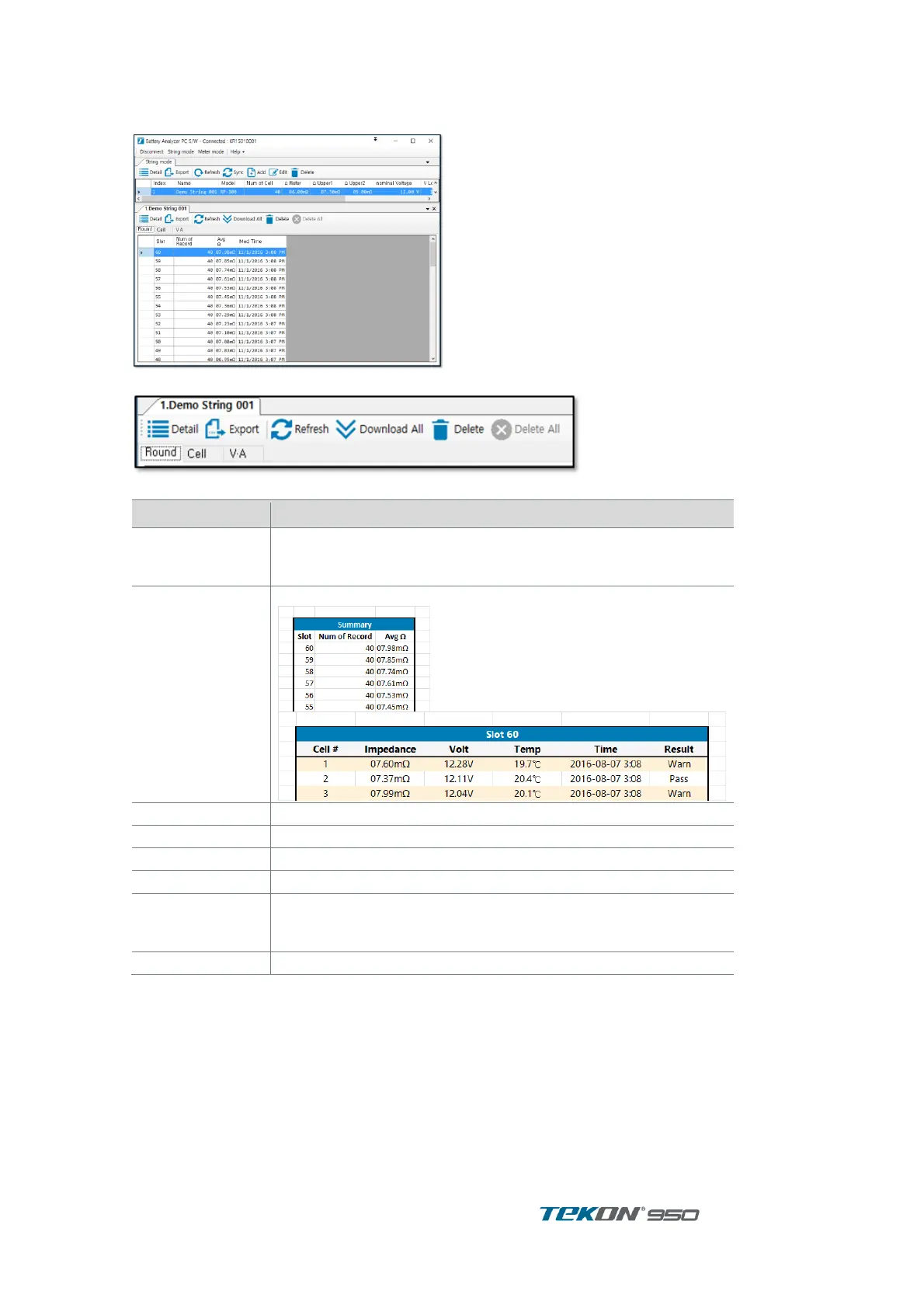
Press ‘ Detail “ button in String list to display information ’
Figure 80. String
Figure 81. String menu
Function
설명
Detail
Slot Tap : display Record of selected slot.
Cell Tap : display Record ( measurement data change) of
selected cell
Export
Export slot, V.A record into Excel file
Refresh
refresh slot list
Download All
Transmit all records in 1 string
Delete
erase selected slot.
Slot tap
display slot list
Cell tap
display String Cell in the order of higher impedance.
after select cell and press detail to display measurement data
change according to time.
V.A Tap
display V.A. Record of string

Table of Contents

Related product manuals