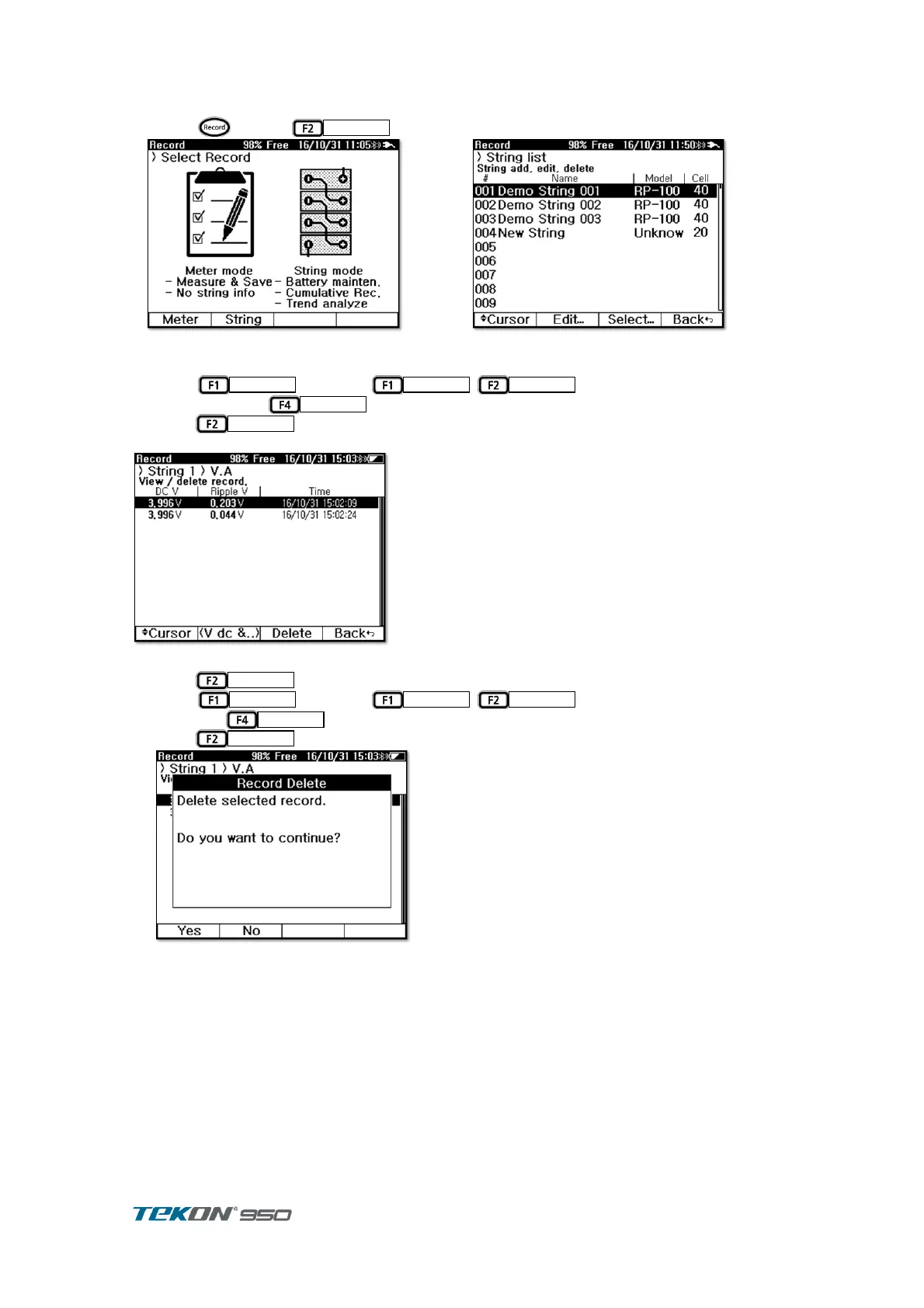
5.5. V.A Record
Press to select
①
Figure 65. Record Initial display
Press
and press
,
cursor to move to selected ②
string and press
press
③
Selected String - V.A record display
Figure 67. String–V.A record
press
to select . ④
Press
and press
,
cursor to move to selected slot ⑤
and press
press
to erase selected Record ⑥
Figure 68. String–V.A record erase


 To Next Page