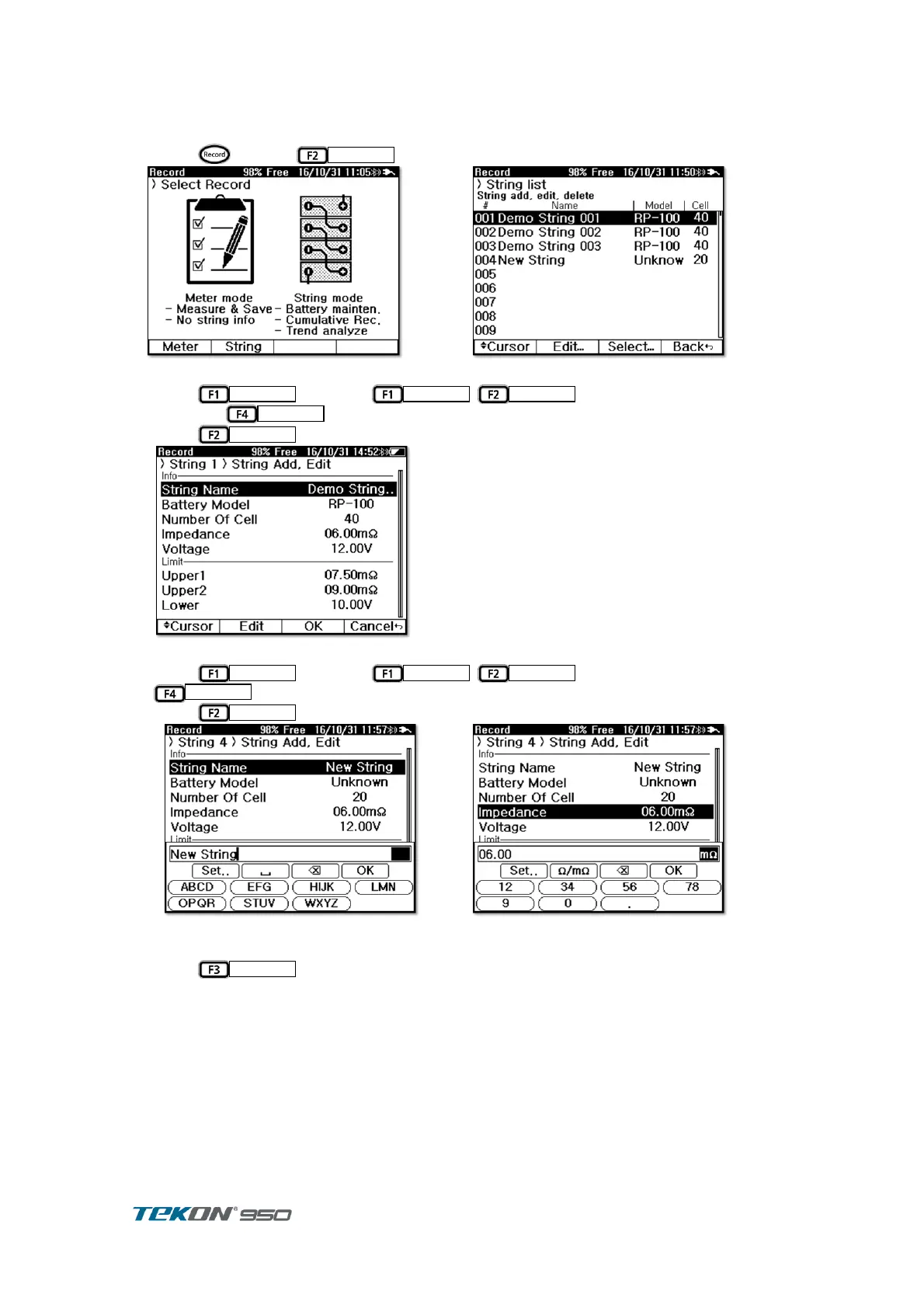
5.3. String Management
5.3.1. String Listing
Press to select
in Record display . ①
Figure 43. Record Initial display
Press
and press
,
to move the empty number ②
and press
.
Press
to display String Add , Edit display ③
Figure 45. String Add
Press
and press
,
to move to edit item and press ④
Press
to display Keyboard . list up Set up data. ⑤
For rest items, proceed edit to complete.
Press
to display the String listed on String List . ⑥



 To Next Page