7.4.2. String list
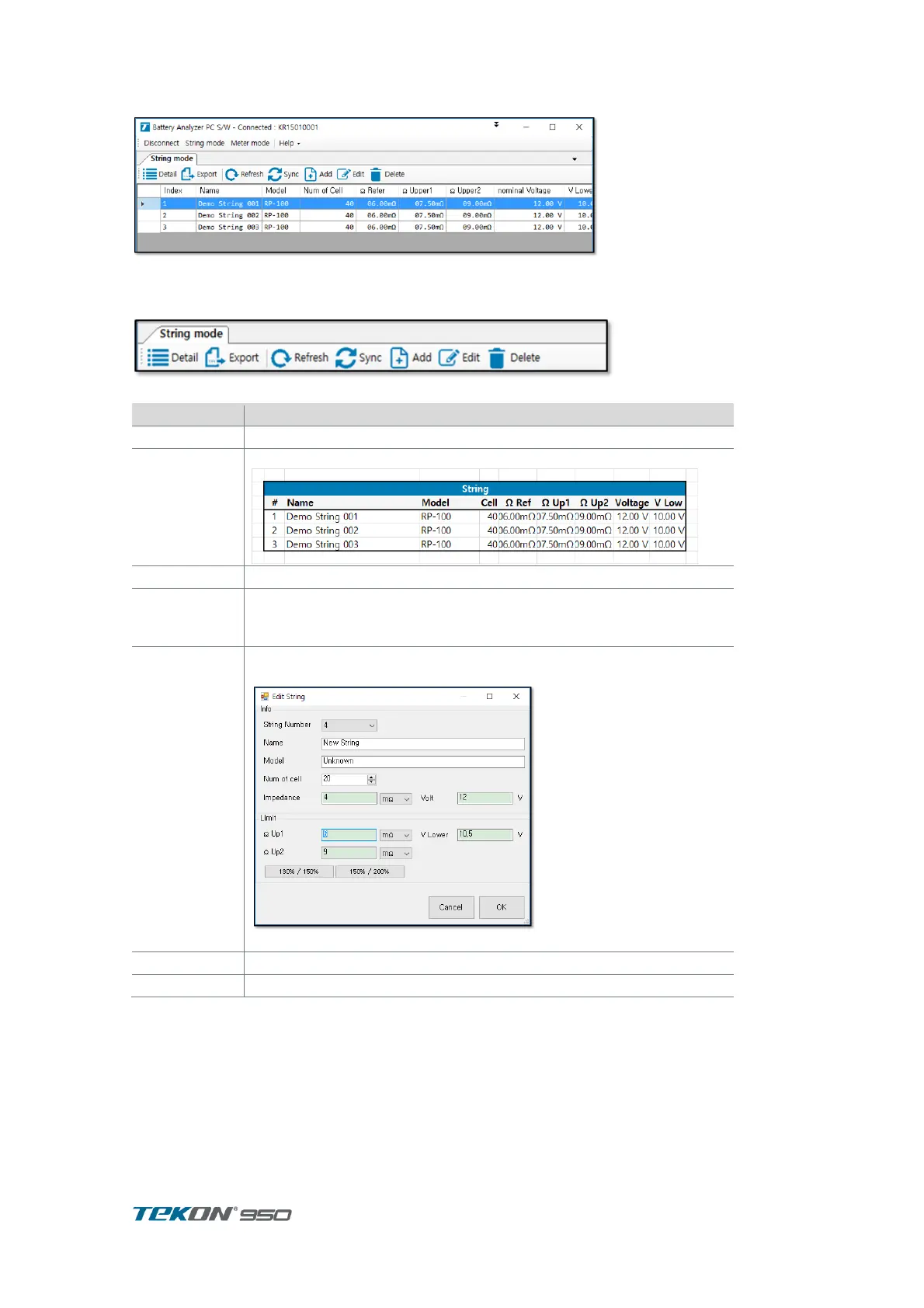
Figure 78. String List
When Unit is connected, String list is automatically displayed.
When closed, click “string mode’ on upper display to appear on display.
Figure 79. String List menu
Indicates slot list of selected string
save String list to Excel File .
Software automatically download updated data after compare with
time of data previously downloaded from previous connection.
If there are many saved, 1st download will take longer time.
Add String . below dialog box will be opened
After input, click CHECK button .



 To Next Page