8.5. String management
8.5.1. Add string
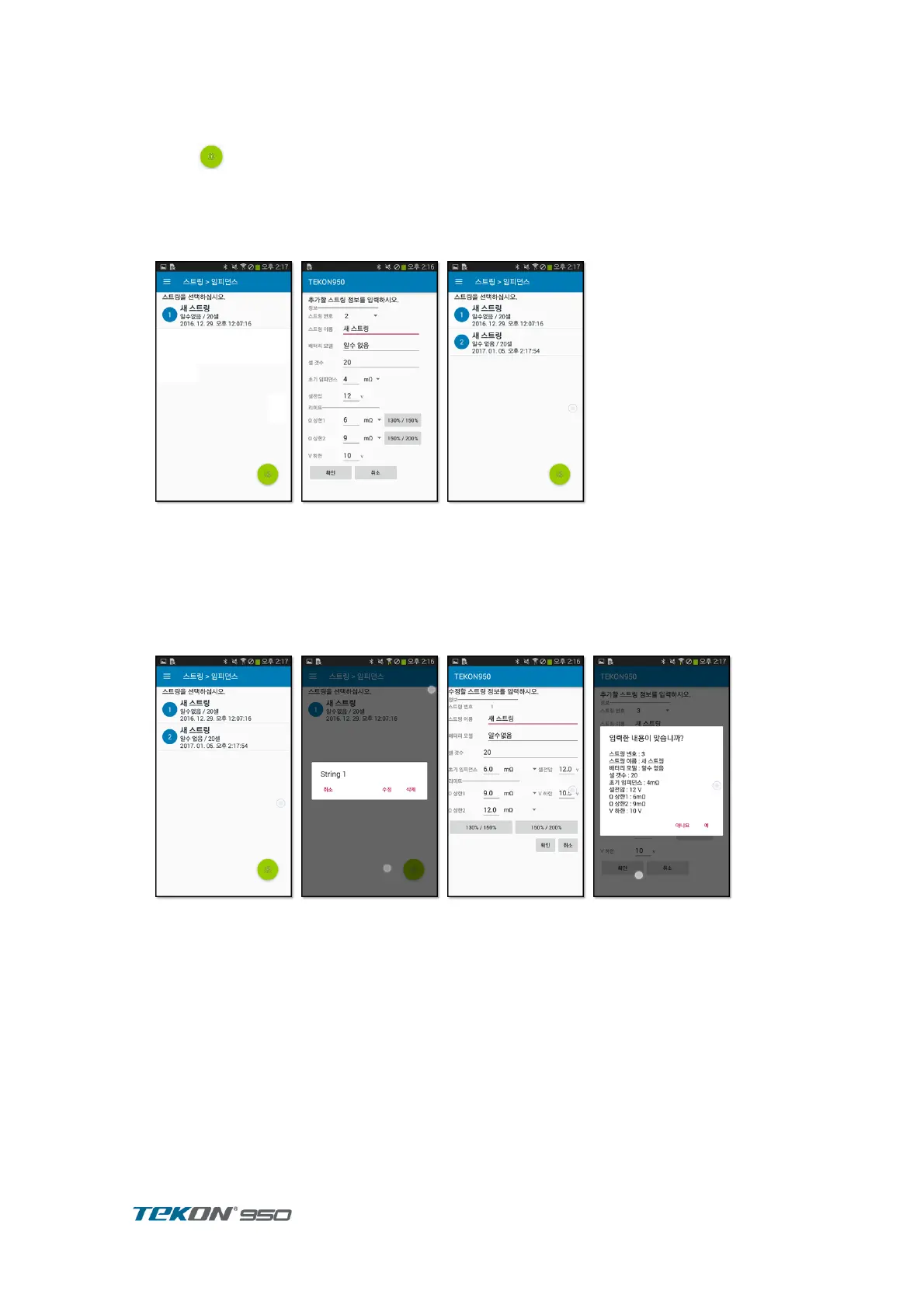
Press button on the string list screen.
Enter the string information to be added.
Press the ‘130% / 150%‘, ‘150% / 200%‘ button sets the upper impedance limit to the
corresponding magnification of the initial impedance.
Click OK to add the string to the list of strings and return to the list of strings.
8.5.2. Edit, delete string
press and hold the string to edit or delete.
Select edit or delete.
Press Delete to remove it immediately.
Press Edit to display a screen for edit the string information.
Edit and click OK.



 To Next Page