MX32v2
ANALOG AND DIGITAL CONTROLLER
USER MANUAL
Revision D.0
POWER
Green start/stop indicator for the detectors/modules of the zone.Off: All detectors
of the corresponding zone have been turned off
• Solid: At least one detector of the corresponding zone is communicating
• Blinking: Detailed information of one detector of the corresponding zone are
currently displayed on the LCD screen.
4.2.4 Flash and siren (D and E)
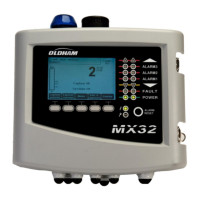
Siren (Figure 9:
MX32v2
’s front plate E)
Figure 9:
MX32v2’s
front plateAvailable as an option, adjustable from 85 to 100dB, it
complements the internal buzzer and is configured via
COM 32
configuration software.
Flash (Figure 9:
MX32v2
’s front plate D)
Available as an option, blue or red, is configurable via
COM 32
.
4.2.5 Status indicators (F and G)
These two indicators reflect the status of the
MX32v2
.
Green indicator denoting the power supply statusSolid: Voltage input is OK
• Off: Voltage input is below 22Vdc
Failure/maintenance orange indicatorOff: No failure detected
• Solid: Presence of some failure (controller, detector, communication, memory).
The alarm clears automatically once the failure is fixed.
• Blinking: MX32v2 in maintenance mode (test, calibration).
4.2.6 Alarm Reset Key (H)
Press this key to silence the on-board buzzer and reset the alarms that can be acknowledged.
This reset button can be remote, see paragraph
Remote Acknowledgement
connector
on page
36
.
4.3 Alarm Thresholds and Relays
Alarm thresholds, relay programming, time delays setting, alarm acknowledgement modes or
the management of the additional flash and sounder (Figure 9:
MX32v2
’s front plate tags D
and E) are configured though
COM 32
application.


 To Next Page