MX32v2
ANALOG AND DIGITAL CONTROLLER
USER MANUAL
Revision D.0
7.8.5 4. Simulation
Upon its selection, the message “The controller no longer ensures detection” is displayed.
• The controller no longer keeps account of inputs (detectors, logic inputs).
• The simulation measurements/status are initialized to the current
measurement/status values. The relays, the internal buzzer, and the analog outputs
remain in their current status.
• The screens, management of relays, outputs, etc. are those of Normal operation.
• The internal relay and the common default LED are activated.
• To change the value of a detector, use the keys to increase or decrease the
measurement value simulated from –15% to 115%. For a logic input, use the
keys to select the input, to select Alarm or Alarm Off.
• The banner of alarms does not appear.
• The events log indicates Begin Simulation and End Simulation.
• Exit the simulation mode by pressing the End simul key. Automatic release then
occurs and resets the average values to zero. The current measurements are
displayed once more.
7.9 5. Information
1. Detectors
This displays the main information on the detector (type, range, detected gas).
7.9.1 2. Events
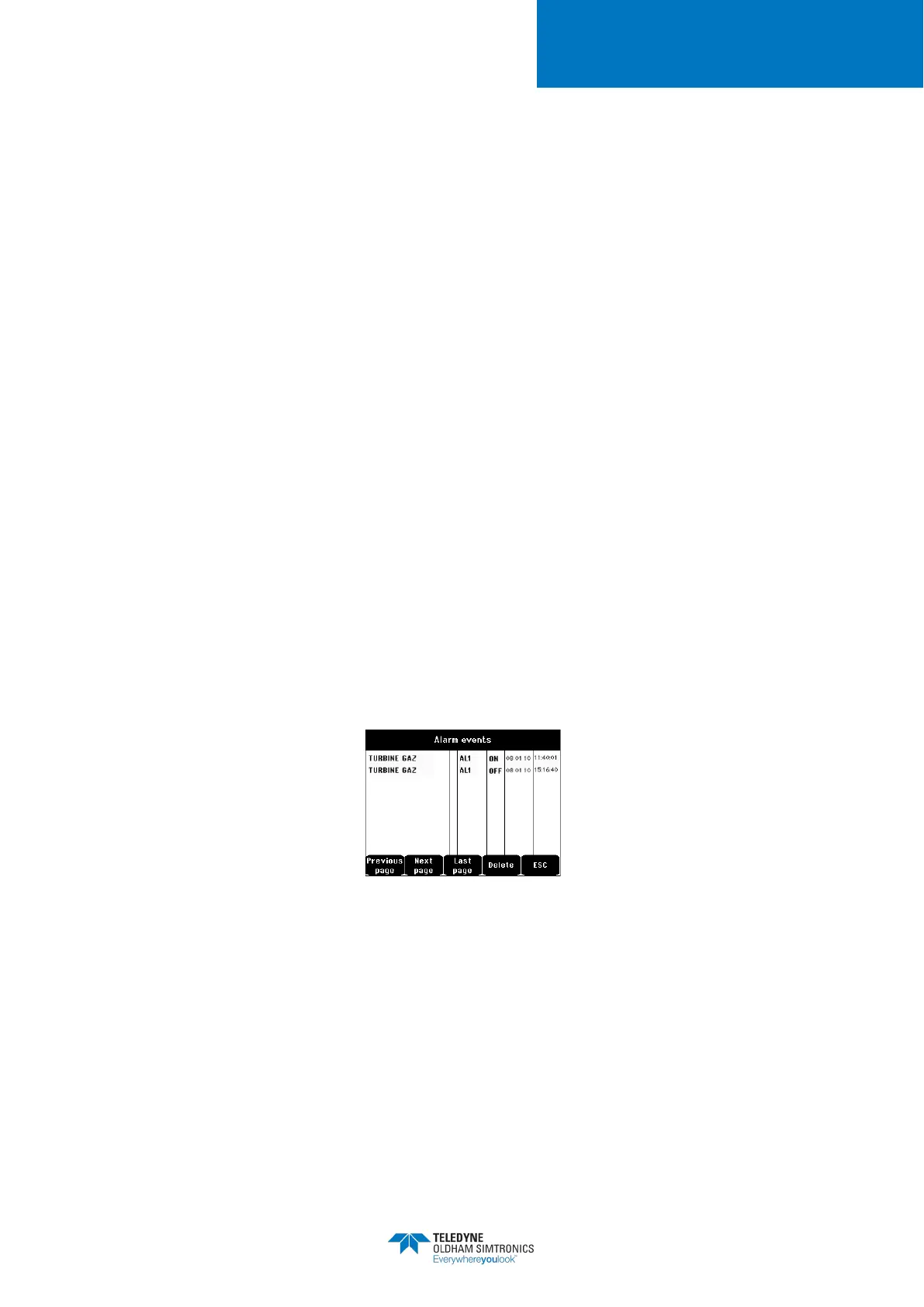
Figure 40: Example of gas alarm records
1. Alarm events
This displays, for each of the detectors concerned: detector ID, alarm type (Al1, Al2, Al3,
Al1mean, Al2mean, Al3mean, OVS), status (activated = ON or deactivated = OFF) as well as the
date and time of occurrence or of the release.


 To Next Page