MX32v2
ANALOG AND DIGITAL CONTROLLER
USER MANUAL
Revision D.0
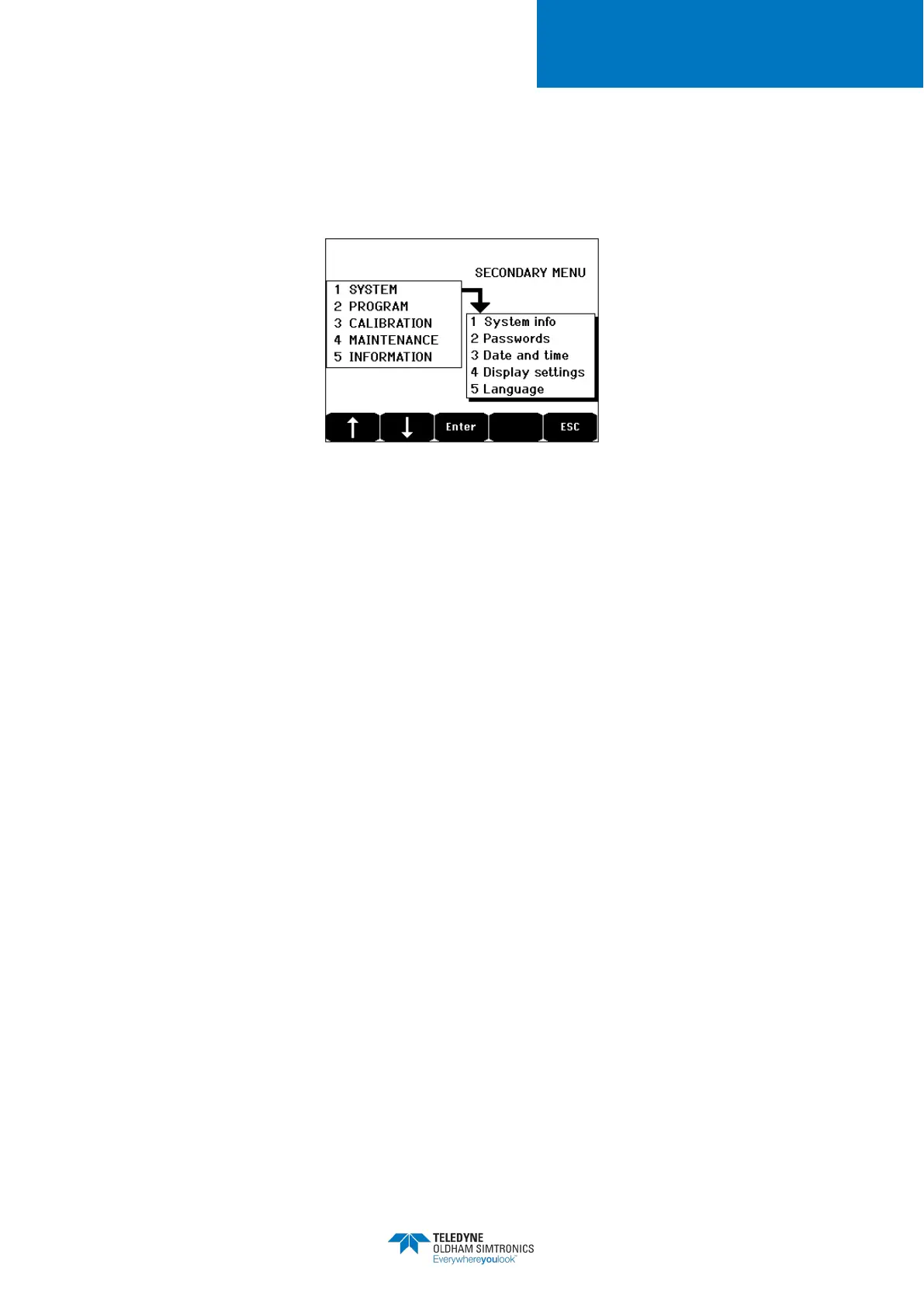
7.4 Main Menu
This displays all the management menus of
MX32v2
.
Figure 37: Main menu
7.5 System
1. System Info Displays the version of the program, the
bootloader
(internal micro-
software for loading the program),
and the configuration, as well as
software application
verifications.
The controller is protected by two access codes, both set at 1000
by default upon leaving the factory. You can change the passwords
in this menu via
COM 32
. The passwords are required each time
you enter one of the menus that they protect.
:
Authorizes access to the Calibration menu.
: Authorizes access to the Programming,
Calibration, and Maintenance menus. This pass
required before menu data are deleted.
Time stamp settings (year, month, day, hour, minute, second).
4. Display settings
Scrolling display
• OFF: the display is frozen on a selected detector.
• ON: scrolls through detectors every two seconds.
By zone
• ON: displays all detectors assigned to the same zone (same
bar of leds).
• OFF: displays all connected detectors regardless the zone they
are assigned to.


 To Next Page