37 MPH200 series video encoders WebUI user manual
Data interfaces conguration
An analog PTZ camera can be controlled remotely over an IP network
via the MPH encoder’s serial port (RS-232/422/485). MPH encoders
supports two ways to control PTZ camera, ONVIF PTZ service and
transparent RS-data tunneling.
Click “Terminal Server” under the Interface Conguration menu.
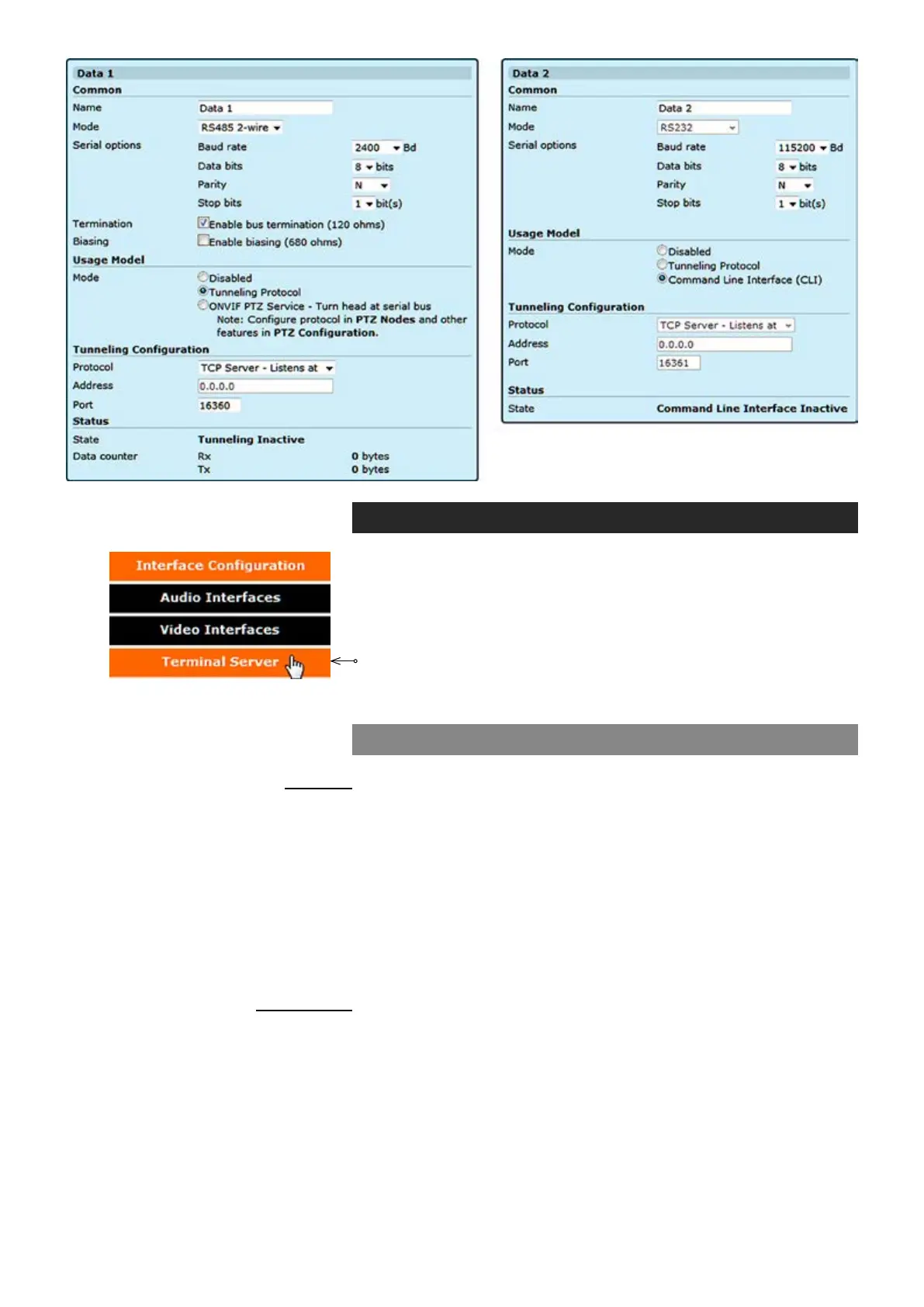
Terminal Server - Data Ports page appears on the screen. Data port
settings can be changed on this page.
Data 1 & 2 (WebUI)
_________________________________________________________
User dened alias name for
data interface (max 64 chars)
Data connection protocol towards the external device, options are
RS422, RS485 2-wire and RS485 4-wire (Data 1) and RS232 (Data 2)
Data channel connection speed (range 600...230 400 bps)
Number of data bits. Options are 5, 6, 7, 8 & 9
A data-checking technique, which uses an extra bit, Options are Even,
Odd & N (None)
Options are 1 or 2
Enabled/disabled (Data 1). The dafault setting is enabled.
Enabled/disabled (Data 1). The dafault setting is disabled.
_________________________________________________________
Data usage mode. By MPH encoder you can control PTZ cameras via
two protocols, Tunnelling Protocol and OnVIF.
Common
Name:
Mode:
Baud rate:
Data bits:
Parity:
Stop bits:
Termination:
Biasing:
Usage Model
Mode:



 To Next Page