69 MPH200 series video encoders WebUI user manual
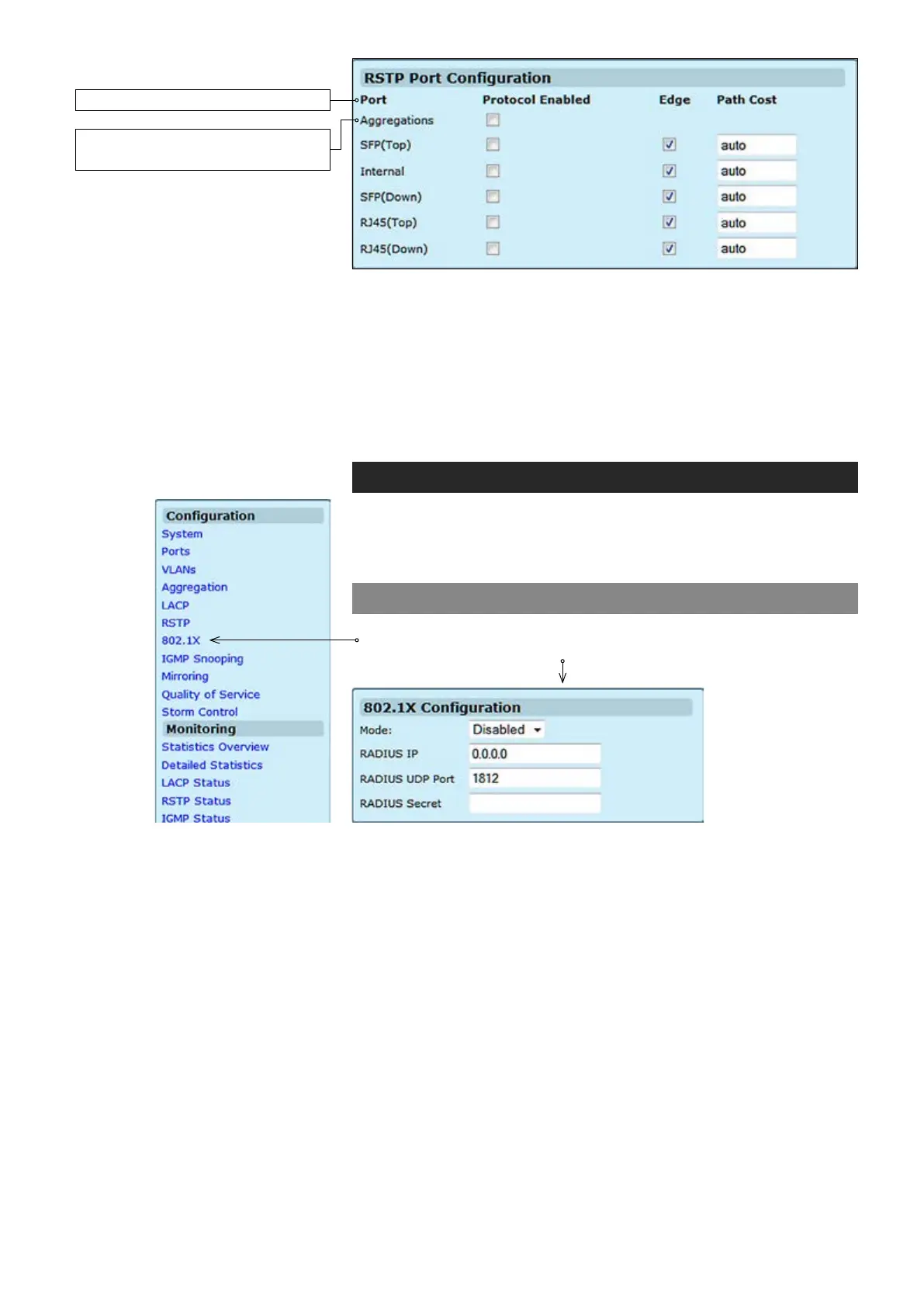
Protocol Enabled:
Edge:
Path Cost:
Mode:
RADIUS IP:
RADIUS UDP Port:
RADIUS Secret:
Click on the tick-box to enable/disable the RSTP protocol for the port.
Expect the port to be an edge port (linking to an end station) or a link to
another STP device.
This parameter is used by the STP to determine the best path between
devices. Therefore, lower values should be assigned to ports attached
to faster media, and higher values assigned to ports with slower media.
Set the RSTP pathcost on the port. Number between 0...200000000.
802.1X – introduction
The 802.1X (IEEE 802.1X) standard denes a port-based access
control procedure that prevents unauthorized access to a network by
requiring users to rst submit credentials for authentication.
802.1X conguration
Click “802.1X” under the Conguration menu. 802.1X Conguration
page appears on the screen.
The port ID. It cannot be changed.
Aggregations means any
congured trunk group
Indicates if 802.1X protocol is globally enabled or disabled on the switch.
Sets the RADIUS server IP address.
Sets the UDP port to the use for the external RADIUS server.
Sets the text string used for encryption between the switch and the
RADIUS server.



 To Next Page