71 MPH200 series video encoders WebUI user manual
IGMP – introduction
The Internet Group Management Protocol (IGMP) lets host and routers
share information about multicast group memberships. IGMP snooping
monitors IGMP service requests passing between multicast clients and
servers, and dynamically congures the ports which need to receive the
mulitcast trafc.
MPH200 Ethernet Switch provides enhanced support for IP Multicast by
allowing up to 8192 programmable multicast groups to co-exist in the MAC
table. This, in combination with IGMP snooping where IPMC membership
information is passed on to the CPU, enables applications such as digital
video distribution. Source specic multicast (SSM) is not supported.
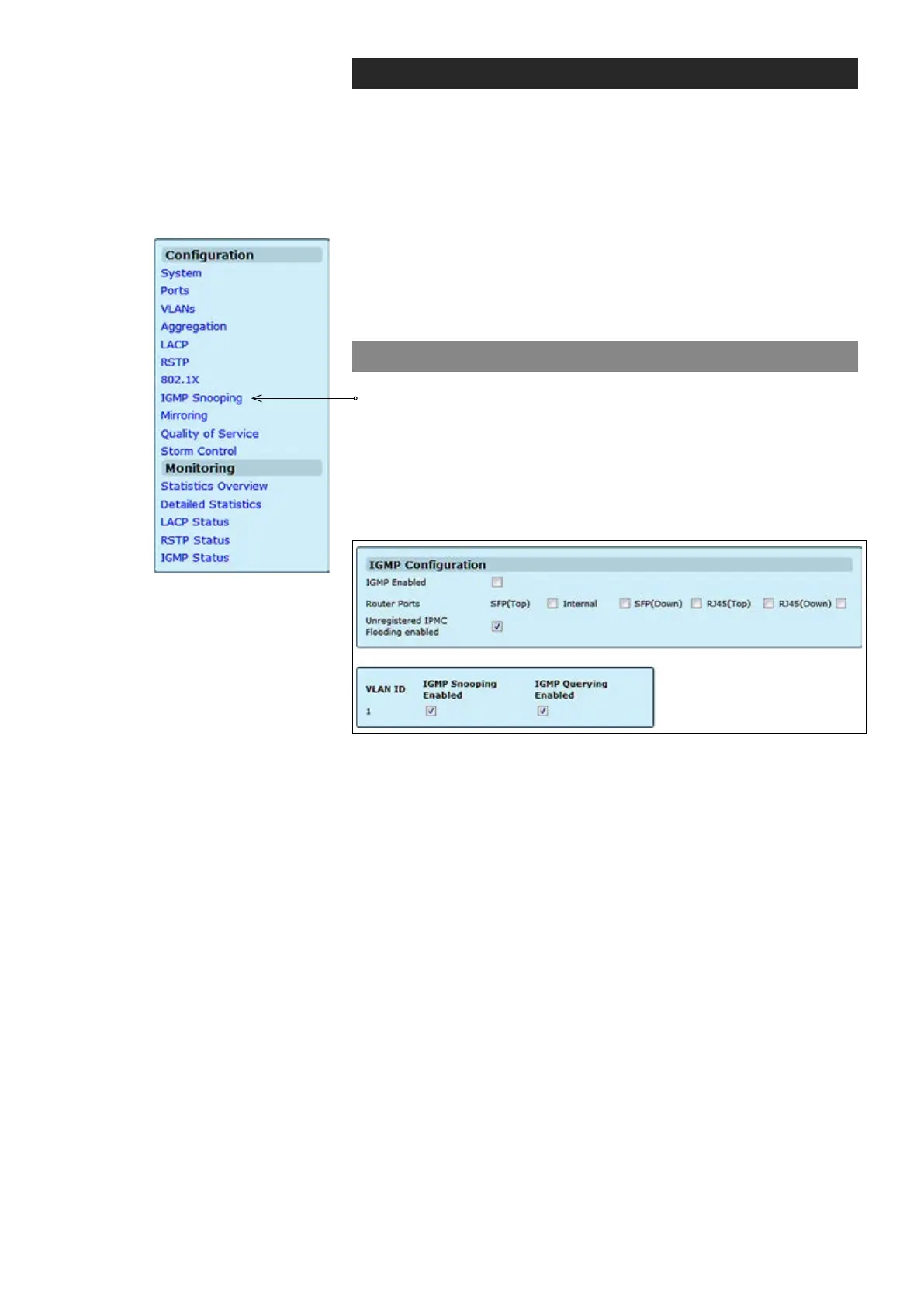
IGMP conguration
Click “IGMP Snooping” under the Conguration menu. IGMP
Conguration page appears on the screen. This page enables
customers to setup the conguration of IGMP. The page is composed of
two tables:
• IGMP Snooping Conguration – Congure global system settings
• IGMP Snooping VLAN Conguration – Congure VLAN
related settings
Enables/disables IGMP support on the switch. When enabled, the
switch will monitor network trafc to determine which hosts want to
receive multicast trafc.
Enable Router Port if it is leading towards the IGMP querier (switch or router
having IGMP querying function enabled).
Enabling this will make the switch ood the unregistered (not joined)
multicast to all ports and disabling will make the switch forward unregistered
multicast trafc to the router ports only.
The VLAN ID. It can not be changed.
Enables/disables IGMP snooping on a VLAN. When enabled, the port will
monitor network trafc to determine which hosts want to receive the multi-
cast trafc.
Enables/disables IGMP querier on the VLAN. When enabled, the port can
serve as the Querier, which is responsible for asking hosts if they want to
receive multicast trafc.
IGMP Enabled:
Router Ports:
Unregistered IPMC Flooding enabled:
VLAN ID:
IGMP Snooping Enabled:
IGMP Querying Enabled:



 To Next Page