BRAVO – Wireless Alarm Control Panel
33
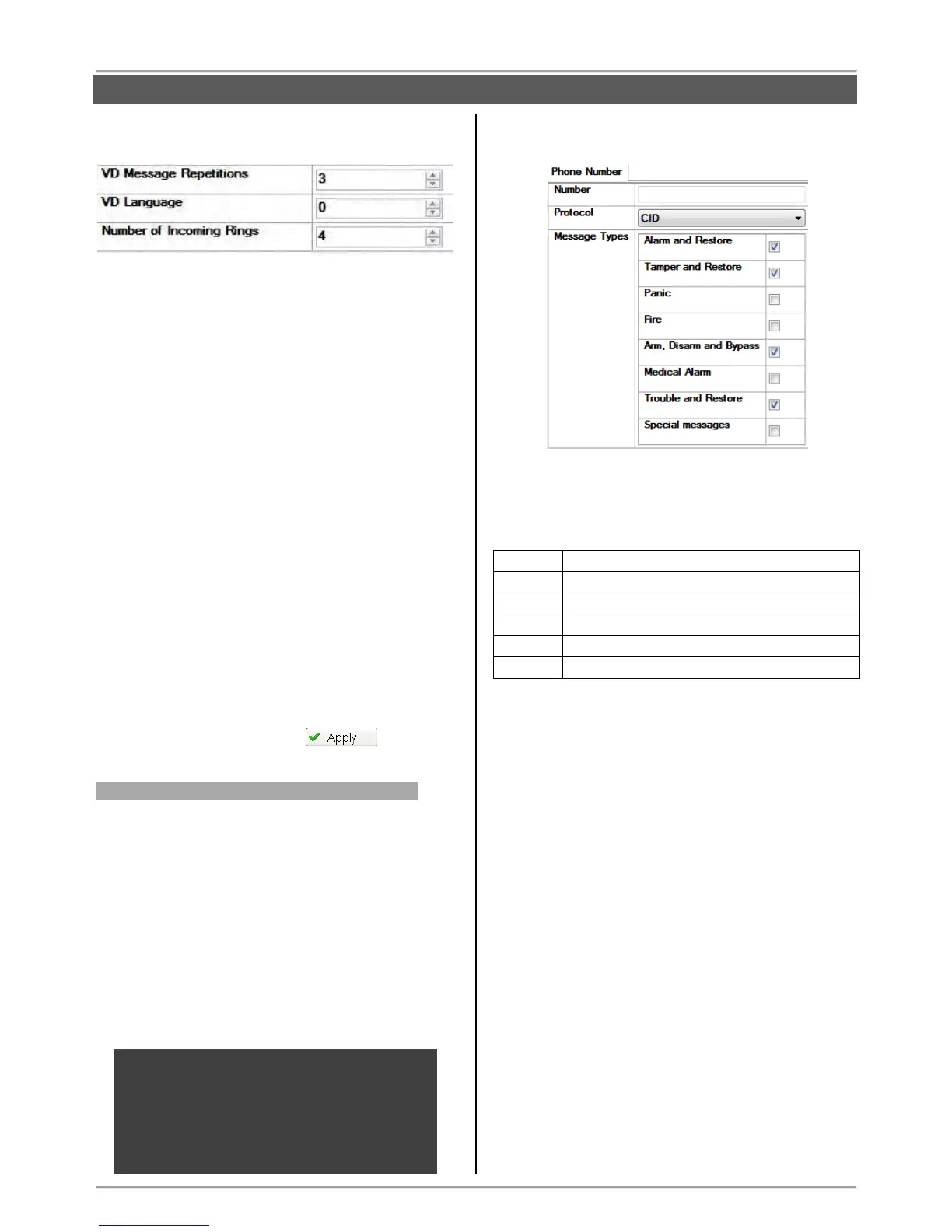
In the field for BRAVO PSTN VD parameters are
available and the following values for setting:
VD Message Repetitions – Enter a number of
attempts for transmitting messages via the voice
dialer to the recorded telephone numbers. Set a
value from 1 to 9, as the setting 1 means that the
dialer will make 1 attempt, setting 2 – two attempts
and so on.
VD Language – Set the language for the voice dialer
messages. Enter a digit corresponding to the
respective language:
[0] - English
[1] - Portuguese
[2] - Italian
[3] - Romanian
[4] - Greek
[5] - Persian (Farsi)
[6] - French
Attention: Ask your distributer for more information
whether the voice dialer supports your native
language and the value which corresponds to it.
Number of incoming rings – Enter here the
maximal number of incoming rings, which the panel
should wait before answering the call. Set a number
from 1 to 9. Setting of 0 means that the remote
programming is disabled.
Save the new configuration with button.
Entering of telephone numbers and events
To access the menus for entering of telephone
numbers, click on the “+” icon in front of “2. PSTN”.
The user can enter up to four telephone numbers for
sending messages for events to monitoring station via
SIA or CID communication protocol.
There is an option for informing directly the user in case
of alarm events via User communication protocol.
The programming of the telephone numbers is
analogical.
When using BRAVO PSTN VD “Voice dialer”
communication protocol must be set at “Protocol” field.
The “Voice dialer” protocol allows management of the
system through telephone line – see the Operation
Algorithm described at point 9.8.
ATTENTION: If the “Voice Dialer” protocol is set,
but BRAVO PSTN without voice module is
installed to the panel, or there is problem of
reading the messages recorded in the mini SD of
BRAVO PSTN VD, then the PSTN module
(regardless the type) will operate on “User”
communication protocol.
On the right side of the screen are displayed the
following parameters:
Number – Enter in the field the telephone number up
to 32 characters (no intervals).
As an option the user can add some special
functionality with following symbols:
Switches on "pulse dialer".
Switches on "tone dialer".
Switches on "Wait dial tone".
"Blind dialing"; Switches off "Wait dial tone".
Protocol – Choose a communication protocol. From
the drop-down menu select one of the protocols:
o CID – Communication protocol for transmitting
messages for events to a monitoring station.
o SIA – Communication protocol for transmitting
messages for events to a monitoring station.
o Voice dialer (VD) – User communication
protocol allowing management of the system
through telephone line.
o User (Ignore Message Types) –
Communication protocol for transmitting alarm
events directly to user. The entered message
types are ignored and in case of alarm event
the user will receive an incoming call from the
system with melody message.
Message Types – Set the message types for
transmitting to a monitoring station through the
telephone number.
The message type is set when the check box next to
it is selected. To every message type are associated
a group of events:
CONFIGURATION WITH ProsTE SOFTWARE



 To Next Page