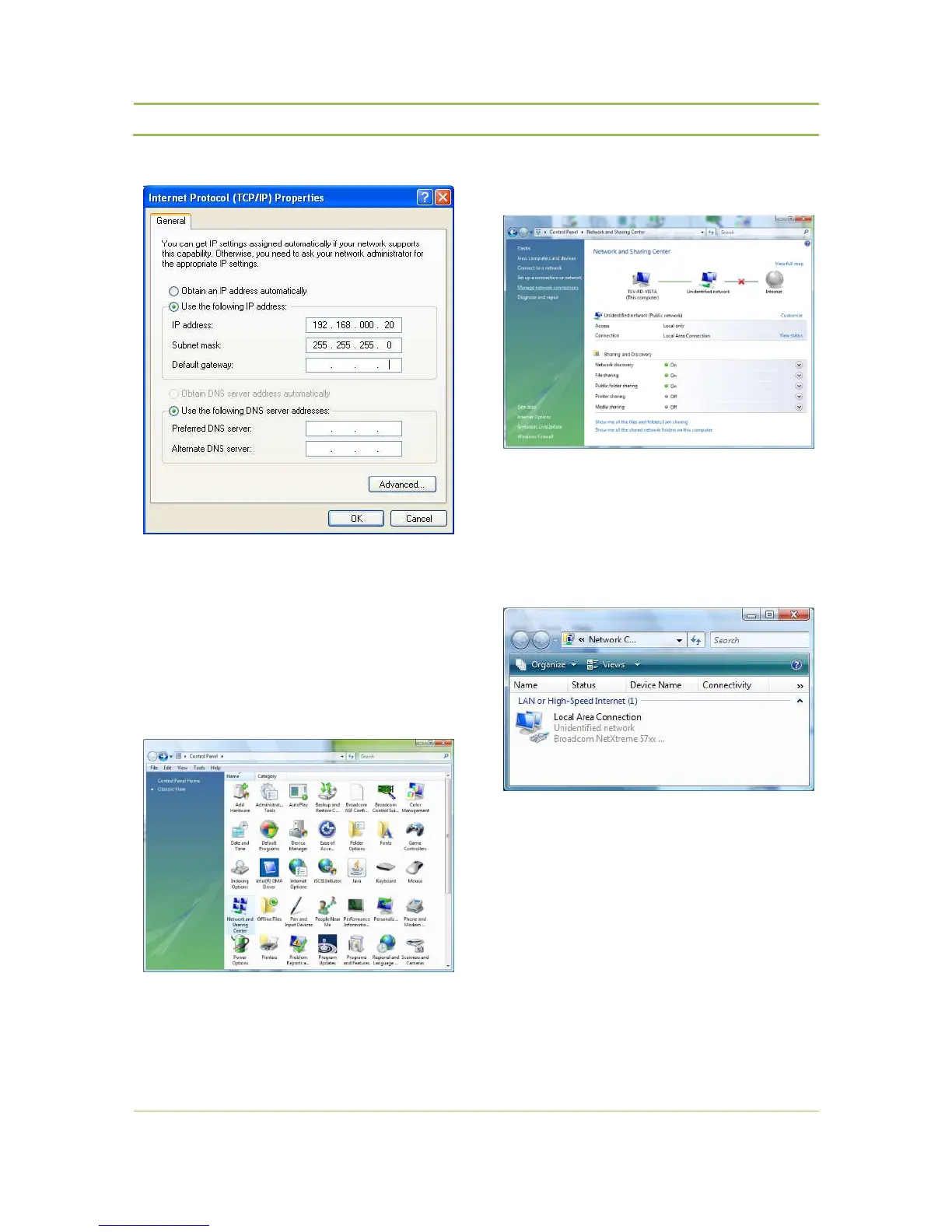
Figure 11.5: TCP/IP properties
Assigning a Static IP Address in WINDOWS
VISTA
− Go to the ‘ Control Panel’ (refer to Figure 11.3)
− Double-click on Network and Sharing Center
Figure 11.6:Control Panel
− Click on Manage Network Connections
(refer to Figure 11.3)
Figure 11.7:Netwerk and Sharing Center
− Right-click on Local Area Connection (refer to
Figure 11.8: Local Area Connection).
− Double-click on Properties
Figure 11.8: Local Area Connection
− Click on Internet Protocol (TCP/IP) (refer to
Figure 11.9 : Local Area Connection Properties).



 To Next Page