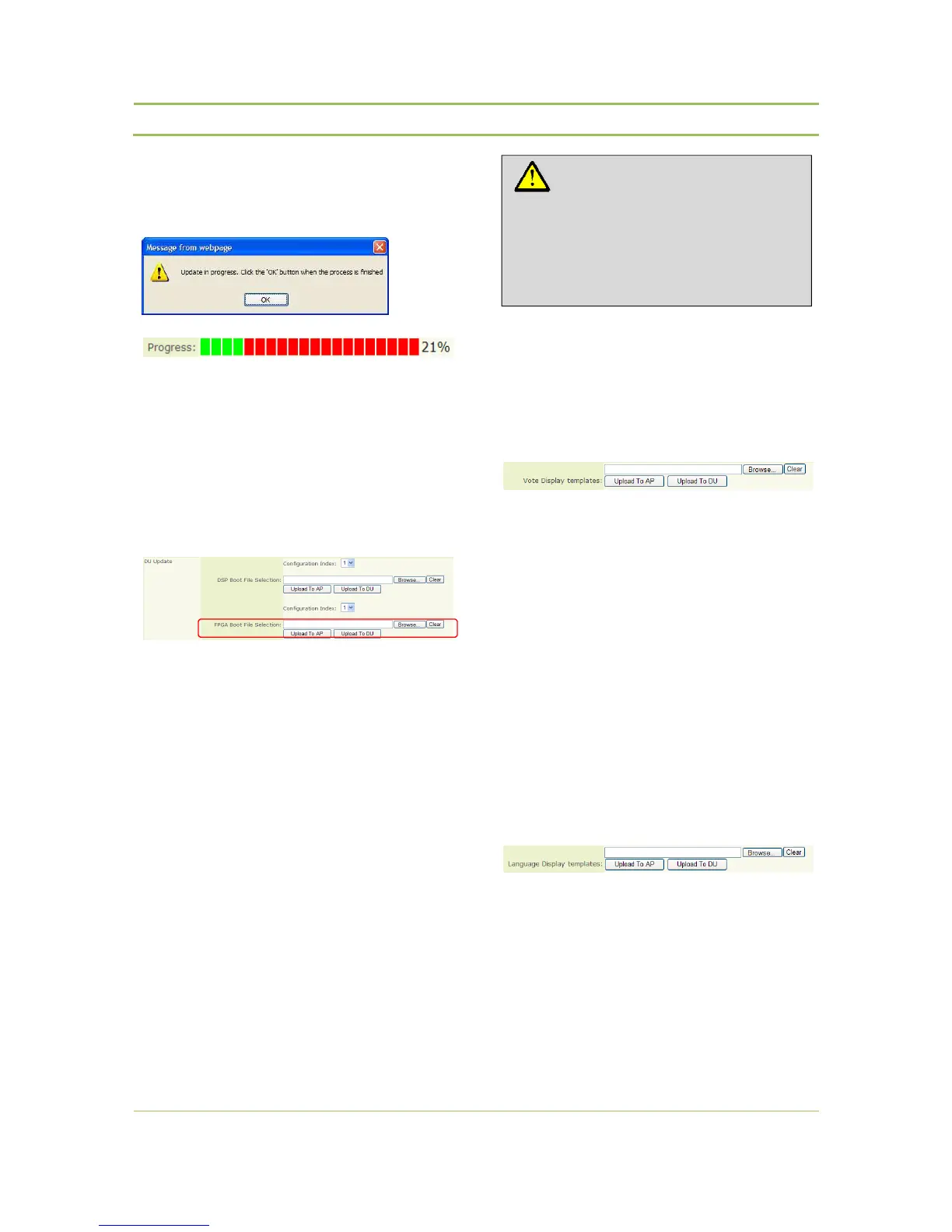
Then the file needs to be uploaded from the AP to
the DU (select “Upload to DU”).
Following message appears :
Followed by a progressbar after pressing “OK” :
Attention : The name of the file must be exactly “
firmware_ wdu.bin ”
Step 6:
In the DU updatescreen , browse to and select the
“vhdl_wdu.bin” file to update the FPGA boot file (*)
of the delegate unit.
First the file needs to be uploaded to the AP (“select
Upload to AP”).
Then the file needs to be uploaded from the AP to
the DU (select “Upload to DU”).
Attention : The name of the file must be exactly
“ vhdl_wdu.bin ”
A reboot op the DU’s is needed to activate the
new SW version : Select “Reboot DU’s”
(*) Remark :
if an update of both DSP and FPGA
file is needed , the WDUs may only
be rebooted after both files have
been uploaded.
Step 7:
In the DU updatescreen , browse to and select the
“vote_display.bin” file to update the voting display
templates (*) of the delegate unit.
First the file needs to be uploaded to the AP (“select
Upload to AP”).
Then the file needs to be uploaded from the AP to
the DU (select “Upload to DU”).
Attention : The name of the file must be exactly “
vote_display.bin ”
(*)
Remark : uploading vote display templates is
only needed for delegate units with
WDU SW 1.12 or older .
Step 8:
In the DU updatescreen , browse to and select the
“language_display.bin” file to update the language
display templates (*) of the delegate unit.
First the file needs to be uploaded to the AP (“select
Upload to AP”).
Then the file needs to be uploaded from the AP to
the DU (select “Upload to DU”).
Caution:
Do not switch off the Confidea Wireless
Access Point or any of the Confidea wireless
Delegate Units while the upload is in
progress.



 To Next Page