| 7
2
Installation and Conguration
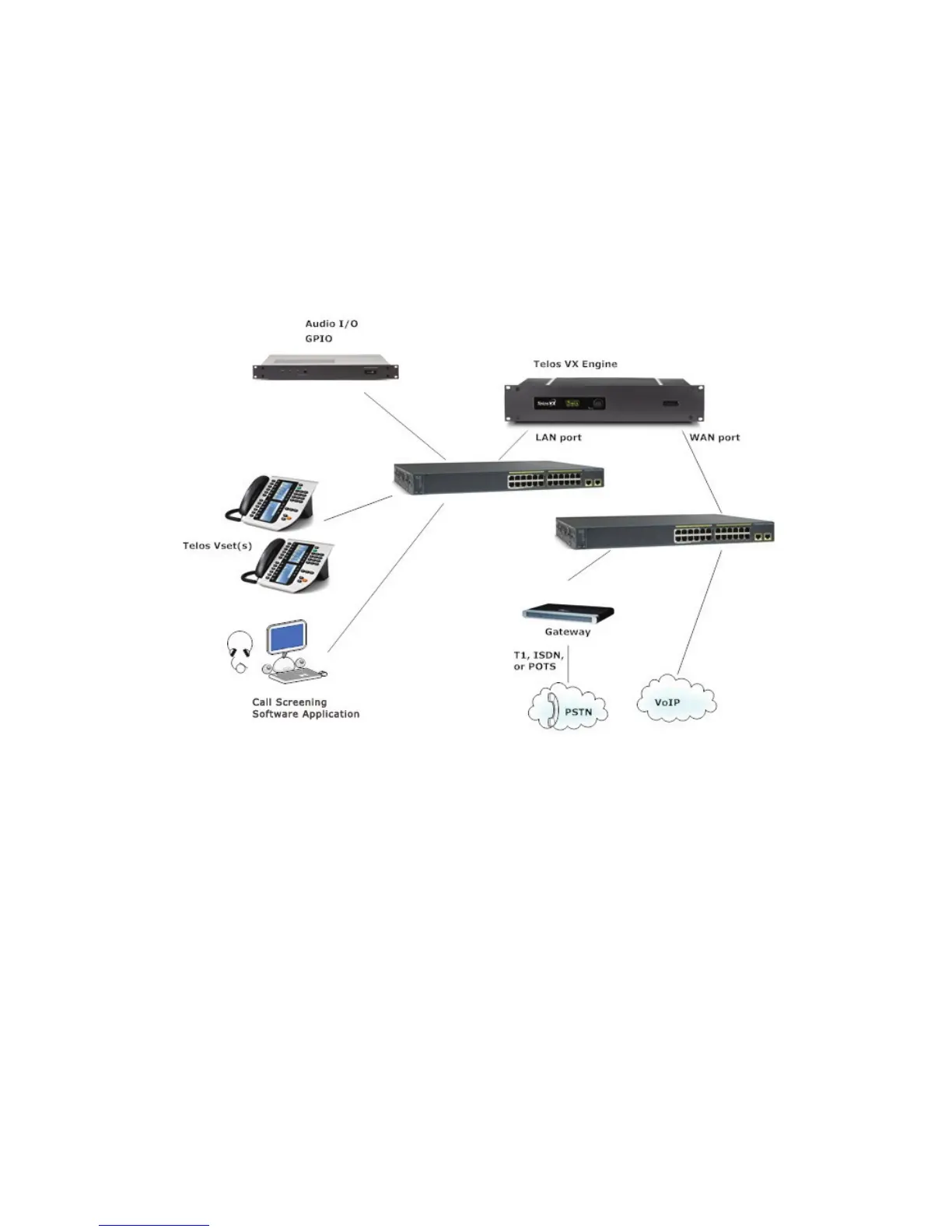
The diagram shows a generic installation that could be used in a typical studio. Two Ethernet
switches are employed to keep the isolation between the WAN and LAN ports on the VX
Engine. The LAN port carries the Livewire audio and everything else but the VoIP, which is on
the WAN port. Telco lines enter two ways: From the PSTN via a gateway and from a SIP VoIP
provider over an IP network. VX Interfaces provide analog, AES, and/or GPIO connections to
traditional studio equipment. They could be thought of as another kind of ‘gateway’. And just as
with the Telco gateway, they are not needed when the studio equipment can accept AoIP natively.
For an example of this sort of installation, see Axia Element Console as VX Controller in Section 5.
Connecting to PSTN Lines: Gateways & PBXs.
‘PSTN’ is an acronym for ‘Public Switched Telephone Network’, the traditional telephone
network that includes POTS, ISDN, and T1 as ‘last-mile’ connection technologies.
The VX system connects to Telco lines using industry standard SIP (Session Initiation Protocol).
This means it is compatible with a wide variety of VoIP services, gateways, and PBXs. Gate-
ways are used to interface PSTN lines to SIP. This is how analog POTS and ISDN lines connect
to the VX. Gateways are off-the-shelf for POTS, T1/E1, and both BRI and PRI ISDN. These can
be rack-mount units that support large numbers of connections or low-cost desktop boxes that
interface a few POTS lines.



 To Next Page