16 | Section 2
SIP Conguration
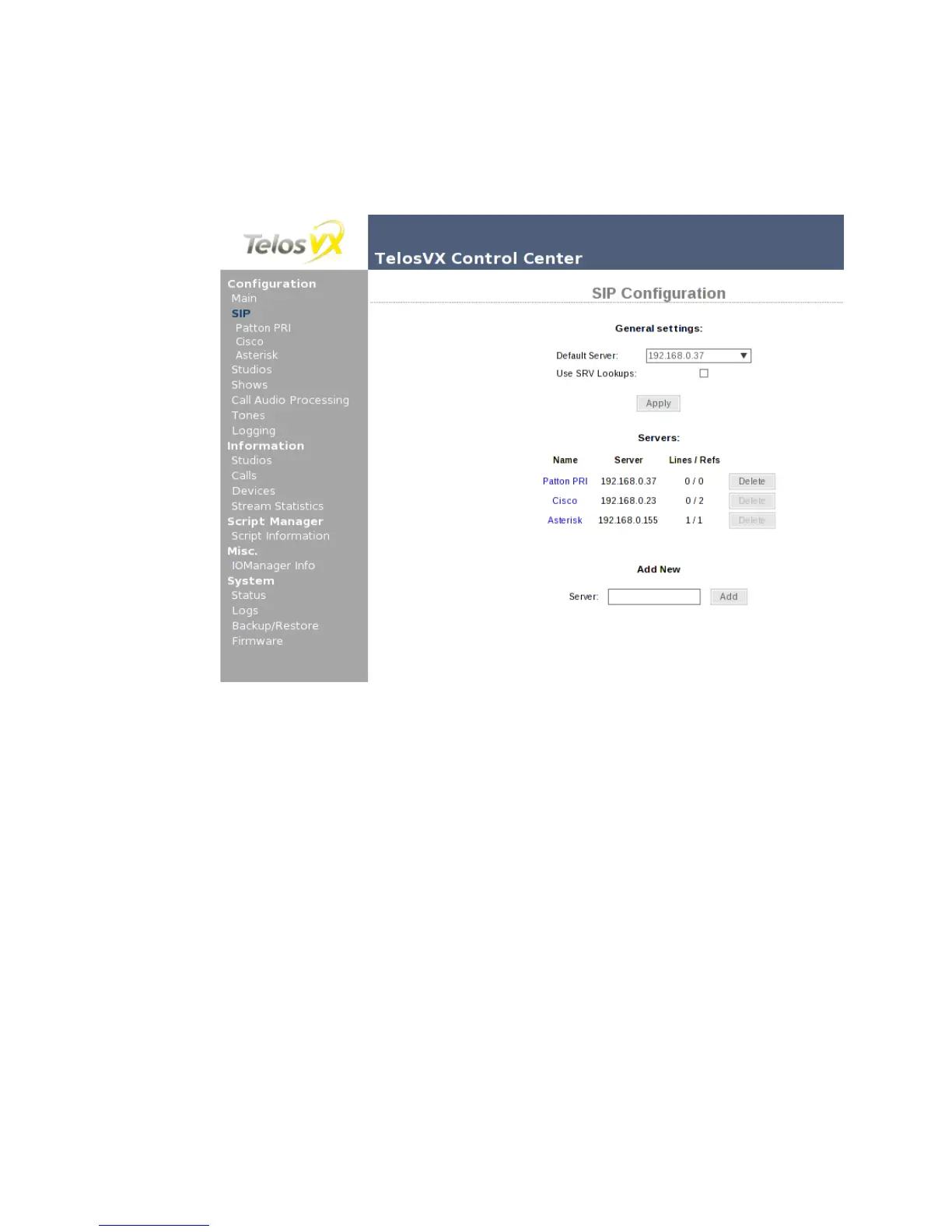
The SIP configuration page shows the global SIP settings, along with a list of all SIP servers VX
is configured to communicate with. The form at the bottom of the page lets you to add another
server; VX will automatically create server configuration for any line in the Show configura-
tion. As a consequence it is not possible to delete server entry if it is referenced from at least
one show. The Lines / Refs column shows the number of lines which are explicitly configured,
and the total number of line positions in shows using this server. Clicking on the link with the
server name will bring you to the server configuration page.
As of VX firmware version 1.1.0, there are only two global options.
♦ The Default Server changes the server address which will be used for new lines in Show
configuration. Note that this will affect only new lines, existing ones will keep their old
settings (use the SIP Server option to change the server address for existing lines).
♦ Enabling SRV Lookups makes the VX to strictly follow the SIP standard when resolv-
ing domain names. This feature is not widely used and can be left unchecked unless
required by the SIP provider.
Regarding The VX and SIP
Some details regarding the VX’s SIP implementation:
♦ As of the time of writing, the VX supports the g.711 and g.722 codecs. g.711 is the usual
PSTN codec, so ISDN or T1 connections will not suffer any transcoding loss. SIP auto-



 To Next Page