18 | Section 2
♦ RFC 2671 MD5 digest authentication is supported.
♦ RFC 2833 DTMFs is supported.
♦ Supports SRV address lookups.
♦ Has basic NAT support
♦ Unlike some other SIP devices, the VX supports non-numeric “extensions”
Server Conguration
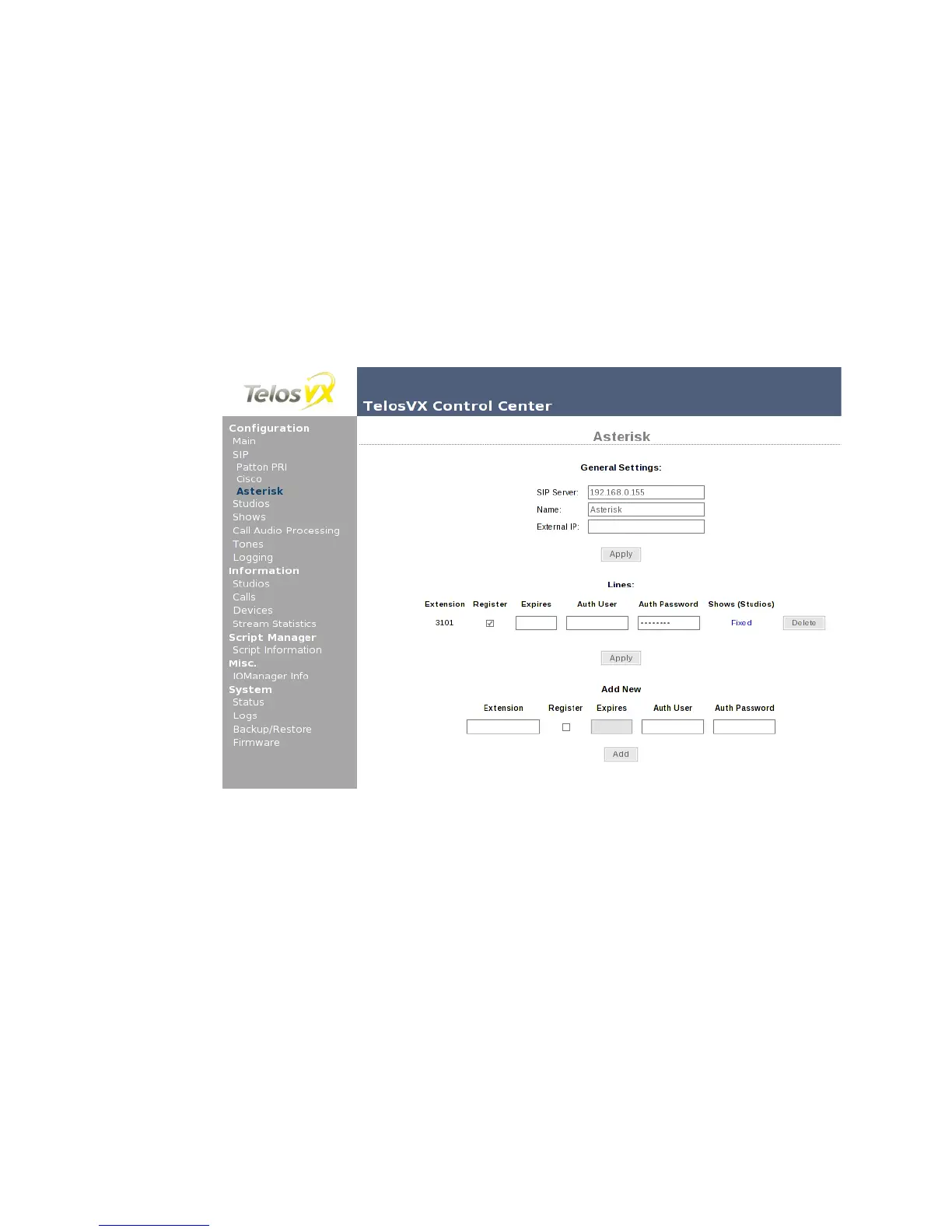
When the line details are entered in Show configuration, VX creates the server configuration as
needed, treating each line as a “trunk”. If this is what’s needed, you don’t have to do anything
else. Otherwise, you can change the server settings and line specific configuration from the
Server Configuration pages. It shows the server address and name, and the list of configured
lines (lines using defaults are not shown).
The SIP Server field allows you to change the server address, while keeping the other settings
intact. You can also assign a more descriptive Name to the server, which will be then shown
in place of the server address. As it is used for display purposes only, it can be anything you
want, like ‘POTS Gateway’. The External IP setting is discussed in the next section. Please note
that to change the server settings you have to unload any shows referencing the server; it is
not possible to change them while the server is in active use.
The Extension and server together make up the SIP address of a line. It must be unique, as in
the context of SIP the “line” is the address (and associated configuration).
To change the line from trunk to station, mark the Register checkbox. This will make the VX
register it with the server (meaning, log in) whenever a show referencing this line is active,
informing that the address is reachable. The Expires field lets you to change the interval (in



 To Next Page