NOTES, RESOURCES, ADDITIONAL INFORMATION | 55
status icons. For the latter, Phone Fader modules have a couple of extra buttons to manage the
Telco lines.
Livewire makes it easy to connect the multiple inputs and outputs that the VX’s multi-hybrid
capability affords.
Installation
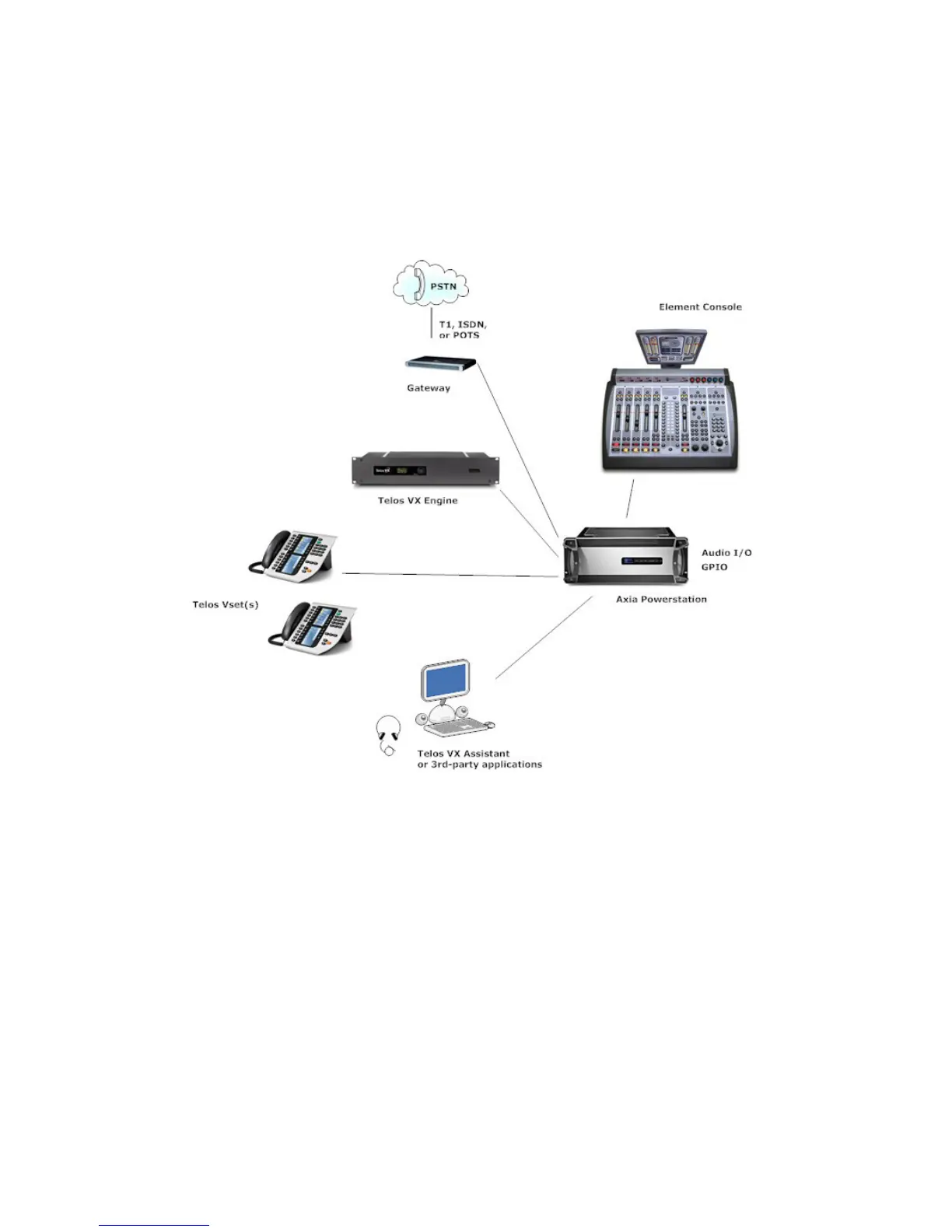
The setup in the block diagram shows the Axia Powerstation as the core for the studio, provid-
ing the Ethernet switch function. The VX Engine LAN port attaches to one of the gigabit ports
and the VSets to PoE (powered) ports. The Engine WAN port could have its own switch to
connect the VoIP lines and gateways. Or the VX can be configured so that the LAN port could
serve everything with no additional switch. The Powerstation could also link up with a central
switch to pass audio to/from other locations in the facility.
In the Element, Install or confirm the presence of the call control module and the faders you
will be using for telephone operations. Some possible Element configurations are:
♦ 1 Call Control module for 12 or 24 lines, 2 hybrids/faders
♦ 1 Call Control module + 1 Phone fader module for 12 or 24 lines, 6 hybrids/faders
♦ 2 Call Control module for 12 or 24 lines, 4 hybrids/faders.



 To Next Page