NOTES, RESOURCES, ADDITIONAL INFORMATION | 89
Circuits Busy” recording from Asterisk, because all circuits are busy as there is nowhere for the
call to go.
Outbound Calls
Below, we decide to use ‘9’ to dial outside the PBX, so we cleverly name the route ‘9_outside’
to make it clear later what the thing does. In the “Dial Patterns’ box we enter ‘9|.’ What this
does is match the leading 9 from the number dialed, let’s call it 913115552368, deletes the
9 (everything ahead of the pipe symbol ‘|’ is deleted) then the ‘.’ represents the rest of the
number dialed (13115552368) and passes that number to the trunk selected at the bottom of
the outbound route page, in this case, our Vitelity trunk.
Connect your VX to Asterisk
We’re going to assume that you’ve done the basic setup of your VX. That means you’ve got
audio going and a VSet phone connected and talking to your VX engine, and it’s on the same
network as your Asterisk box.
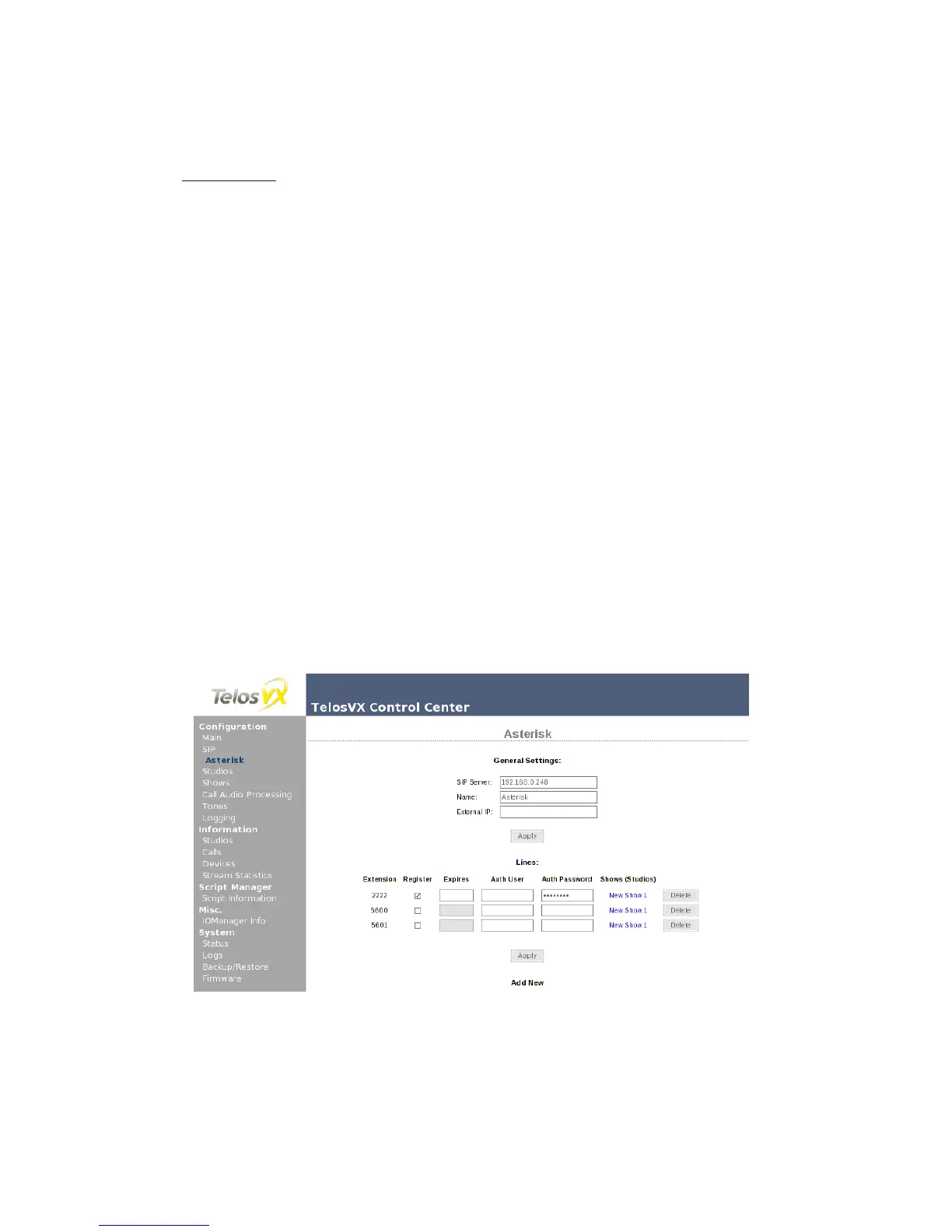
Log into your VX engine with the web browser, and select SIP. Enter the IP address of the
Asterisk in the Server field at the bottom of the page, and click Add. The configuration page for
the server will open, where we can change the server settings and add new lines.
Earlier, we created extension 2222 using FreePBX. Now we need to add a corresponding line
configuration for VX to register it with the server. Expires allows you to change how often VX
will refresh it’s registration. Leave it empty and the VX will register as often as Asterisk says it
must. Auth User is typically your extension number and thus can be left empty as well, Auth
Password should be the same as your ‘secret’ from the PBX in a Flash Extensions setup page.
Though the VX supports SIP trunks as well as SIP extensions (lines), extensions are prob-
ably better for you to use than trunks. First, SIP lines each have their own outgoing caller ID,
programmable per line in Asterisk. Trunks will only send the extension number for caller ID, or
the same the caller ID for all of the numbers on the trunk, which can be confusing. People have
become used to getting accurate caller ID on their mobile phones, etc. You may wish to hide or
substitute caller ID on ‘Private lines’ or hotlines. Another feature of SIP lines is the registration
feature. With it, the system knows that an extension is ready and available for calls.



 To Next Page