34 | Section 3
Set Talent or Producer Mode
The VSet should be set to Talent mode when it is located in the studio and is used to put calls
on the air. Producer mode is for a VSet that is being used by a producer to screen calls. In
Producer mode, calls cannot be put on-air and are protected from being dropped. The function
of the right line button column is different in the two modes to serve the needs of each type of
operator, as described below.
Press the menu button to access the menu functions. The LCD will show the various items that
can be changed. Select Talent or Producer and then exit the menu functions by pressing the
menu button.
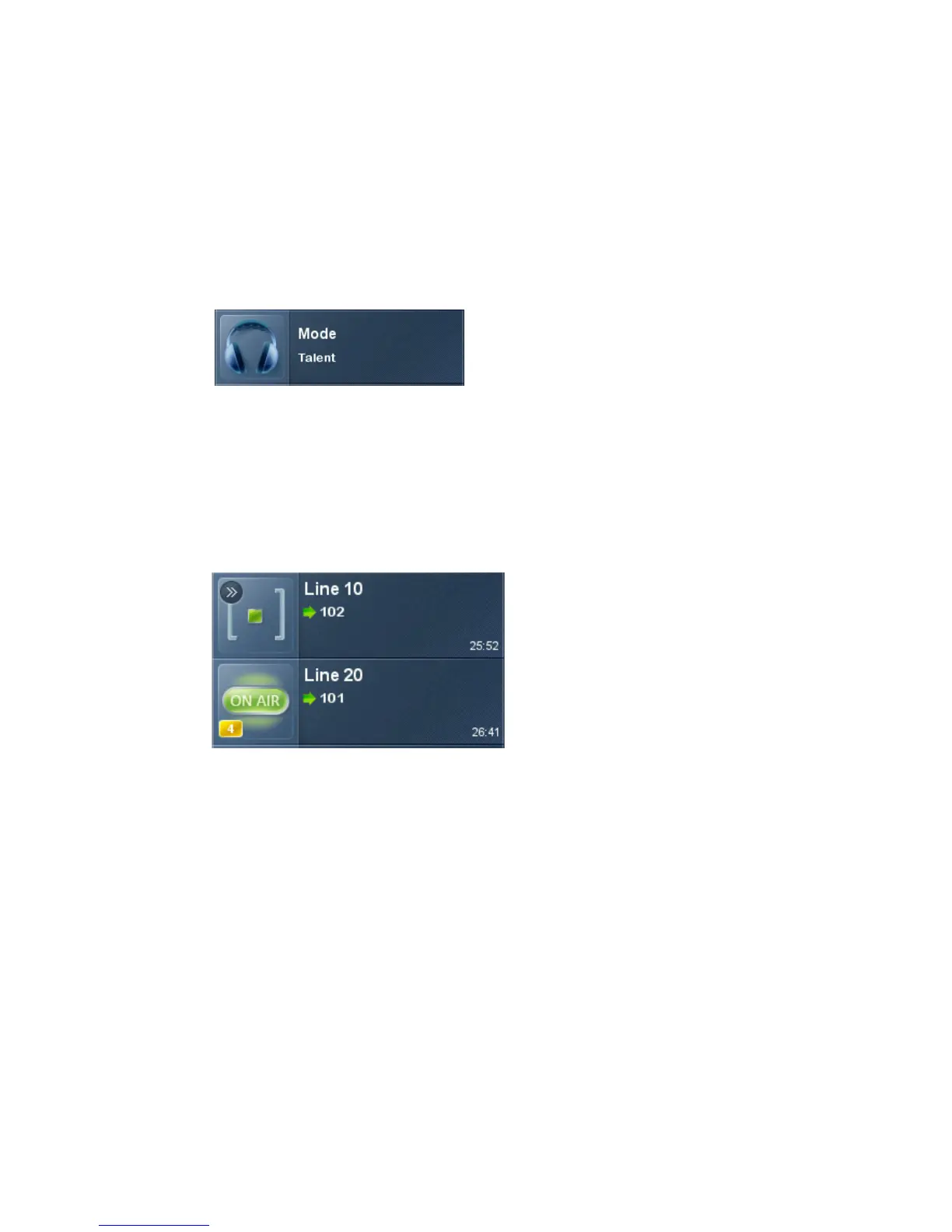
The Line Info Display
Each line has a corresponding portion of the LCD display to the right of the line button that
shows status and info about that line.
Next indicator
The ‘>>’ symbol. Marks the line that will be taken when the next button is pressed.
Fader number
The yellow/orange rectangle near the status icon.
Line name
The first text line. This is defined in configuration using the VX Engine’s control center web GUI.
Caller ID
Caller ID will be displayed on incoming calls if it is available. Outgoing calls will show the num-
ber dialed. The green arrow to the left of the text points left for incoming or right for outgoing.
Calls that are blocked or that come from lines without caller ID may display ‘anonymous’.



 To Next Page