GREER COMPANY 1918 EAST GLENWOOD PLACE, SANTA ANA, CA 92705 PN W450250 Rev A 06/01/00
TEREX RCI 510 RATED CAPACITY INDICATOR OPERATOR'S MANUAL TEL:(714) 259-9702 FAX:(714) 259-7626
20 of 35
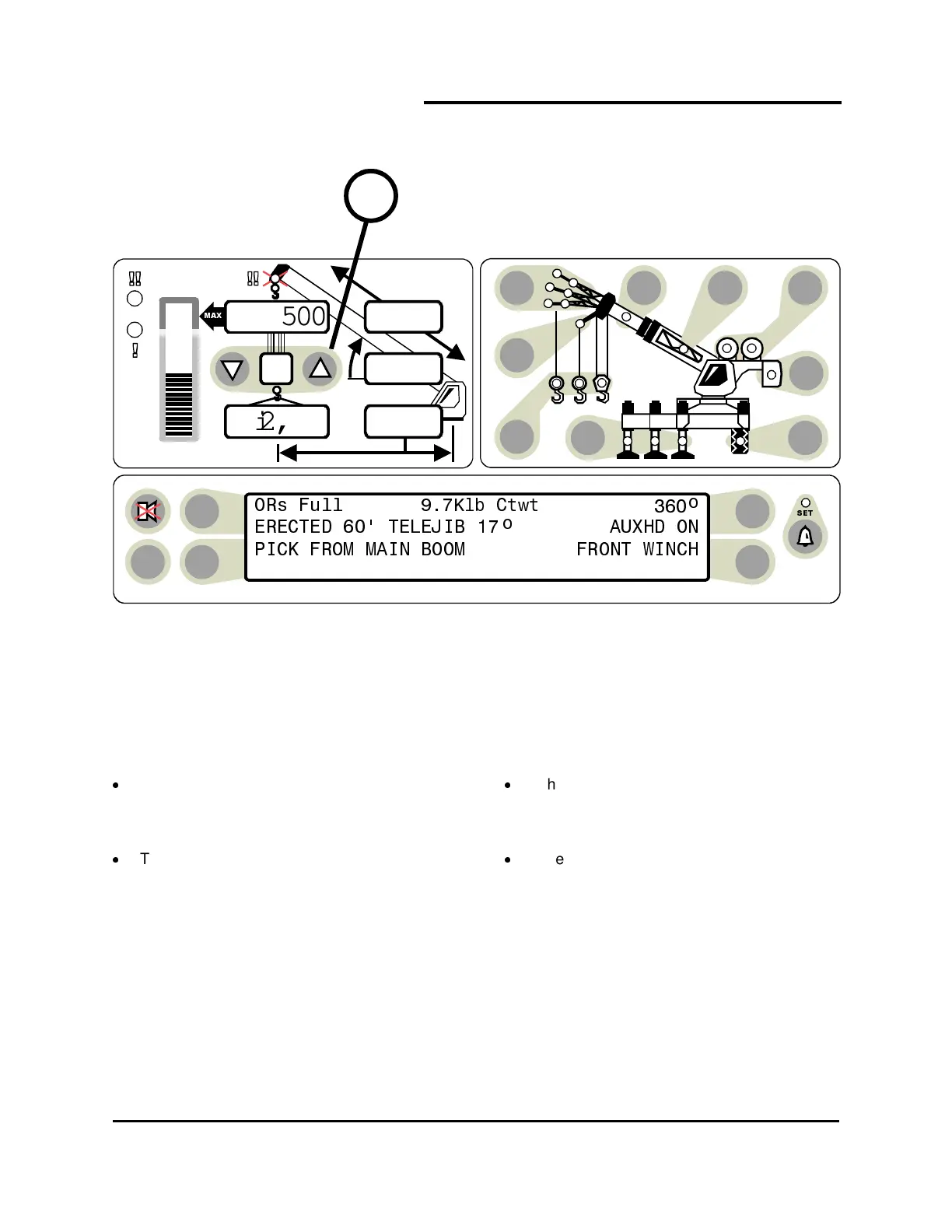
Always check and select parts-of-line following selection of the winch and point of lift.
Set the
PARTS-OF-LINE
for the currently
selected winch by pressing the UP or
DOWN arrow, as appropriate. (item 13).
The number of parts-of-line will appear in
the parts-of-line display (item 13).
When another winch is selected, it may be
necessary to reset the parts-of-line for the
other winch.
When the number of parts in the parts-of-
line on the crane is changed, it will be
necessary to reset the parts-of-line on the
display.
TEST
6
23,500
i2,300
44.8
62.7
26.4
13



 To Next Page