12 POWER ON/OFF
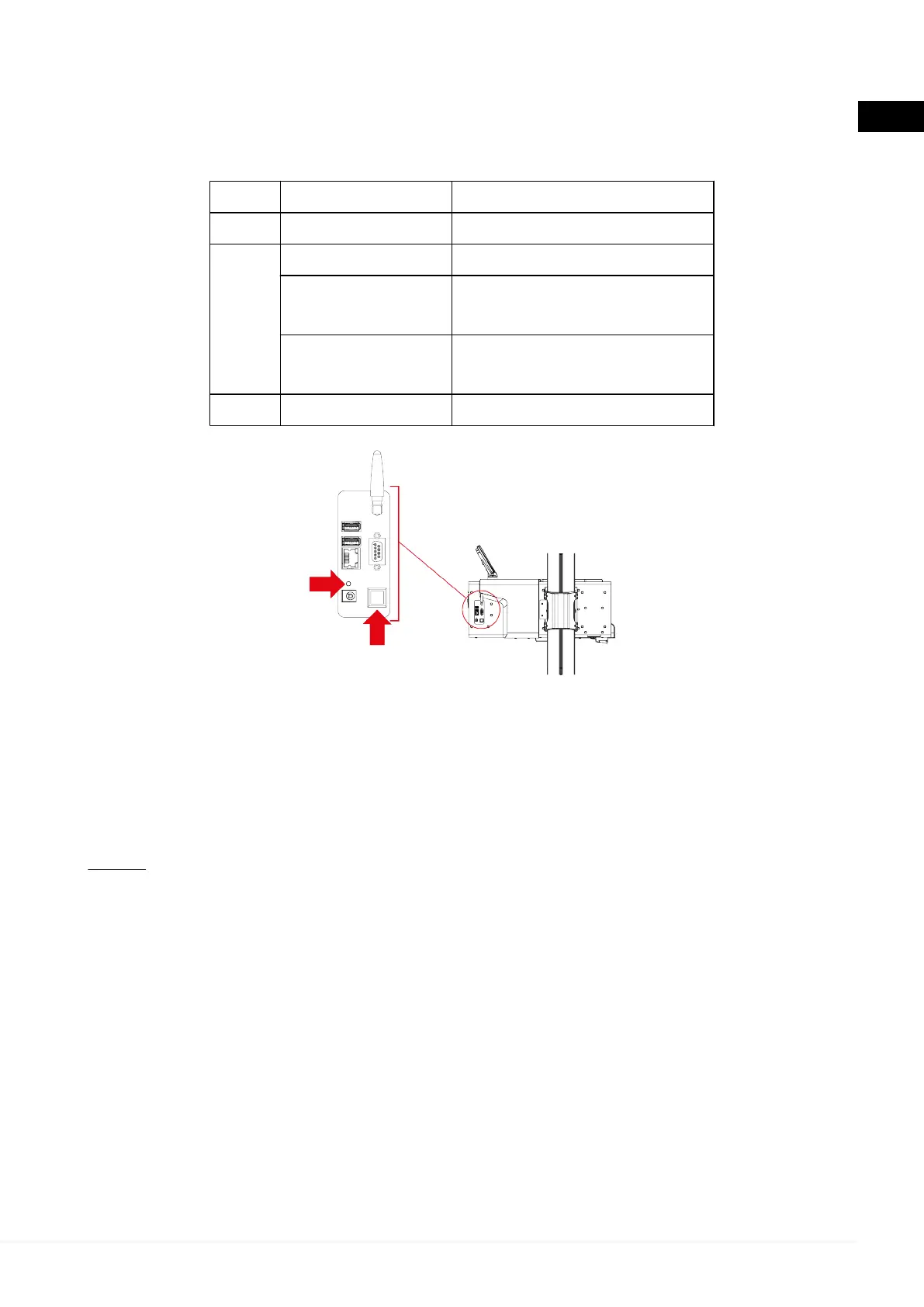
The device can be powered ON and OFF through the specific button on its side.
The status of the device is indicated by the LED above the power button:
LED STATUS MEANING
Red steady ON Power ON phase in progress.
Green
steady ON ON, ready for use.
slow blinking
(1 every 3 seconds)
Standby.
quick blinking
(1 every second)
Power OFF phase in progress.
Orange steady ON Software update in progress.
Proceed as follows:
1.
Press the power button.
2.
Wait for the LED to change colour from red to green.
The device is now ready for use.
NOTE:
In eLIGHT ONE
D
, the power ON phase is also visible on the touchscreen display.
The device is ready for use when the software home screen is displayed.
For further information see the software Operating Manual.
In order to turn off the device, press the button and wait for the LED to turn off.
79
en


 To Next Page
 Loading...