iCNC PERFORMANCE
Manual 0-5399 OPERATION 3-23
3.14.4 Edit and create a process
Process Database
The iCNC Performance has a unique feature that allows building a database for specific cutting parameters based on material, thickness,
gas and tool. Based on material, thickness and tool selected, the cutting parameters can change automatically for kerf, cutting speeds and
other parameters. Once a database is built up with all the correct information, the guess work of where to set the cutting parameters will be
minimized. This would be helpful when a new operator is trained to operate the cutting machine assuring consistent cut quality.
NOTE!
It is not necessary to use all three fields to set the database e.g. use
material and thickness only and leave tool at Default.
Setting up the Database
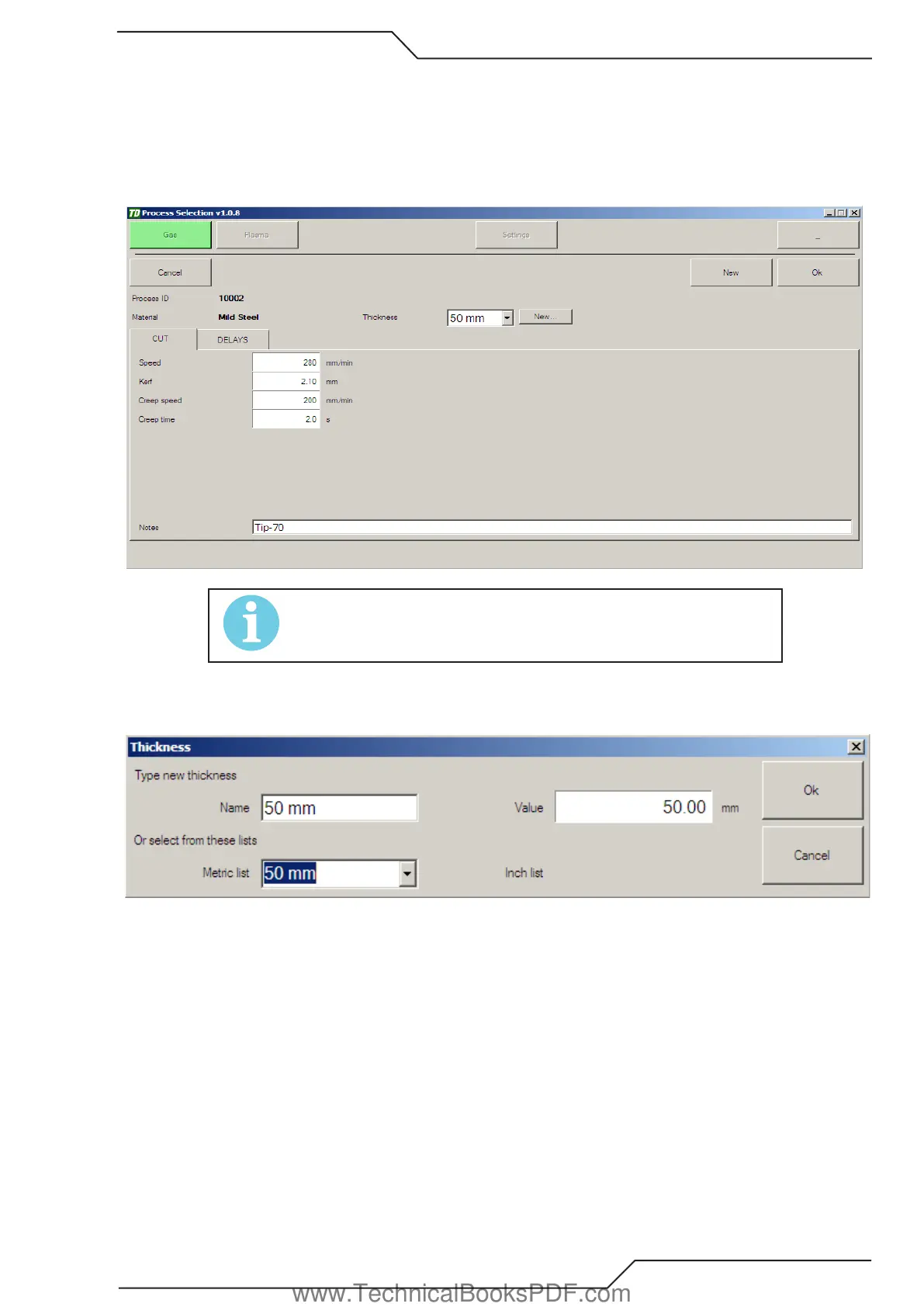
1. Click Edit on the process selection screen and then click New.
2. Select the wanted Thickness or create a new thickness by clicking New.
Name Thickness that is shown in the process selection.
Value Thickness that is used internally (example the process list is arranged by the value not by the name).
Metric/Inch list Pick a common thickness from the list.
Click Ok after thickness settings have been set.
www.TechnicalBooksPDF.com



 To Next Page