12
Smart AC1/TD
w w w . t i m e t e c c l o u d . c o m
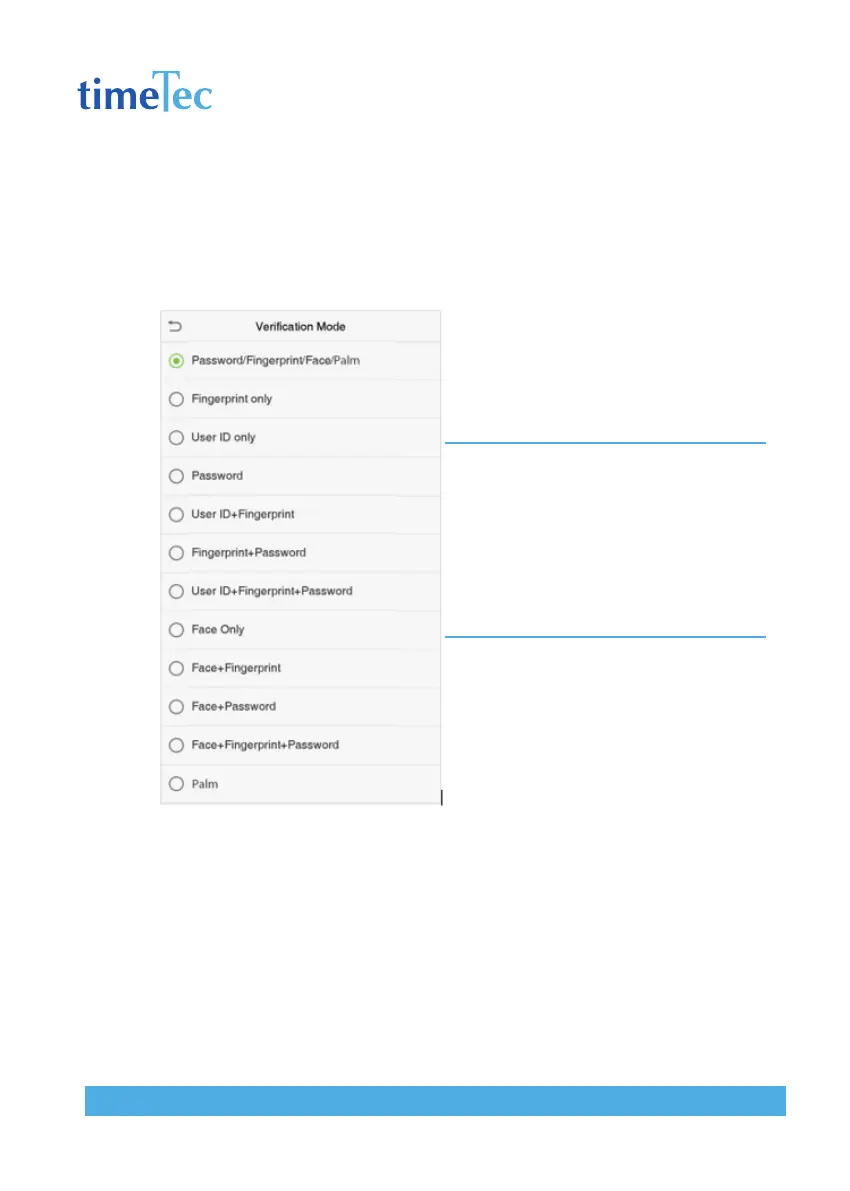
Combined Verification
To increase security, this device offers the option of using multiple forms of verifica-
tion methods. A total of 7 different verification combinations can be used, as shown
below:
Note:
1. “/” means “or”, and “+” means “and”.
2. You must register the required verification
information before using the combination
verification mode, otherwise the verification may
fail. For example, if a user uses Face Registration but
the verification mode is Face + Password, this user
will never pass verification.



 To Next Page