22
Smart AC1/TD
w w w . t i m e t e c c l o u d . c o m
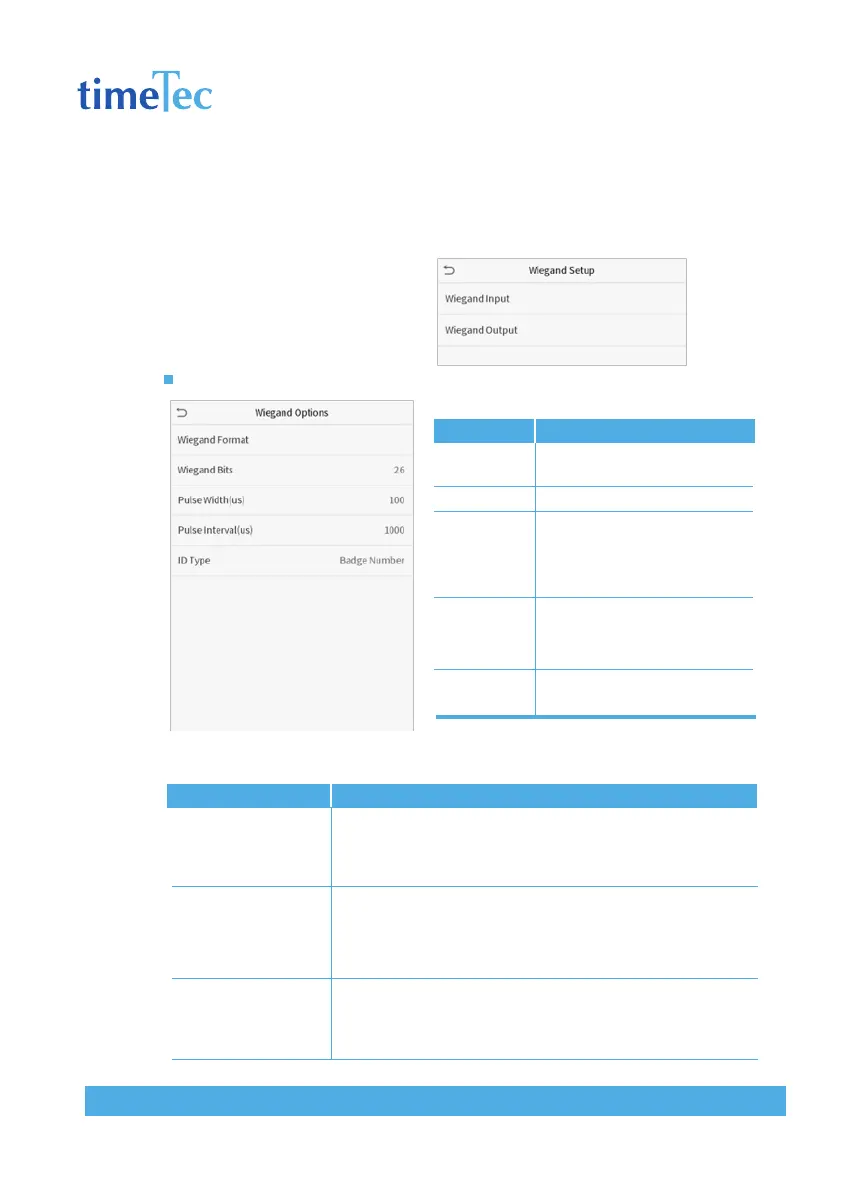
5.4 Wiegand Setup
To set the Wiegand input and output parameters.
Click Wiegand Setup on the Comm.
Settings interface.
Wiegand input
Definitions of various common Wiegand formats:
Items
Wiegand
Format
Wiegand Bits
Pulse
Width(us)
Pulse
Interval(us)
ID Type
Descriptions
Values range from 26 bits, 34
bits, 36 bits, 37 bits, and 50 bits.
Number of bits of Wiegand data.
The value of the pulse width
sent by Wiegand is 100 micro-
seconds by default, which can
be adjusted within the range of
20 to 100 microseconds.
The default value is 1000 micro-
seconds, which can be adjusted
within the range of 200 to 20000
microseconds.
Select between User ID and
badge number.
Wiegand Format
Wiegand26
Wiegand26a
Wiegand34
Definitions
ECCCCCCCCCCCCCCCCCCCCCCCCO
Consists of 26 bits of binary code. The 1st bit is the even parity bit
of the 2nd to 13th bits, while the 26th bit is the odd parity bit of
the 14th to 25th bits. The 2nd to 25th bits are the card numbers.
ESSSSSSSSCCCCCCCCCCCCCCCCO
Consists of 26 bits of binary code. The 1st bit is the even parity bit
of the 2nd to 13th bits, while the 26th bit is the odd parity bit of
the 14th to 25th bits. The 2nd to 9th bits are the site codes, while
the 10th to 25th bits are the card numbers.
ECCCCCCCCCCCCCCCCCCCCCCCCCCCCCCCCO
Consists of 34 bits of binary code. The 1st bit is the even parity bit
of the 2nd to 17th bits, while the 34th bit is the odd parity bit of
the 18th to 33rd bits. The 2nd to 25th bits are the card numbers.



 To Next Page