42
Smart AC1/TD
w w w . t i m e t e c c l o u d . c o m
9.5 Anti-passback Setup
It is possible that users may be followed by some persons
to enter the door without verification, resulting in security
problem. So, to avoid this situation, Anti-Passback option
is developed. Once it is enabled, the check-in record must
match with check- out record so as to open the door.
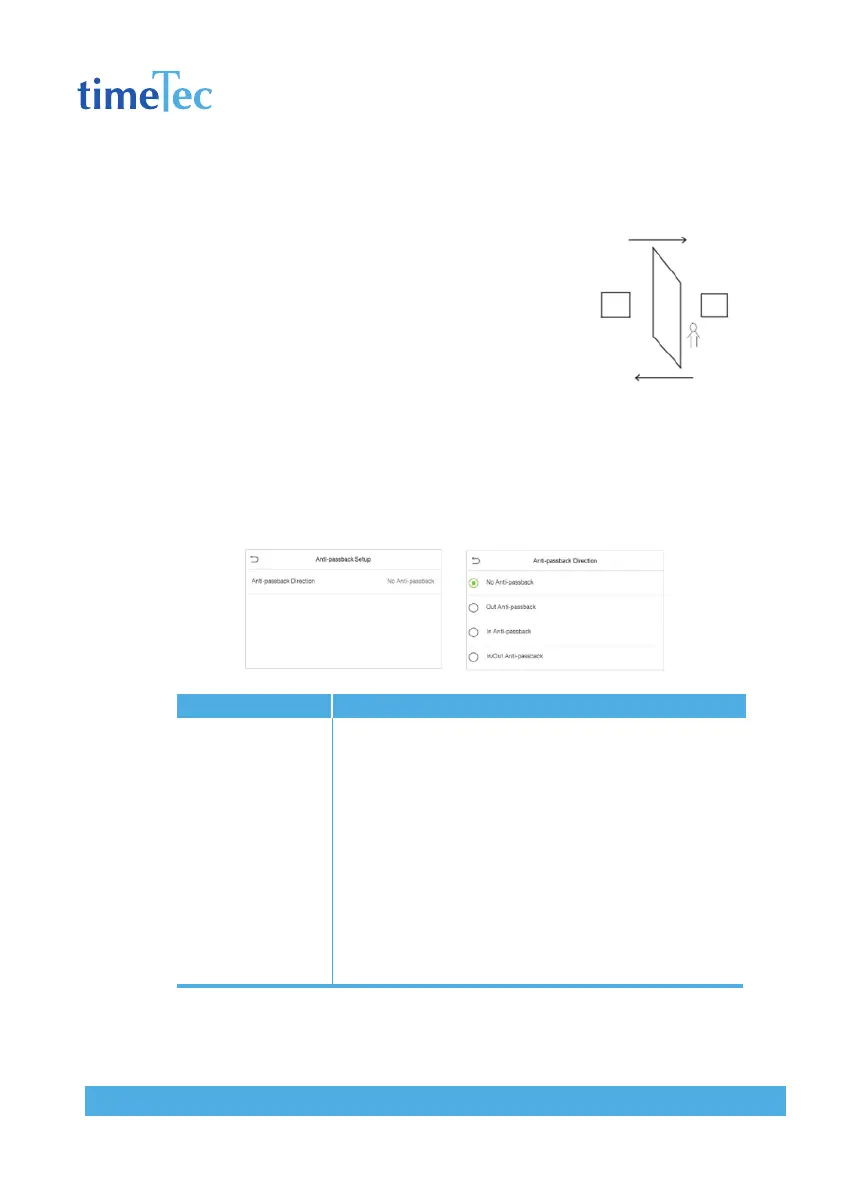
This function requires two devices to work together:
one is installed inside the door (master device), the other
one is installed outside the door (slave device). The two
devices communicate via Wiegand signal. The Wiegand format and Output type
(User ID / Badge Number) adopted by the master device and slave device must
be consistent.
Click Anti-passback Setup on the Access Control interface.
Descriptions
No Anti-passback: Anti-passback function is disabled, which
means successful verification through either master device or
slave device can unlock the door. Attendance state is not saved.
Out Anti-passback: After a user checks out, only if the last record
is a check-in record, the user can check out again; otherwise, the
alarm will be triggered. However, the user can check in freely.
In Anti-passback: After a user checks in, only if the last record is
a check-out record, the user can check in again; otherwise, the
alarm will be triggered. However, the user can check out freely.
In/Out Anti-passsback: After a user checks in/out, only if the last
record is a check-out record, the user can check in again; or a
check-in record, the user can check out again; otherwise, the
alarm will be triggered.
Items
Anti-passback
direction



 To Next Page